Route new client uploads to the right preparer
Every morning, WebRun opens SmartVault, finds the documents clients uploaded since the last run, matches each to its client and assigned preparer, logs them to a Google Sheet, and posts the team a Slack note so the right preparer knows their client's files have arrived.
- No credit card
- Under $0.01 per run
- Cancel anytime
How do I route new client portal uploads to the right preparer automatically?
Every morning, WebRun opens SmartVault, finds the documents clients uploaded since the last run, and matches each to its client and assigned preparer. It logs them to a Google Sheet and posts each preparer a Slack note listing their clients' arrivals, so new files reach the right person instead of sitting unnoticed in the portal.
- New client files reach the right preparer the same morning they land
- No upload sits unnoticed in the portal for days
- Each preparer gets a clean handoff instead of watching the folder tree
Built for accounting firms · tax practices · CPA firms · document admins
What does WebRun do on every run?
The exact actions WebRun takes, in order - in plain language, so you can adjust anything.
-
WebRun signs in and gets to work
Opens
my.smartvault.comin a real browser with your saved login - no setup, no API keys. -
1
SmartVault - find new client uploads
smartvault.com
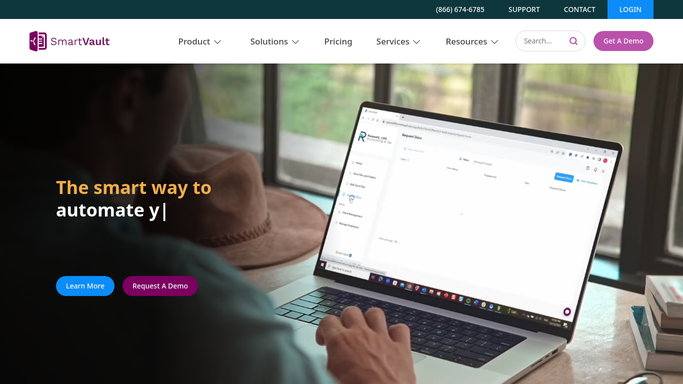
WebRun opens SmartVault to find documents clients uploaded since the last run. - Open SmartVault and find documents uploaded to client folders since the last run
- Capture the client, the file name, the folder, and the upload time for each
- Match each upload to the preparer assigned to that client
Done when Every new client upload has been listed with its client and assigned preparer.
-
2
Google Sheets - log uploads and assigned preparer
google.com How to Automate Google Sheets

WebRun logs each new upload with its client and assigned preparer. - Log each upload with its client, file, folder, upload time, and assigned preparer
- Group by preparer so each person can see what landed for their clients
- Keep a running record so nothing uploaded is missed or double-handled
Done when The routing sheet reflects this run's new uploads and their preparers.
-
3
Slack - notify the assigned preparer
slack.com How to Automate Slack

WebRun posts each preparer a note of their clients' new uploads. - Post a note per preparer listing the client files that arrived for them
- Name the client and the documents so the preparer can pick the work up
- Keep it to a short, scannable handoff rather than a raw file dump
Done when Each preparer has been notified in Slack of their clients' new uploads.
How is each run configured?
Secure by default
Connect once, stays signed in
WebRun signs in once and keeps each session in a persistent environment, so every run picks up right where it left off.
Every action is checked against this policy before it runs.
Questions, answered
Does it move or delete files in SmartVault?
No. WebRun only reads which documents were uploaded and matches them to a preparer. It writes the routing list to a Google Sheet and posts a Slack note, so your SmartVault folders and files are never changed.
How does it know which preparer to route to?
It matches each upload's client folder in SmartVault to the preparer assigned to that client, so files land with the right person without anyone watching the portal all day.
Will preparers miss an upload that comes in late?
No. WebRun captures every new upload since the previous run and keeps a running record, so a file added at any hour is picked up on the next run rather than slipping by.
Related templates
Put this on autopilot.
Turn it on in minutes - or have our team set it up for you.