Log every invoice that lands in your inbox
Every morning, WebRun opens Yahoo Mail Japan, reads emails that arrived overnight carrying an invoice or a bill, records the supplier, amount, invoice number, and due date into a Google Sheet, and sends you a Telegram list of everything falling due in the next seven days.
- No credit card
- Under $0.01 per run
- Cancel anytime
How do I track invoices that arrive by email?
WebRun scans your Yahoo Mail Japan inbox every morning for invoices and bills that arrived overnight. It logs each supplier, amount, reference number, and due date into a Google Sheet, then sends you a Telegram list of everything due within seven days, so no bill hides in an inbox.
- Every emailed bill is logged the morning it arrives
- Due dates surface a week ahead instead of on the day
- Resent invoices are matched by reference number, so nothing is double-counted
Built for small business owners · bookkeepers · office managers · freelancers
What does WebRun do on every run?
The exact actions WebRun takes, in order - in plain language, so you can adjust anything.
-
WebRun signs in and gets to work
Opens
mail.yahoo.co.jpin a real browser with your saved login - no setup, no API keys. -
1
Yahoo Mail Japan - find overnight invoice emails
yahoo.co.jp
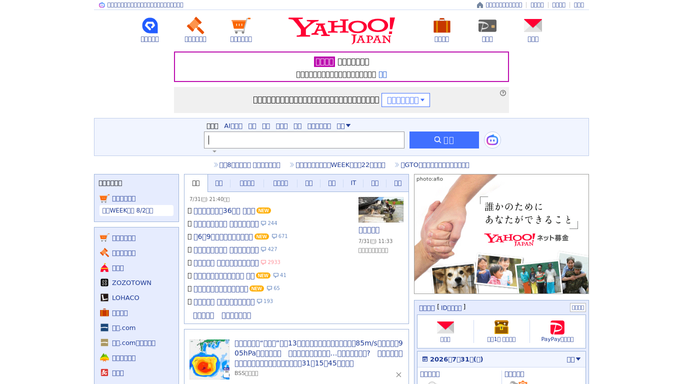
WebRun opens Yahoo Mail Japan to find overnight invoice emails. - Sign into Yahoo Mail Japan and open the inbox and any folder where billing mail lands
- Read messages received since the last run that look like an invoice, a bill, or a payment request
- Capture the sender, the supplier name, the amount, the invoice or reference number, and the stated due date
- Note whether a PDF attachment is present and record its filename
- Mark each processed message as read so the next run does not re-read it
Done when Every overnight invoice email has been read and its details captured.
-
2
Google Sheets - log supplier, amount, and due date
google.com How to Automate Google Sheets

WebRun opens Google Sheets to log supplier, amount, and due date. - Open your payables log in Google Sheets
- Append one row per invoice with the date received, supplier, amount, reference number, and due date
- Add the attachment filename and a status column set to Unpaid
- Skip any invoice whose reference number is already in the sheet, so a resent bill is not double-counted
- Sort the sheet by due date so the next payment sits at the top
Done when Every new invoice has a row in the payables log with a due date.
-
3
Telegram - send you what is due this week
telegram.org How to Automate Telegram

WebRun opens Telegram to send you what is due this week. - Send yourself a Telegram message listing invoices due in the next seven days
- Show the supplier, the amount, and how many days are left, soonest first
- Flag anything already past its due date at the top of the message
- Keep it to your private chat. Never reply to the sender or contact the supplier
Done when You have today's due-soon list in Telegram.
How is each run configured?
Secure by default
Connect once, stays signed in
WebRun signs in once and keeps each session in a persistent environment, so every run picks up right where it left off.
Every action is checked against this policy before it runs.
Questions, answered
Will it reply to suppliers or pay anything?
No. WebRun reads invoice emails and logs them. It never replies to a sender, never confirms a payment, and never moves money. Paying and answering suppliers both stay with you.
How does it know an email is an invoice?
It reads the subject, the body, and any attachment name for the markers of a bill: an amount, a due date, and an invoice or reference number. Messages without those markers are left alone in the inbox.
What happens if a supplier resends the same bill?
It is skipped. WebRun checks the reference number against the sheet before appending, so a resent or forwarded invoice does not create a second row or inflate what you think you owe.
Related templates
Put this on autopilot.
Turn it on in minutes - or have our team set it up for you.