Tell owners their pet's results are in
Every hour, WebRun opens Digitail, finds lab and diagnostic results that have just come back, drafts a notice for each owner letting them know results are ready and to expect a call, leaves every draft unsent for the care team, and posts a Slack heads-up so the DVM can review urgent findings.
- No credit card
- Under $0.01 per run
- Cancel anytime
How do I notify pet owners that lab results are ready automatically?
Every hour, WebRun opens Digitail, finds lab and diagnostic results that have just come back, and lists each pet and test type. It drafts a brief results-ready notice to each owner in Gmail without stating findings, leaves the drafts unsent for the care team, and posts a Slack heads-up so the DVM reviews urgent results first.
- Owners hear that results are in within the hour, not days later
- Urgent results are flagged for the DVM to review first
- Each notice is drafted and waiting, so the team just reviews and sends
Built for veterinary clinics · animal hospitals · veterinary care teams · DVMs
What does WebRun do on every run?
The exact actions WebRun takes, in order - in plain language, so you can adjust anything.
-
WebRun signs in and gets to work
Opens
digitail.comin a real browser with your saved login - no setup, no API keys. -
1
Digitail - find new lab results
digitail.com
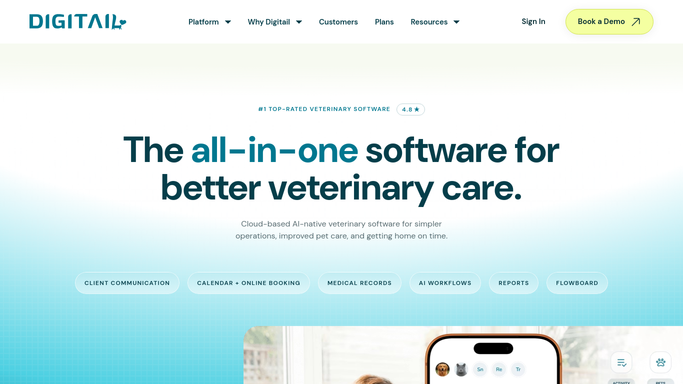
WebRun opens Digitail to find newly returned lab results. - Open Digitail and view the latest diagnostic and lab results
- Find results that have come back since the last check
- Capture the patient, owner, test type, and the date results landed
Done when Every newly returned result has been listed with its patient and test type.
-
2
Gmail - draft results-ready notices
gmail.com How to Automate Gmail

WebRun drafts a results-ready notice for each owner and leaves it unsent. - Draft a brief notice to each owner saying their pet's results are in and the team will be in touch
- Name the pet and the test without stating clinical findings, since the DVM interprets those
- Save each message as a draft and leave it unsent for the care team to review
Done when A results-ready notice draft is ready in Gmail for every new result.
-
3
Slack - flag results for review
slack.com How to Automate Slack

WebRun posts the latest results heads-up to Slack. - Post the team a short list of pets whose results just landed
- Flag any test the DVM has marked urgent so it is reviewed first
- Note that owner notices are waiting in Gmail for review
Done when The care team has the latest results heads-up in Slack.
How is each run configured?
Secure by default
Connect once, stays signed in
WebRun signs in once and keeps each session in a persistent environment, so every run picks up right where it left off.
Every action is checked against this policy before it runs.
Questions, answered
Will it tell owners their results without a vet?
No. WebRun only drafts a notice that results are in and leaves it unsent. It never states clinical findings. The DVM reviews each result and the team sends the notice, so no owner hears anything until a vet has approved it.
How does it find new results?
It checks the diagnostic and lab results view in Digitail each hour and picks out results that have come back since its last pass, capturing the pet, owner, and test type so the team can follow up quickly.
Does the notice include the actual numbers?
No. The draft only says results are ready and the team will be in touch. Interpreting and sharing the findings stays with the DVM, who reviews each result before anyone reaches out.
Related templates
Put this on autopilot.
Turn it on in minutes - or have our team set it up for you.