Recover guests who started a booking but did not finish
Every morning, WebRun opens Xola and finds checkouts abandoned in the last 24 hours, drafts a personalised recovery email for each prospect with a link back to their unfinished booking, logs the outreach to a Google Sheet, and queues all drafts in Gmail for operator review before sending.
- No credit card
- Under $0.01 per run
- Cancel anytime
How do I automatically recover guests who abandoned their tour booking?
Every morning, WebRun reviews Xola for checkouts abandoned in the past 24 hours, drafts a personalised recovery email for each prospect with a direct link back to their booking and current availability, and logs all outreach to Google Sheets. Drafts are held in Gmail for operator approval before reaching any prospect.
- Abandoned checkouts receive a timely, personalised follow-up the next morning
- No prospect is contacted twice within 48 hours, keeping outreach professional
- Operators recover bookings that would otherwise be lost to indecision
Built for tour operators · activity booking managers · adventure tour companies · online booking tour businesses
What does WebRun do on every run?
The exact actions WebRun takes, in order - in plain language, so you can adjust anything.
-
WebRun signs in and gets to work
Opens
xola.comin a real browser with your saved login - no setup, no API keys. -
1
Xola - find abandoned checkouts
xola.com
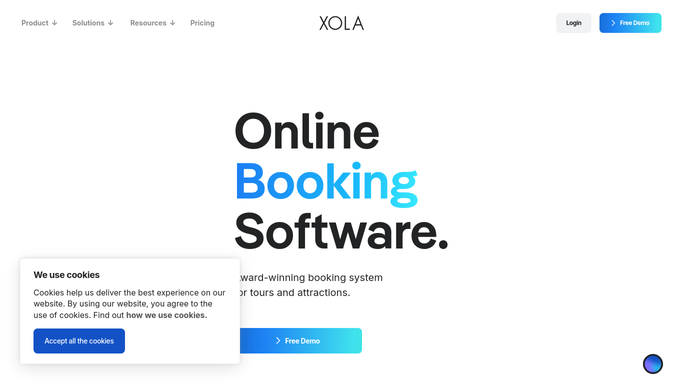
WebRun opens Xola to find abandoned checkouts. - Open Xola and navigate to the abandoned checkout report for the last 24 hours
- For each abandoned checkout, capture the prospect's name, email, tour they were viewing, selected date, and party size
- Skip any prospects already contacted in the last 48 hours to avoid over-messaging
Done when All eligible abandoned checkouts are listed with prospect details and the tour they considered.
-
2
Google Sheets - log recovery outreach
google.com How to Automate Google Sheets

WebRun opens Google Sheets to log recovery outreach. - Open the abandoned-checkout recovery log
- Log each prospect with tour name, abandoned date, and outreach status set to Pending
- Flag any duplicates to prevent repeat outreach
Done when Every eligible abandoned checkout is logged with Pending outreach status.
-
3
Gmail - draft recovery emails
gmail.com How to Automate Gmail

WebRun opens Gmail to draft recovery emails. - Draft a friendly, low-pressure recovery email for each prospect referencing the tour they looked at
- Include a direct link back to their booking page in Xola and highlight any availability remaining on their chosen date
- Offer a brief note about what makes the experience great to re-engage their interest
- Leave all drafts unsent in Gmail for operator review before sending
Done when One recovery draft per abandoned checkout is ready in Gmail for operator approval.
How is each run configured?
Secure by default
Connect once, stays signed in
WebRun signs in once and keeps each session in a persistent environment, so every run picks up right where it left off.
Every action is checked against this policy before it runs.
Questions, answered
Will it email abandoned-checkout prospects without my approval?
No. Every recovery email is drafted in Gmail and held for your review. Nothing goes to a prospect until you approve and send the batch.
How does it avoid sending the same prospect multiple recovery emails?
It checks the Google Sheets outreach log before drafting and skips any prospect already contacted in the last 48 hours, so no one gets more than one recovery message per window.
What if the tour they abandoned is now sold out?
WebRun notes current availability when it reads the Xola data. If the original date is sold out, it mentions alternative available dates in the recovery draft instead of linking to a full tour.
Related templates
Put this on autopilot.
Turn it on in minutes - or have our team set it up for you.