Give your crews a heads up before the storm hits
Every evening, WebRun checks the National Weather Service forecast for your service area, and when accumulation is predicted to cross your trigger threshold it pulls tomorrow's on-call crew roster from Arborgold and texts every on-call crew a heads up with the expected start time and total snowfall, so nobody is caught off guard by a call out.
- No credit card
- Under $0.01 per run
- Cancel anytime
How do I give my snow removal crews advance notice before a storm?
WebRun checks the National Weather Service forecast every evening, and when predicted accumulation crosses your trigger threshold it pulls tomorrow's on-call crew roster from Arborgold and texts each crew a heads up with the expected start time, end time, and total snowfall. Crews know a call out is likely before they go to bed, not when the phone rings at 3am.
- Crews get tonight's heads up instead of a 3am phone call
- Only zones actually crossing your snowfall threshold get an alert
- Roster and forecast stay in sync every evening of snow season
Built for snow removal contractors · on-call snow plow crews · commercial snow removal operators · Arborgold users
What does WebRun do on every run?
The exact actions WebRun takes, in order - in plain language, so you can adjust anything.
-
WebRun signs in and gets to work
Opens
www.weather.govin a real browser with your saved login - no setup, no API keys. -
1
National Weather Service - pull tomorrow's snowfall forecast
weather.gov
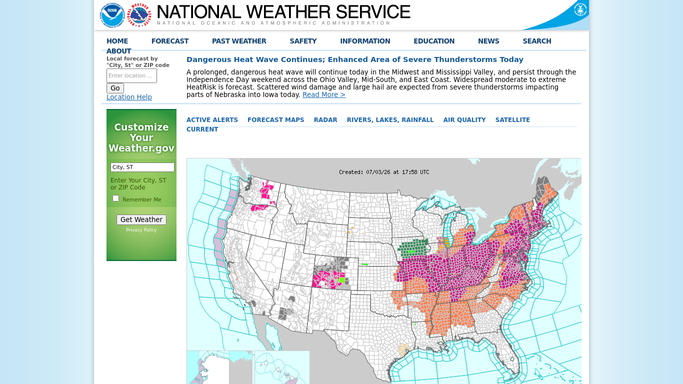
WebRun opens National Weather Service to pull tomorrow's snowfall forecast. - Check the National Weather Service forecast for each service area
- Capture the predicted accumulation, start time, and end time for any snowfall above your trigger threshold
- Skip areas with no snowfall predicted above the threshold
Done when Every service area's forecast has been checked against your trigger threshold.
-
2
Arborgold - pull the on-call crew roster
arborgold.com How to Automate Arborgold

WebRun opens Arborgold to pull the on-call crew roster. - Pull tomorrow's on-call crew roster for each affected service area
- Match each crew to their assigned zone for the storm
Done when Every affected zone has an on-call crew identified.
-
3
Twilio - text the heads up to on-call crews
twilio.com How to Automate Twilio

WebRun opens Twilio to text the heads up to on-call crews. - Text each on-call crew the expected start time, end time, and total snowfall for their zone
- Remind them of the standard call-out procedure
Done when Every on-call crew for tomorrow's storm has received a heads-up text tonight.
How is each run configured?
Secure by default
Connect once, stays signed in
WebRun signs in once and keeps each session in a persistent environment, so every run picks up right where it left off.
Every action is checked against this policy before it runs.
Questions, answered
Does this contact my customers about the storm?
No. The heads-up text goes only to your own on-call crews. Customers are not messaged by this workflow.
What snowfall amount triggers the heads up?
The default is 2 inches of predicted accumulation. You can set your own trigger threshold in your WebRun settings to match your contracts.
What if the forecast changes overnight?
Each evening's run rechecks the forecast fresh, so if the outlook shifts as the storm gets closer, your crews get an updated heads up the next evening with the latest numbers.
Related templates
Put this on autopilot.
Turn it on in minutes - or have our team set it up for you.