Thank every donor before they forget they gave
When a donation is recorded in Shelterluv, WebRun reads the donor name, amount, and any campaign or animal the gift was directed to, drafts a warm thank-you email in Gmail, and alerts the fundraising team in Slack so they can review and send it promptly.
- No credit card
- Under $0.01 per run
- Cancel anytime
How do I automatically draft donation thank-you emails for my animal shelter?
WebRun reads each new donation in Shelterluv, including the donor name, amount, and campaign designation, then drafts a personalised thank-you email in Gmail and pings the fundraising team in Slack. Staff review and send the draft, so every donor is thanked promptly and personally without coordinators writing each message from scratch.
- Every donor receives a personalised thank-you drafted within minutes of giving
- Fundraising staff review messages instead of writing them from scratch
- First-time donors are flagged so staff can add a stronger personal touch
Built for animal shelters · rescue organisations · shelter fundraising teams · humane societies
What does WebRun do on every run?
The exact actions WebRun takes, in order - in plain language, so you can adjust anything.
-
WebRun signs in and gets to work
Opens
www.shelterluv.comin a real browser with your saved login - no setup, no API keys. -
1
Shelterluv - read new donation details
shelterluv.com How to Automate Shelterluv
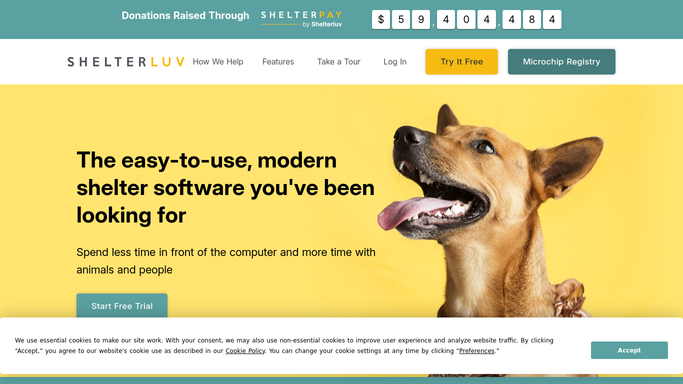
WebRun opens Shelterluv to read new donation details. - Open Shelterluv and navigate to the donations or fundraising section
- Find the latest donation and read the donor name, email, amount, and any designated campaign or animal
- Note whether this is a first-time or repeat donor
Done when The donor details, gift amount, and designation are captured.
-
2
Gmail - draft personalised thank-you
gmail.com How to Automate Gmail

WebRun opens Gmail to draft personalised thank-you. - Draft a warm, personalised thank-you email addressed to the donor by name
- Reference the donation amount and any campaign or animal they supported
- Include a brief impact sentence and leave the draft unsent for staff to review
Done when A personalised thank-you draft is waiting in Gmail for staff review.
-
3
Slack - alert fundraising team
slack.com How to Automate Slack

WebRun opens Slack to alert fundraising team. - Post a Slack message to the fundraising channel with the donor name and gift amount
- Flag whether it is a first-time donor so staff can choose a stronger thank-you tone
- Remind staff to review and send the Gmail draft
Done when The fundraising team is notified in Slack and knows to review the draft.
How is each run configured?
Secure by default
Connect once, stays signed in
WebRun signs in once and keeps each session in a persistent environment, so every run picks up right where it left off.
Every action is checked against this policy before it runs.
Questions, answered
Will it send the thank-you email automatically without staff approval?
No. Every thank-you is drafted and left unsent in Gmail. A staff member reviews and clicks Send, ensuring no donor communication goes out without a human sign-off.
Does it personalise the message with the donation amount and campaign?
Yes. It reads the donation record in Shelterluv and includes the donor name, gift amount, and any designated campaign or animal in the draft.
What if a donor gives multiple times in one day?
A separate draft is created for each recorded donation, so every gift receives its own thank-you. Staff can choose to combine them before sending.
Related templates
Put this on autopilot.
Turn it on in minutes - or have our team set it up for you.