Fill your adoption events with excited adopters
Every morning, WebRun checks Petstablished for adoption events in the next two days, reads the registered attendee list, drafts a reminder email for each registrant with event details and featured animals, queues the drafts in Gmail for staff review, and posts an event briefing to Slack.
- No credit card
- Under $0.01 per run
- Cancel anytime
How do I automatically send reminder emails for my shelter adoption events?
WebRun checks Petstablished every morning for adoption events in the next two days, reads the registered attendee list, and drafts a personalised reminder email for each registrant in Gmail with event details and featured animals. It also posts a staff briefing to Slack so the team is prepared. Every registrant hears from the shelter before the event.
- Every event registrant receives a timely reminder before the adoption day
- No-show rates drop when attendees get a personal, detailed reminder
- Staff arrive at every event with a clear briefing from Slack
Built for animal shelters · rescue organisations · shelter event coordinators · humane societies
What does WebRun do on every run?
The exact actions WebRun takes, in order - in plain language, so you can adjust anything.
-
WebRun signs in and gets to work
Opens
www.petstablished.comin a real browser with your saved login - no setup, no API keys. -
1
Petstablished - find upcoming events and registrants
petstablished.com
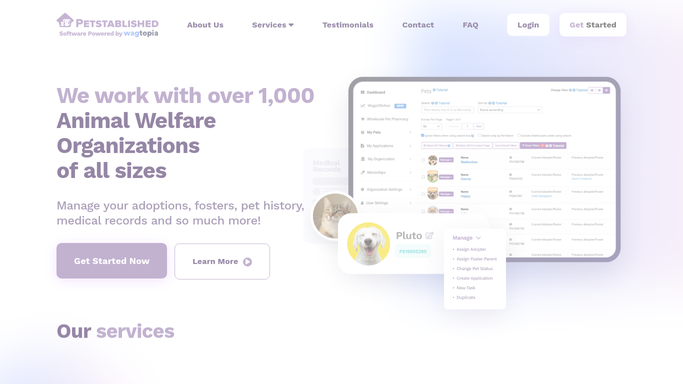
WebRun opens Petstablished to find upcoming events and registrants. - Open Petstablished and navigate to the events calendar
- Find adoption events scheduled within the next two days
- Read each event name, date, time, location, and registered attendee list
- Note any featured animals or special details for the event
Done when All upcoming adoption events and their registered attendees are listed with event details.
-
2
Gmail - draft attendee reminder emails
gmail.com How to Automate Gmail

WebRun opens Gmail to draft attendee reminder emails. - Draft a reminder email for each registered attendee with the event name, date, time, and location
- Include details of featured animals or how to prepare for the adoption process
- Leave all drafts unsent in Gmail for staff to review and approve before sending
Done when A draft reminder email is queued in Gmail for every registered event attendee.
-
3
Slack - post event briefing to staff
slack.com How to Automate Slack

WebRun opens Slack to post event briefing to staff. - Post an event briefing to the shelter staff Slack channel
- Include the event name, time, location, number of registered attendees, and featured animals
- Remind staff to review and send the Gmail draft reminders
Done when Staff have the event briefing and draft reminder notice in Slack.
How is each run configured?
Secure by default
Connect once, stays signed in
WebRun signs in once and keeps each session in a persistent environment, so every run picks up right where it left off.
Every action is checked against this policy before it runs.
Questions, answered
Will it send reminder emails to registrants without staff approval?
No. All reminder emails are drafted and left unsent in Gmail. Staff review and click Send, so no message goes out to an attendee without human approval.
How far in advance does it draft the reminders?
It checks each morning for events within the next two days, so reminders are drafted roughly 24 to 48 hours before the event. You can adjust this window.
Does it include information about the animals available at the event?
Yes. It reads any featured animals listed in the Petstablished event record and includes them in the reminder email to help attendees get excited and come prepared.
Related templates
Put this on autopilot.
Turn it on in minutes - or have our team set it up for you.