Chase down material certs before the job starts
Every morning, WebRun opens SigmaNEST, finds jobs whose specification calls for a gauge and thickness certification, checks the job's folder in Google Drive for an existing mill cert or certificate of conformance, drafts a request email to the material supplier in Gmail for any cert still missing, and posts a Slack alert to quality so no cert-required job starts without its paperwork.
- No credit card
- Under $0.01 per run
- Cancel anytime
How do I make sure every SigmaNEST job has its required material cert?
WebRun checks SigmaNEST every morning for jobs requiring a gauge and thickness certification, then looks in Google Drive for an existing mill cert matching the heat or lot number. For any cert still missing, it drafts a supplier request email in Gmail and alerts quality in Slack, so no job starts without its paperwork chased down first.
- Missing material certs are caught before a job starts, not at final inspection
- Supplier requests go out as a ready-to-send draft instead of starting from scratch
- Certs get matched by heat and lot number so nothing is missed on a technicality
Built for quality managers · sheet metal fabricators · aerospace and mil-spec shops · fabrication shop purchasers
What does WebRun do on every run?
The exact actions WebRun takes, in order - in plain language, so you can adjust anything.
-
WebRun signs in and gets to work
Opens
www.sigmanest.comin a real browser with your saved login - no setup, no API keys. -
1
SigmaNEST - find jobs requiring a material certification
sigmanest.com How to Automate SigmaNEST
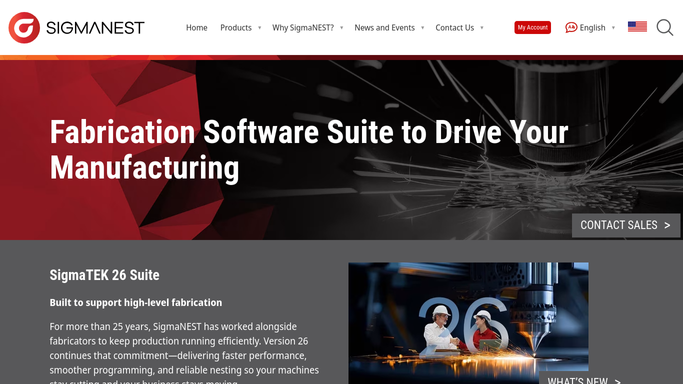
WebRun opens SigmaNEST to find jobs requiring a material certification. - Open SigmaNEST and review jobs scheduled to run soon
- Filter to jobs whose specification requires a gauge and thickness certification
- Capture the material, gauge, heat or lot number, and supplier for each
Done when Every cert-required job scheduled to run soon is identified with its material details.
-
2
Google Drive - check for an existing cert on file
drive.google.com How to Automate Google Drive

WebRun opens Google Drive to check for an existing cert on file. - Open the job's folder and search for an existing mill cert or certificate of conformance
- Match the cert on file against the heat or lot number for the job's material
- Note whether a valid cert is already on file or missing
Done when Every cert-required job has a confirmed cert on file or a confirmed gap.
-
3
Gmail - draft a cert request to the supplier
gmail.com How to Automate Gmail

WebRun opens Gmail to draft a cert request to the supplier. - Draft a request email to the material supplier for any job missing its cert
- Reference the purchase order, heat or lot number, and gauge needed
- Leave every email as a draft in Gmail for your team to review and send
Done when A draft cert request email exists for every job with a missing certification.
-
4
Slack - alert quality to missing certs
slack.com How to Automate Slack

WebRun opens Slack to alert quality to missing certs. - Post an alert to the quality channel listing every job missing its cert
- Name the job's scheduled start date so quality can see how much time remains
- Skip posting if every scheduled job already has its cert on file
Done when Quality has a Slack alert naming every cert-required job still missing its paperwork.
How is each run configured?
Secure by default
Connect once, stays signed in
WebRun signs in once and keeps each session in a persistent environment, so every run picks up right where it left off.
Every action is checked against this policy before it runs.
Questions, answered
Will it request certs from the supplier without me?
No. WebRun only drafts the request email in Gmail. Your team reviews and sends it, so nothing goes to the supplier without a human checking it first.
How does it know a job needs a certification?
It reads the specification attached to the job in SigmaNEST for a gauge and thickness certification requirement, so keeping that flag current keeps the check accurate.
What if the cert is on file but under the wrong job?
It matches by heat or lot number, not just job folder, so a cert filed elsewhere in Google Drive under the same lot is still recognized as on file.
Related templates
Put this on autopilot.
Turn it on in minutes - or have our team set it up for you.