Get a daily occupancy and vacancy digest
Every morning, WebRun opens Stora, reads the current occupancy across all unit sizes, captures rented, vacant, and reserved counts, appends the data to a running Google Sheet, and posts a one-line daily snapshot to your Slack operations channel.
- No credit card
- Under $0.01 per run
- Cancel anytime
How do I get a daily self-storage occupancy report automatically?
WebRun opens Stora every morning, reads occupancy counts for every unit size across rented, vacant, and reserved statuses, and appends a dated row to a Google Sheet. It then posts a brief occupancy snapshot to Slack so your team starts the day with a clear picture of availability and fill rate.
- Operations team starts each day with live occupancy numbers without logging in manually
- A growing Google Sheet provides a trends log for rate and marketing decisions
- High-vacancy unit sizes are flagged automatically so action can be taken quickly
Built for self-storage operators · facility managers · multi-site storage portfolios
What does WebRun do on every run?
The exact actions WebRun takes, in order - in plain language, so you can adjust anything.
-
WebRun signs in and gets to work
Opens
app.stora.coin a real browser with your saved login - no setup, no API keys. -
1
Stora - read occupancy by unit size
stora.co
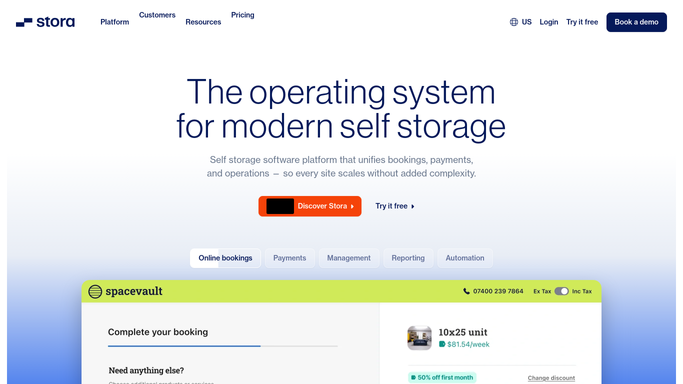
WebRun opens Stora to read occupancy by unit size. - Open Stora and navigate to the Facility or Reporting section
- Read the current unit counts broken down by size: rented, vacant, and reserved
- Capture the total unit count, occupancy percentage, and number of vacant units ready to rent
- Note any units marked out of service or under maintenance
Done when Today's occupancy breakdown by unit size is fully captured.
-
2
Google Sheets - append daily row to occupancy log
google.com How to Automate Google Sheets

WebRun opens Google Sheets to append daily row to occupancy log. - Open the occupancy tracking spreadsheet
- Append a new dated row with rented, vacant, reserved, and out-of-service counts per unit size
- Calculate and record the overall occupancy percentage for the day
- Update any rolling 7-day and 30-day occupancy trend columns
Done when Today's row is appended and occupancy trends are up to date in the sheet.
-
3
Slack - post daily occupancy snapshot
slack.com How to Automate Slack

WebRun opens Slack to post daily occupancy snapshot. - Post a brief daily occupancy snapshot to the operations Slack channel
- Include total occupancy percentage, vacant unit count, and any unit sizes with high vacancy
- Flag if overall occupancy has dropped more than 5 percentage points week-over-week
Done when The team has today's occupancy snapshot in Slack with any notable changes highlighted.
How is each run configured?
Secure by default
Connect once, stays signed in
WebRun signs in once and keeps each session in a persistent environment, so every run picks up right where it left off.
Every action is checked against this policy before it runs.
Questions, answered
Can it report occupancy across multiple facilities?
Yes. If your Stora account manages multiple sites, WebRun reads each site's occupancy separately and logs a row per facility in the Google Sheet.
Does it send any communications to tenants?
No. This workflow is entirely internal. It reads occupancy data and posts to your internal Sheets and Slack. No tenant-facing messages are sent.
How far back does the historical data go?
The Google Sheet accumulates a new row every day from the date you activate the workflow, giving you a growing occupancy history to spot trends over time.
Related templates
Put this on autopilot.
Turn it on in minutes - or have our team set it up for you.