Draft monthly sales tax compliance summaries for every client
On the first Monday of each month, WebRun opens Avalara and pulls each client's prior-month compliance activity: returns filed, amounts remitted, open exceptions, and upcoming deadlines. It populates a Google Sheets summary per client, drafts a monthly compliance email for each in Gmail, and posts a Slack alert so your team can review and send before the client expects their statement.
- No credit card
- Under $0.01 per run
- Cancel anytime
How do I automatically create and send monthly sales tax compliance statements to clients?
WebRun opens Avalara on the first Monday of each month, pulls every client's prior-month compliance activity including returns filed, amounts remitted, and open items, populates a Google Sheets summary per client, and drafts a statement email in Gmail for each. The team reviews and sends each draft before any client receives a message.
- Every client gets a detailed compliance summary without the team pulling Avalara data manually
- Late filings and open notices are flagged in the draft for a proactive client conversation
- No statement reaches a client without a human review step
Built for accounting firms · tax compliance consultants · outsourced tax service providers · CFO advisory practices
What does WebRun do on every run?
The exact actions WebRun takes, in order - in plain language, so you can adjust anything.
-
WebRun signs in and gets to work
Opens
app.avalara.comin a real browser with your saved login - no setup, no API keys. -
1
Avalara - pull prior-month compliance activity per client
avalara.com How to Automate Avalara
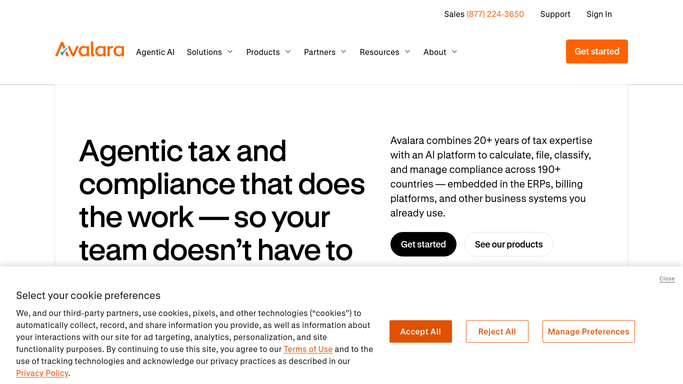
WebRun opens Avalara to pull prior-month compliance activity per client. - Open Avalara and navigate to each client's company profile
- Pull the prior month's returns: states filed, filing dates, amounts remitted, and any late filings
- Note open exceptions, expiring certificates, or upcoming registrations for inclusion in the summary
Done when Prior-month compliance data is captured for every active client.
-
2
Google Sheets - populate per-client summary
google.com How to Automate Google Sheets

WebRun opens Google Sheets to populate per-client summary. - Open the monthly client summary spreadsheet
- Populate a new tab or section per client with: returns filed, total tax remitted, open exceptions, and next key deadline
- Flag any client with a late filing, open notice, or expiring certificate as requiring a call-out in their email
Done when Each client has a completed monthly summary row in the Google Sheet.
-
3
Gmail - draft monthly compliance statement email
gmail.com How to Automate Gmail

WebRun opens Gmail to draft monthly compliance statement email. - Draft a monthly compliance statement email for each client using their summary data
- Include a summary table of returns filed, amounts remitted, and any open items requiring client action
- Leave every email as a draft in Gmail. Do not send to the client without team review and approval.
Done when A reviewed-ready draft exists in Gmail for every active client. Nothing has been sent.
-
4
Slack - alert team to review and send drafts
slack.com How to Automate Slack

WebRun opens Slack to alert team to review and send drafts. - Post a Slack message to the client-services channel with the total number of drafts ready for review
- List any clients flagged for late filings or open notices so those are reviewed first
- Include a link to the Gmail drafts folder for quick access
Done when Team knows how many client statement drafts are ready and which ones to prioritize.
How is each run configured?
Secure by default
Connect once, stays signed in
WebRun signs in once and keeps each session in a persistent environment, so every run picks up right where it left off.
Every action is checked against this policy before it runs.
Questions, answered
Will it send compliance summaries to clients automatically?
No. Every client statement email is drafted in Gmail and left for the team to review and send. Nothing goes to a client without a human sign-off.
How does it handle clients with no activity in a given month?
If Avalara shows no returns filed or activity for a client in the prior month, the draft notes zero activity and still flags any upcoming deadlines so the client stays informed.
Can it cover multiple Avalara company profiles in one run?
Yes. It loops through every active company profile in Avalara in a single run, so each client gets their own summary without requiring separate manual pulls.
Related templates
Put this on autopilot.
Turn it on in minutes - or have our team set it up for you.