Track every state sales tax registration application in one weekly digest
Every Monday, WebRun opens Avalara Registrations, reads the status of every open state registration application, updates a Google Sheets tracker with the current state and any pending documentation needs, adds follow-up tasks to Google Calendar for stalled applications, and posts a Slack digest so the compliance team knows which registrations are progressing and which need a nudge.
- No credit card
- Under $0.01 per run
- Cancel anytime
What does WebRun do on every run?
The exact actions WebRun takes, in order - in plain language, so you can adjust anything.
-
WebRun signs in and gets to work
Opens
app.avalara.comin a real browser with your saved login - no setup, no API keys. -
1
Avalara - check status of all open registrations
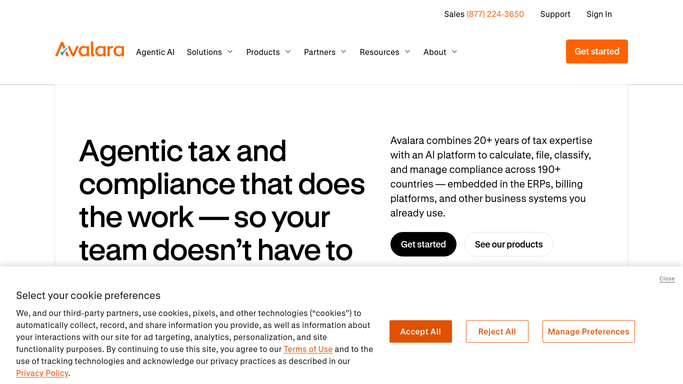
avalara.com How to Automate Avalara

WebRun opens Avalara to check status of all open registrations. - Open Avalara and navigate to the Registrations section
- Read the current status for every open application: submitted, pending state review, approved, rejected, or stalled awaiting information
- Capture the state, application date, current status, expected approval date, and any documentation requested by the state
Done when Status is captured for every open registration application.
-
2
Google Sheets - update registration tracking log
google.com How to Automate Google Sheets
WebRun opens Google Sheets to update registration tracking log. - Open the registration-tracking spreadsheet
- Update each application's row with the latest status, last-updated date, and any pending items flagged by the state
- Mark applications with no status change in 14 or more days as stalled
- Log newly approved registrations and update their status to complete
Done when The tracker is fully updated with current statuses and stalled applications flagged.
-
3
Google Calendar - add follow-up tasks for stalled applications
calendar.google.com How to Automate Google Calendar
WebRun opens Google Calendar to add follow-up tasks for stalled applications. - For each application marked as stalled, add a follow-up task to Google Calendar due in 3 business days
- Title each task with the state and action needed (e.g., 'CA - follow up on pending EIN verification')
- Skip applications that already have an open follow-up task for the same state
Done when Follow-up tasks are scheduled for every stalled registration.
-
4
Slack - post weekly registration status digest
slack.com How to Automate Slack
WebRun opens Slack to post weekly registration status digest. - Post the weekly registration digest to the tax-ops channel
- Sections: newly approved this week, stalled applications with follow-up dates, pending documentation needed, and total open count
- Celebrate newly approved registrations to give the team a visible win
Done when Team has the weekly registration status digest in Slack with stalled items and approvals highlighted.



How do I track the status of all my state sales tax registration applications automatically?
WebRun checks every open registration application in Avalara every Monday, updates a Google Sheets tracker with current statuses, schedules Google Calendar follow-up tasks for stalled applications, and posts a Slack digest showing new approvals, stalled registrations, and pending documentation needs so the compliance team always knows where each application stands.
- No registration application sits stalled for more than 14 days without a follow-up task
- Newly approved registrations are surfaced in the weekly Slack digest for immediate use
- Team knows which states are waiting for documentation without manually checking Avalara
Built for tax compliance teams · accounting firms handling registrations · multistate businesses expanding to new states · e-commerce operations
How is each run configured?
Secure by default
Connect once, stays signed in
WebRun signs in once and keeps each session in a persistent environment, so every run picks up right where it left off.
Every action is checked against this policy before it runs.
Questions, answered
Will it submit any registration applications automatically?
No. WebRun only reads and tracks existing applications in Avalara. Submitting a new registration or responding to a state request is always a human-led action.
How does it define a stalled application?
Any application with no status change in Avalara for 14 or more consecutive days is flagged as stalled and gets a follow-up task added to Google Calendar.
What if a state requires additional documentation before approving a registration?
The pending documentation request is captured from Avalara's registration notes and included in the Slack digest and the Google Sheets tracker, so the team knows exactly what each state is waiting for.
Related templates
Put this on autopilot.
Turn it on in minutes - or have our team set it up for you.