Chase missing exemption certificates before they cause a tax liability
Every Monday, WebRun opens Avalara CertCapture, finds customers marked exempt who are missing valid certificates, logs each gap in a Google Sheet, drafts a polite collection request email per customer for your review, and posts a summary to Slack so nothing is chased without approval.
- No credit card
- Under $0.01 per run
- Cancel anytime
How do I automatically chase customers for missing exemption certificates?
WebRun opens Avalara CertCapture every Monday, finds every exempt customer with a missing or expired certificate, logs each gap in a Google Sheet, and drafts a polite collection email per customer in Gmail. The tax team reviews and sends each draft, so no customer is contacted without approval and no gap slips through.
- No exempt customer with a certificate gap goes unchecked for more than a week
- Tax team reviews ready-to-send drafts instead of writing collection emails from scratch
- Recently-chased customers are automatically skipped to avoid duplicate requests
Built for B2B wholesalers · manufacturers with exempt customers · tax compliance teams · accounting firms
What does WebRun do on every run?
The exact actions WebRun takes, in order - in plain language, so you can adjust anything.
-
WebRun signs in and gets to work
Opens
app.avalara.comin a real browser with your saved login - no setup, no API keys. -
1
Avalara - find customers missing valid exemption certificates
avalara.com How to Automate Avalara
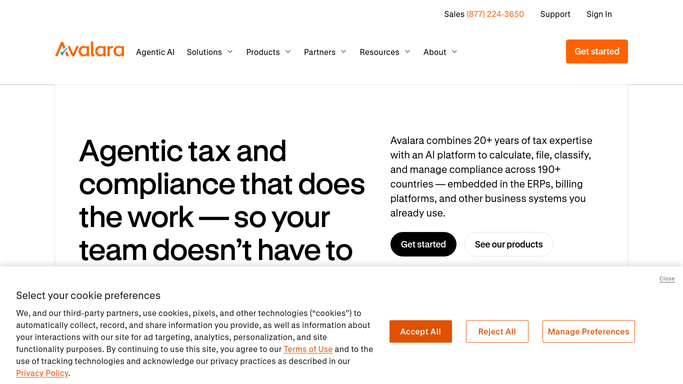
WebRun opens Avalara to find customers missing valid exemption certificates. - Open Avalara CertCapture and filter customers by exemption status
- Identify customers with no certificate on file or with a certificate flagged as expired or invalid
- Capture the customer name, email, certificate type required, and expiry date if applicable
Done when Every exempt customer with a certificate gap is listed with the gap details.
-
2
Google Sheets - log certificate gaps
google.com How to Automate Google Sheets

WebRun opens Google Sheets to log certificate gaps. - Open the certificate-tracking spreadsheet
- Append a new row for each gap with customer name, required certificate type, last chase date, and status
- Mark any customer chased in the last 14 days as recently contacted to avoid duplicate outreach
Done when Certificate gap log is updated and recently-contacted customers are flagged to skip.
-
3
Gmail - draft collection request emails for review
gmail.com How to Automate Gmail

WebRun opens Gmail to draft collection request emails for review. - Draft a polite request email for each customer not recently contacted, naming the certificate type needed and the deadline
- Include the Avalara CertCapture link where they can upload the certificate directly
- Leave every draft in Gmail for the tax team to review and send. Do not send automatically.
Done when Collection emails are drafted for each eligible gap and waiting in Gmail for review.
-
4
Slack - post weekly certificate gap summary
slack.com How to Automate Slack

WebRun opens Slack to post weekly certificate gap summary. - Post a weekly summary to the tax-ops channel: total gaps, new gaps this week, and number of drafts waiting for review
- Flag any customers with outstanding liability exposure due to missing certificates
Done when Team has the weekly certificate gap summary in Slack and knows how many drafts to review.
How is each run configured?
Secure by default
Connect once, stays signed in
WebRun signs in once and keeps each session in a persistent environment, so every run picks up right where it left off.
Every action is checked against this policy before it runs.
Questions, answered
Will it email customers to request their exemption certificates automatically?
No. Every collection request is drafted in Gmail and left for the tax team to review and send. No email reaches a customer without human approval.
How does it avoid chasing the same customer every week?
It checks the chase date in the Google Sheets log and skips any customer contacted in the last 14 days, so each customer is chased at most every two weeks.
What certificate types does it track?
It reads whatever exemption certificate type Avalara CertCapture records for each customer, including resale, government, nonprofit, and direct-pay certificates.
Related templates
Put this on autopilot.
Turn it on in minutes - or have our team set it up for you.