Follow up on oral referrals before eligibility lapses
Every hour, WebRun opens Verity Solutions, finds oral referrals captured in the last cycle that are still missing written documentation, drafts a confirmation request to the referring provider's office in Gmail with only the details needed to confirm the referral, and posts a Slack reminder so your staff can review, send, and keep the referral eligible before the documentation window closes.
- No credit card
- Under $0.01 per run
- Cancel anytime
How do I follow up on oral 340B referrals before they lose eligibility?
WebRun follows up on oral referrals before the eligibility window closes. Every hour, it finds newly captured referrals in Verity Solutions still missing written documentation, drafts a confirmation request to the referring provider's office in Gmail with only the details needed, and reminds your staff in Slack to review and send it, so eligible referrals do not lapse for lack of paperwork.
- Referrals get followed up within the hour instead of at week's end
- Every draft carries only the details needed to confirm eligibility, nothing extra
- No referral quietly ages out of its documentation window unnoticed
Built for 340B program managers · referral coordinators · covered entity pharmacy staff · specialty pharmacy teams
What does WebRun do on every run?
The exact actions WebRun takes, in order - in plain language, so you can adjust anything.
-
WebRun signs in and gets to work
Opens
app.verity-solutions.comin a real browser with your saved login - no setup, no API keys. -
1
Verity Solutions - find undocumented oral referrals
verity-solutions.com How to Automate Verity Solutions
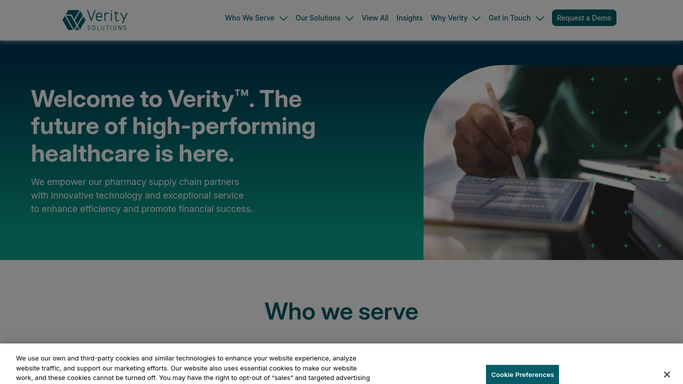
WebRun opens Verity Solutions to find undocumented oral referrals. - Open Verity Solutions and pull oral referrals captured in the last hour
- Check each one against your documentation window for written confirmation
- Flag any referral still missing its written confirmation
Done when Every newly captured oral referral has been checked for written documentation.
-
2
Gmail - draft the confirmation request
gmail.com How to Automate Gmail

WebRun opens Gmail to draft the confirmation request. - Draft a confirmation request to the referring provider's office for each undocumented referral
- Include only the prescriber, date, and drug needed to confirm the referral. Leave out anything not required
- Leave every draft unsent for your staff to review and send
Done when A reviewed, ready to send confirmation draft exists for every undocumented referral.
-
3
Slack - remind your staff
slack.com How to Automate Slack

WebRun opens Slack to remind your staff. - Post a reminder listing the referrals still awaiting written confirmation
- Flag any referral approaching the end of its documentation window
- Note which drafts are ready in Gmail and waiting on staff to send
Done when Your staff has been reminded of every referral still needing written confirmation.
How is each run configured?
Secure by default
Connect once, stays signed in
WebRun signs in once and keeps each session in a persistent environment, so every run picks up right where it left off.
Every action is checked against this policy before it runs.
Questions, answered
Will it contact the provider's office without my staff?
No. It only drafts the confirmation request in Gmail and leaves it unsent. Your staff reviews and sends it, nothing goes out to a provider's office on its own.
Does the draft include patient information?
It includes only the prescriber, date, and drug needed to confirm the referral, nothing beyond what is required, and your staff reviews every draft before it is sent.
What happens if a referral's documentation window closes?
It keeps flagging the referral in the Slack reminder until it is either documented or your team marks it resolved, so nothing quietly ages out of eligibility.
Related templates
Put this on autopilot.
Turn it on in minutes - or have our team set it up for you.