Reorder feed and supplies before you run out
Every morning, WebRun checks your feed and supply inventory levels in Google Sheets against your configured reorder thresholds, then drafts a purchase order email to your supplier in Gmail for your review. A Slack message tells you which items triggered the alert so you can approve, edit, or cancel before anything is sent.
- No credit card
- Under $0.01 per run
- Cancel anytime
How can I automate feed and supply reorders for my cattle operation?
Every morning, WebRun checks your feed and supply inventory in Google Sheets against your configured reorder thresholds, cross-references current headcount in CattleMax to estimate days of supply remaining, and drafts a purchase order email to your supplier in Gmail. A Slack alert tells you drafts are waiting for your approval before anything is submitted.
- Feed and supply stockouts avoided with automated threshold alerts
- Purchase orders drafted and ready for one-click approval each morning
- Days-of-supply estimate calculated fresh daily from live herd headcount
Built for cattle ranchers · feedlot operators · livestock operation managers · ranch supply purchasers
What does WebRun do on every run?
The exact actions WebRun takes, in order - in plain language, so you can adjust anything.
-
WebRun signs in and gets to work
Opens
docs.google.com/spreadsheetsin a real browser with your saved login - no setup, no API keys. -
1
Google Sheets - check inventory levels against thresholds
google.com How to Automate Google Sheets

WebRun opens Google Sheets to check inventory levels against thresholds. - Open the feed and supply inventory spreadsheet
- Compare current quantity on hand for each item against the configured reorder point
- Capture items at or below the reorder threshold with current quantity, unit, and supplier details
Done when All items at or below the reorder threshold are identified with quantities and supplier info.
-
2
CattleMax - verify current herd size and consumption rate
cattlemax.com
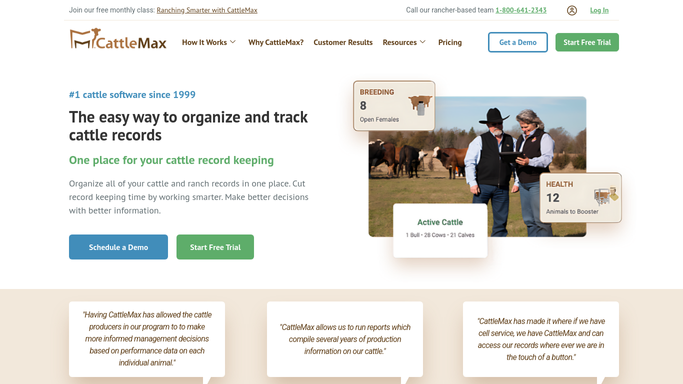
WebRun opens CattleMax to verify current herd size and consumption rate. - Open CattleMax and check current headcount by pen or pasture
- Estimate days of supply remaining based on current inventory and daily consumption per head
- Flag items with fewer than 7 days of supply as urgent
Done when Days-of-supply estimate is calculated for each low-stock item.
-
3
Gmail - draft purchase order for supplier review
gmail.com How to Automate Gmail

WebRun opens Gmail to draft purchase order for supplier review. - Draft a purchase order email addressed to the relevant supplier for each flagged item
- Include item name, quantity to order, unit price if known, and requested delivery date
- Leave all draft emails unsent for the ranch manager to review and approve before submitting
Done when Purchase order drafts are ready in Gmail, unsent, awaiting approval.
-
4
Slack - alert ranch manager with reorder summary
slack.com How to Automate Slack

WebRun opens Slack to alert ranch manager with reorder summary. - Post a reorder summary to the ranch operations Slack channel
- List each flagged item with days of supply remaining and the draft PO status
- Include a reminder that drafts are waiting in Gmail for review
Done when Ranch manager has a reorder summary and draft PO notification in Slack.
How is each run configured?
Secure by default
Connect once, stays signed in
WebRun signs in once and keeps each session in a persistent environment, so every run picks up right where it left off.
Every action is checked against this policy before it runs.
Questions, answered
Will it place an order with my supplier without me approving it?
No. WebRun drafts the purchase order email in Gmail and leaves it unsent. Nothing reaches your supplier until you open the draft, confirm the details, and hit send yourself.
How does it know when I am running low?
You set a reorder threshold for each item in your Google Sheet (for example, 500 bags of feed). Each morning WebRun compares your current on-hand quantity to that number and flags anything at or below it.
Can it handle multiple suppliers for different products?
Yes. WebRun reads the supplier column in your inventory sheet and drafts a separate email for each supplier, so your hay supplier and your mineral supplier each get their own correctly addressed draft.
Related templates
Put this on autopilot.
Turn it on in minutes - or have our team set it up for you.