Never miss a breeding window or calving date
Every morning, WebRun opens CattleMax, identifies cows entering a breeding window in the next 7 days and pregnant cows approaching their expected calving date in the next 14 days, logs the details to a Google Sheet, and posts a prioritized alert to your ranch Slack channel.
- No credit card
- Under $0.01 per run
- Cancel anytime
How can I get automatic alerts for cattle breeding windows and calving dates?
Every morning, WebRun opens CattleMax and finds cows entering their breeding window in the next 7 days and pregnant cows due to calve within 14 days. It logs every event to a Google Sheet and posts a prioritized alert to your Slack channel, so your crew starts each day knowing exactly which animals need attention.
- Crew starts every morning knowing which cows need immediate attention
- No breeding window or calving date missed due to a recordkeeping gap
- Calving events logged and trackable for future herd performance analysis
Built for cattle ranchers · cow-calf operations · stocker operations · ranch managers
What does WebRun do on every run?
The exact actions WebRun takes, in order - in plain language, so you can adjust anything.
-
WebRun signs in and gets to work
Opens
www.cattlemax.comin a real browser with your saved login - no setup, no API keys. -
1
CattleMax - find breeding windows and calving dates
cattlemax.com
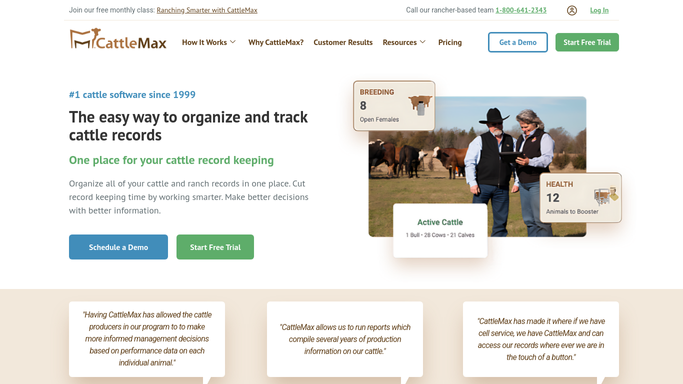
WebRun opens CattleMax to find breeding windows and calving dates. - Open CattleMax and navigate to the Reproduction section
- Filter for cows whose breeding window opens within the next 7 days
- Filter for pregnant cows with expected calving dates within the next 14 days
- Capture each animal's tag number, breed, current location, and the specific event date
- Flag any animals that are overdue for a breeding check
Done when All animals with upcoming breeding or calving events are listed with full details.
-
2
Google Sheets - log upcoming events by date
google.com How to Automate Google Sheets

WebRun opens Google Sheets to log upcoming events by date. - Open the breeding and calving tracking spreadsheet
- Append today's upcoming-event list sorted by event date
- Mark any events already logged as completed since the last run
Done when The tracking sheet is updated with all upcoming breeding windows and calving dates.
-
3
Slack - alert ranch team with prioritized list
slack.com How to Automate Slack

WebRun opens Slack to alert ranch team with prioritized list. - Post a daily digest to the ranch operations Slack channel
- List calving alerts first (highest urgency), then breeding windows, each with tag number and location
- Include a count of total events this week for quick situational awareness
Done when Ranch team has a prioritized breeding and calving alert in Slack for the day.
How is each run configured?
Secure by default
Connect once, stays signed in
WebRun signs in once and keeps each session in a persistent environment, so every run picks up right where it left off.
Every action is checked against this policy before it runs.
Questions, answered
How early does it alert me before a calving date?
It flags cows within 14 days of their expected calving date by default, so your crew has time to move animals to a calving pen. The look-ahead window is adjustable.
Does it track both natural breeding and AI breeding programs?
Yes. WebRun reads whatever breeding event dates are recorded in CattleMax, whether those come from a natural bull exposure window or an artificial insemination schedule.
What if the expected calving date changes?
WebRun reads live reproduction records from CattleMax each morning, so any date adjustments you make in CattleMax are reflected in the next day's alert automatically.
Related templates
Put this on autopilot.
Turn it on in minutes - or have our team set it up for you.