Send every family a timely therapy appointment reminder
Each evening, WebRun opens Jane and pulls the next day's pediatric therapy appointments, drafts a personalized reminder for each family including the child's name, appointment time, therapist, and any prep notes, stages every draft in Gmail for staff review before sending, and posts a confirmation to Slack when the batch is ready.
- No credit card
- Under $0.01 per run
- Cancel anytime
How do I send automated appointment reminders to pediatric therapy families?
WebRun pulls the next day's pediatric therapy schedule from Jane each evening, drafts a personalized appointment reminder for each family including the child's name, therapist, and any prep notes, stages every draft in Gmail for staff review, and posts a Slack alert when the batch is ready to approve and send.
- Families receive a personalized reminder the evening before their child's session
- Staff review a ready-to-approve batch in minutes rather than drafting individual reminders
- Fewer no-shows because families are reminded with relevant prep information
Built for pediatric occupational therapy clinics · pediatric speech therapy practices · pediatric physical therapy offices · multi-discipline pediatric therapy centers
What does WebRun do on every run?
The exact actions WebRun takes, in order - in plain language, so you can adjust anything.
-
WebRun signs in and gets to work
Opens
jane.appin a real browser with your saved login - no setup, no API keys. -
1
Jane - pull tomorrow's appointment schedule
jane.app How to Automate Jane
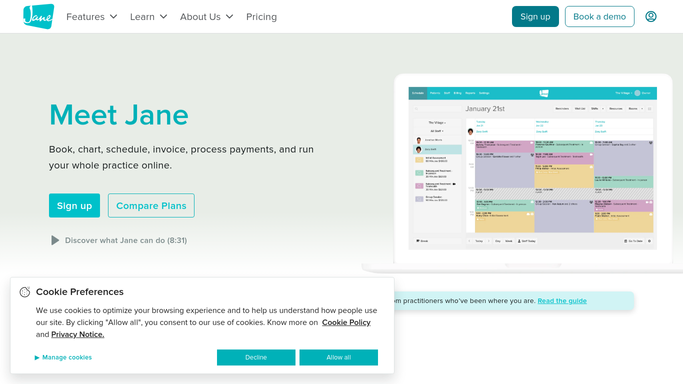
WebRun opens Jane to pull tomorrow's appointment schedule. - Open Jane and navigate to the schedule for the next business day
- Collect each booked appointment with child name, appointment time, therapist, and therapy type
- Note any special prep instructions attached to the appointment or patient record
- Skip appointments already marked as confirmed or reminded
Done when All of tomorrow's appointments are listed with family contact details and any prep notes.
-
2
Gmail - draft personalized reminder for each family
gmail.com How to Automate Gmail

WebRun opens Gmail to draft personalized reminder for each family. - Draft a friendly reminder email for each family with the child's name, appointment time, therapist name, and location or telehealth link
- Include any specific prep notes such as bringing a sensory toy or completing intake forms
- Leave every draft unsent in Gmail for staff review before sending
- Do not send any message to a family without staff approval
Done when A personalized reminder draft is staged in Gmail for every family with a tomorrow appointment, ready for staff review.
-
3
Slack - notify staff that reminder batch is ready for review
slack.com How to Automate Slack

WebRun opens Slack to notify staff that reminder batch is ready for review. - Post a Slack message to the front-desk channel confirming the batch of reminder drafts is ready
- Include the count of drafts staged and a note to review before sending
- Flag any appointments with missing contact information that need manual attention
Done when Staff are alerted in Slack that the reminder batch is ready for their review and approval.
How is each run configured?
Secure by default
Connect once, stays signed in
WebRun signs in once and keeps each session in a persistent environment, so every run picks up right where it left off.
Every action is checked against this policy before it runs.
Questions, answered
Will reminders be sent to families without anyone checking them first?
No. Every reminder is drafted in Gmail and left unsent until a staff member reviews and approves the batch. No family receives a message without a human check.
Can it include telehealth links or location-specific instructions in the reminder?
Yes. WebRun reads the appointment details in Jane and can include a telehealth link, clinic address, or any prep note attached to the appointment or patient record in each draft.
What if a family already confirmed their appointment?
WebRun checks the appointment status in Jane and skips any appointment already marked as confirmed or reminded so families are not double-messaged.
Related templates
Put this on autopilot.
Turn it on in minutes - or have our team set it up for you.