Recover failed autopay before balances fall behind
Every morning, WebRun opens topsOrtho, finds contracts where an autopay transaction failed or was declined in the past 24 hours, drafts a polite payment recovery message for each responsible party, saves the drafts in Gmail for billing staff review, and posts a Slack alert so the team can act before the balance ages.
- No credit card
- Under $0.01 per run
- Cancel anytime
What does WebRun do on every run?
The exact actions WebRun takes, in order - in plain language, so you can adjust anything.
-
WebRun signs in and gets to work
Opens
topsortho.comin a real browser with your saved login - no setup, no API keys. -
1
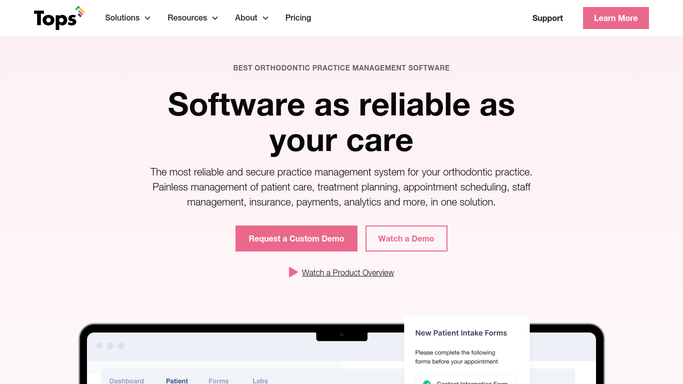
topsOrtho - find failed autopay transactions
topsortho.com

WebRun opens topsOrtho to find failed autopay transactions. - Open topsOrtho and navigate to the payment or contract transaction log
- Filter for autopay transactions that failed or were declined in the past 24 hours
- Capture responsible party name, contact email, failed amount, contract balance, and failure reason if available
Done when All failed autopay transactions from the past 24 hours are listed with responsible party contact details.
-
2
Gmail - draft payment recovery messages
gmail.com How to Automate Gmail
WebRun opens Gmail to draft payment recovery messages. - Draft a polite, professional payment recovery message for each affected responsible party
- Note the failed amount, request they update their payment method, and provide instructions for how to do so
- Save each message as a Gmail draft, leaving it unsent for billing staff review
Done when One draft recovery message per failed autopay is saved in Gmail, unsent.
-
3
Slack - alert billing team
slack.com How to Automate Slack
WebRun opens Slack to alert billing team. - Post a billing alert to the Slack channel with the count of failed transactions and total value
- Include a link to the Gmail drafts folder
Done when Billing staff have a Slack alert with the failed transaction count and a link to review the drafts.


How do I automatically recover failed autopay payments for orthodontic contracts?
Every morning, WebRun opens topsOrtho, finds autopay transactions that failed or were declined in the past 24 hours, and drafts a polite payment recovery message for each responsible party in Gmail. Billing staff review and send each draft, so every failed payment is followed up promptly without any financial message going out without human approval.
- Failed autopay transactions are identified and drafted for follow-up the next morning
- Billing staff review ready-made drafts rather than hunting for failed payments manually
- No financial communication goes out without a billing staff member approving it first
Built for orthodontic billing coordinators · orthodontic practices · ortho office managers · orthodontists
How is each run configured?
Secure by default
Connect once, stays signed in
WebRun signs in once and keeps each session in a persistent environment, so every run picks up right where it left off.
Every action is checked against this policy before it runs.
Questions, answered
Will it send payment recovery messages to families without billing staff approval?
No. Every recovery message is saved as a Gmail draft and left unsent. A billing staff member reviews and sends each one, so no financial communication reaches a responsible party without human sign-off.
What if the autopay failure was a bank error and the payment cleared on retry?
WebRun reads the live transaction status in topsOrtho each run. If a transaction was resolved before the run, it is not included. Staff should also check the current status before sending any draft.
Can it retry the payment automatically?
No. Initiating a charge requires explicit authorization. WebRun drafts the recovery message and alerts the billing team, who then coordinate payment directly with the responsible party.
Related templates
Put this on autopilot.
Turn it on in minutes - or have our team set it up for you.