Give your ortho team a morning huddle digest before doors open
Every morning before the clinic opens, WebRun opens topsOrtho, pulls the day's full appointment schedule, logs it to a Google Sheet for records, and posts a structured huddle digest to the team Slack channel covering patient count, visit types, providers, and any special notes for the day.
- No credit card
- Under $0.01 per run
- Cancel anytime
What does WebRun do on every run?
The exact actions WebRun takes, in order - in plain language, so you can adjust anything.
-
WebRun signs in and gets to work
Opens
topsortho.comin a real browser with your saved login - no setup, no API keys. -
1
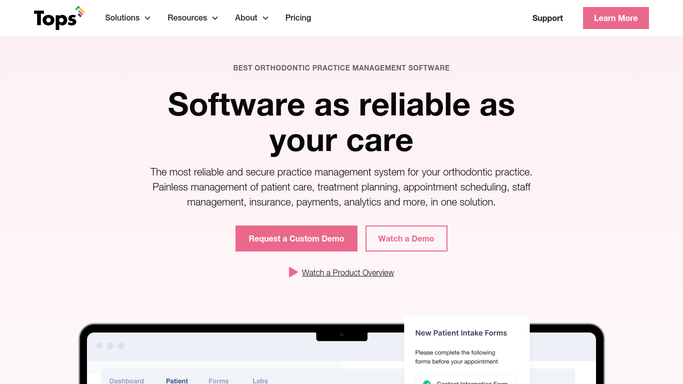
topsOrtho - pull today's appointment schedule
topsortho.com

WebRun opens topsOrtho to pull today's appointment schedule. - Open topsOrtho and navigate to today's appointment schedule
- Capture total patient count, appointment types, assigned providers, and any flags or notes
- Note any patients with outstanding balances, incomplete records, or special needs flagged in the chart
Done when Today's full schedule is captured with patient count, visit breakdown, and any chart flags.
-
2
Google Sheets - log the daily schedule
google.com How to Automate Google Sheets
WebRun opens Google Sheets to log the daily schedule. - Open the daily schedule log in Google Sheets
- Append a summary row for today with date, patient count, visit type breakdown, and provider assignments
- Mark the run timestamp
Done when Today's schedule summary is logged as a new row in the Google Sheet.
-
3
Slack - post morning huddle digest
slack.com How to Automate Slack
WebRun opens Slack to post morning huddle digest. - Post a structured morning huddle digest to the team Slack channel
- Include: total patients, visit type counts, provider assignments, and any flagged accounts or special notes
- Format it as a scannable list the team can read in under a minute
Done when The team has today's morning huddle digest in Slack before the first appointment.


How do I automatically generate a morning huddle digest for my orthodontic practice?
Every morning before the clinic opens, WebRun pulls today's appointment schedule from topsOrtho, logs a summary row to Google Sheets, and posts a structured morning huddle digest to the team Slack channel covering patient count, visit types, provider assignments, and any flagged accounts. The team starts the day aligned without anyone having to pull the schedule manually.
- The team arrives knowing exactly what the day holds without anyone pulling the schedule manually
- Flagged accounts like outstanding balances are surfaced before the patient walks in
- A running Google Sheets log captures daily schedule patterns for reporting
Built for orthodontic practices · orthodontists · ortho office managers · dental practice administrators
How is each run configured?
Secure by default
Connect once, stays signed in
WebRun signs in once and keeps each session in a persistent environment, so every run picks up right where it left off.
Every action is checked against this policy before it runs.
Questions, answered
Does the digest include any patient health or treatment information shared externally?
No. The Slack digest is internal to your team's workspace and contains only schedule logistics: patient count, visit types, provider assignments, and operational flags. No protected health information is sent outside your systems.
Can it flag specific accounts that need attention, like outstanding balances?
Yes. WebRun reads flags in topsOrtho, such as incomplete records or outstanding balances, and calls them out in the digest so the front desk can prepare before the patient arrives.
What if the schedule changes after the digest is posted?
The digest reflects the schedule at the time of the morning run. For late changes, the team should check topsOrtho directly. You can also run the automation a second time before doors open if your schedule shifts frequently.
Related templates
Put this on autopilot.
Turn it on in minutes - or have our team set it up for you.