See your bestsellers and deadstock at a glance
Every Monday, WebRun opens Nextar, ranks every product by units sold over the past 30 days, builds a bestseller and deadstock report in Google Sheets, and emails it to you so you know what to reorder and what to clear out.
- No credit card
- Under $0.01 per run
- Cancel anytime
How do I see my best sellers and deadstock in Nextar?
Every Monday, WebRun ranks every product in Nextar by units sold over the past 30 days and flags anything with zero sales as deadstock. It builds a bestseller and deadstock report in Google Sheets, with units on hand for each, and emails it to you, so you know what to reorder and what to clear out.
- You see what's selling and what's dead stock every Monday
- Deadstock is flagged the moment it hits zero sales in 30 days
- Week over week ranking shows what's climbing or sliding
Built for small retail shops · Nextar POS users · shop owners · inventory buyers
What does WebRun do on every run?
The exact actions WebRun takes, in order - in plain language, so you can adjust anything.
-
WebRun signs in and gets to work
Opens
app.nextar.comin a real browser with your saved login - no setup, no API keys. -
1
Nextar - rank product sales
nextar.com How to Automate Nextar
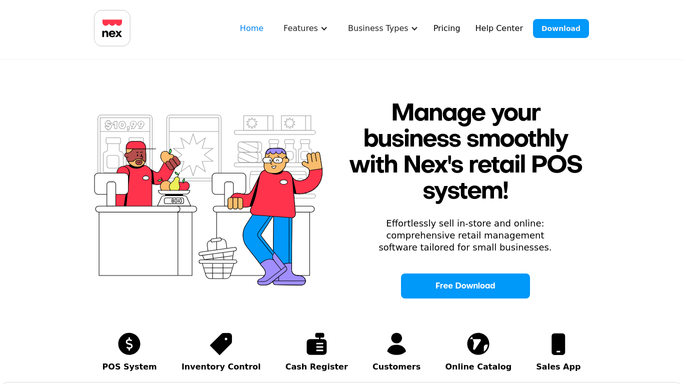
WebRun opens Nextar to rank product sales. - Open Nextar and pull unit sales by product for the past 30 days
- Rank every product from best selling to slowest moving
- Flag anything with zero sales in the period as deadstock
Done when Every product is ranked by sales with deadstock flagged.
-
2
Google Sheets - build the bestseller and deadstock report
google.com How to Automate Google Sheets

WebRun opens Google Sheets to build the bestseller and deadstock report. - Open the product performance sheet
- List the top 10 bestsellers and the full deadstock list with units on hand
- Carry over last week's ranking for comparison
Done when This week's bestseller and deadstock report is ready with a week over week comparison.
-
3
Gmail - email you the report
gmail.com How to Automate Gmail

WebRun opens Gmail to email you the report. - Email you the report with the bestseller and deadstock lists attached
- Highlight any product that newly dropped into deadstock
Done when You have this week's report in your inbox.
How is each run configured?
Secure by default
Connect once, stays signed in
WebRun signs in once and keeps each session in a persistent environment, so every run picks up right where it left off.
Every action is checked against this policy before it runs.
Questions, answered
Does it discount or remove deadstock for me?
No. It only ranks and reports what's selling and what isn't. You decide whether to discount, bundle, or return slow moving stock.
How does it decide what counts as deadstock?
Anything with zero units sold in the past 30 days in Nextar is flagged, so the definition always matches your own sales window.
Can I see the trend over time?
Yes. Each week's report carries over the prior week's ranking, so you can see whether a product is climbing or sliding.
Related templates
Put this on autopilot.
Turn it on in minutes - or have our team set it up for you.