How to Automate Nextar
Nextar's software, called Nex, handles the shop itself: point of sale, inventory, perishables, cash register shifts and customer debt, on Windows and in Platform Mode on the web. It cannot open a supplier's ordering site, a courier's tracking page or the bank. Reading those and lining them up against the till is what an agent like WebRun takes over.
 Written by
Devon Ruiz
Workflow engineer
Written by
Devon Ruiz
Workflow engineer
 Reviewed by
Dimitri Vasilev
Logistics analyst
Reviewed by
Dimitri Vasilev
Logistics analyst
Nex holds the shop's memory, including who still owes for it
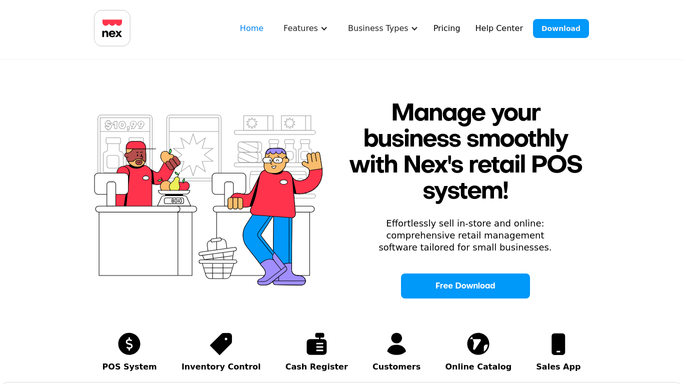
Nextar's point of sale is called Nex, and it arrives as a download for the shop computer rather than as a website. It runs on Windows, keeps selling when the connection drops, and in Platform Mode holds the same data online for the owner to open in a browser from home.
What it carries is the whole of a small business. Product Registration and Inventory Control for what is on the shelves, Suppliers Registration for where it came from, Customer Registration and Debt Management for the regulars who take goods now and settle at the end of the week. Cash Register for the opening float, the payouts and each employee's own shift. Quoting, Delivery, and an Online Catalog that turns the product list into a shopfront.
There is nothing behind it. No ERP, no bookkeeper, no second system holding a copy. Whatever Nex did not record, the shop does not know.
The chasing is what does not fit in the day
Nex can tell the owner the shop is owed money. It cannot tell them the customer's phone was answered.
So that happens after close, or it does not. The debt list goes unread until it is three weeks old and awkward. The wholesale order goes in on the supplier's own site, typed from a count somebody did on their phone in the storeroom. Two crates come up on the expiry list and the choice between discounting and losing them waits for a spare ten minutes. A customer who came in every fortnight has not been seen since March, and nothing announces that except a person going looking. The card terminal's settlement report has to be laid next to what the register says. Somebody promised a quote by Tuesday.
None of it is skilled work. All of it lands on the same person, and that person spent the day serving.
Nex watches the shelves and the register, not the market
The system gives a shop this size more than it usually gets, and in most shops half of it is switched off.
Minimum stock levels are set per product, and Nex sends a notification when one runs low or runs out. Perishables Control records an expiration date as stock comes in, holds more than one where batches differ, and names the supplier a nearly expired batch came from. The Cash Register opens on a stated balance, takes a reason for every amount added or withdrawn, closes per employee shift, and emails the summary the moment someone closes theirs. Reports and Statistics covers the average ticket, peak hours, sales by category and commission by salesperson.
Every one of those readings is taken of the shop's own shelves, its own drawer, its own customers.
The wholesaler's price list is not among them. Neither is the courier's tracking page, the marketplace where the same item is listed cheaper, the bank where the card settlement is supposed to land, or the supplier's ordering site. Each of those is a login and a screen with the number sitting on it, and a login is where a shop's own software stops.
One person can still run a shop that checks on itself
Start at the register close and work outwards, because everything worth acting on is already sitting there.
Yesterday's sales become tomorrow's order, drafted on each supplier's own site against what actually moved. The line that sold out on Saturday and the one that has not moved since February end up on the same page.
The debt list gets read every morning rather than every third week, and each name comes back with a message written and waiting for a person to send. The crate that expires in nine days becomes a decision while it is still worth something.
Wholesale prices get checked before the order goes in, so a case that quietly went up is a question instead of a surprise on the invoice. Deliveries get followed on the courier's own tracking page, so the customer who rings gets an answer rather than a promise. Orders left on the Online Catalog get collected and matched against what is genuinely on the shelf.
Keep the line where the money and the customer are. Counting, comparing, reading a portal and drafting an order can run overnight unattended. Sending a reminder to someone who shops there twice a week, or committing real money to a pallet, waits for the owner.
The list can be waiting when the shutters go up
All of that needs somebody signed into six other websites at eleven at night, and that somebody has been on their feet since seven.
WebRun is an AI agent that works a real Chrome browser, signed in as you. It opens the supplier's ordering site, the courier's page or the bank, reads what is on the screen, and sets it beside what Nex recorded, with the differences named.
Runs happen on a schedule you choose, in your own private environment. You can watch one and stop it part-way. Anything that reaches a customer or spends money is drafted and left for you.
Every workflow below is already built, and names the sites it signs into.
Questions people ask
Nex runs on the shop computer. Where does a browser come into it?
The browser work happens on everyone else's sites. The supplier's ordering page, the courier's tracking page and the bank are all websites, and those are where these workflows spend their time. Nex itself also has Platform Mode, which puts the same inventory and reports on the web for the owner to read from anywhere.
Will it chase a customer's debt without me seeing it first?
No. The overdue list is built and a message is written for each name, then it waits. In a shop where the person who owes you money also lives on your street, that last click stays yours, and it should.
Half our suppliers take orders over WhatsApp. Does this still help?
Yes, for the half that do not. The value is in the sites with a login and no export: the wholesaler's price page, the courier's tracking page, the marketplace listing. What comes back is the list you would have written yourself, ready for whichever way you actually place the order.
12 ready-made Nextar workflows
Each one names the apps it touches and the exact steps it takes. Open one to read what it will do, then turn it on.


Want one of these running on your own Nextar?
Show WebRun the process once and it will run it on schedule, in your own private browser environment.