Route every online order to the right fulfillment action instantly
Whenever a new online order arrives in RAIN POS, WebRun checks current inventory to determine if the item is in stock, decides whether to fulfill from stock, trigger a reorder, or flag a special order, and immediately posts the routing decision to Slack so your team takes the right action without delay.
- No credit card
- Under $0.01 per run
- Cancel anytime
How do I automatically route online orders in my music store POS?
Whenever a new online order arrives in RAIN POS, WebRun immediately checks current inventory, determines whether to fulfill from stock, source via special order, or flag as a backorder, and posts a routing card to your Slack fulfillment channel. Your team acts on a clear decision within seconds, with no orders left waiting in limbo.
- Every online order has a routing decision within seconds of arriving
- Serialized instrument orders matched to a specific available unit automatically
- Backorders flagged immediately so customers can be notified without delay
Built for music store fulfillment teams · instrument retailers · music retail operations
What does WebRun do on every run?
The exact actions WebRun takes, in order - in plain language, so you can adjust anything.
-
WebRun signs in and gets to work
Opens
app.rainpos.comin a real browser with your saved login - no setup, no API keys. -
1
RAIN POS - check new order and current inventory
rainpos.com How to Automate RAIN POS
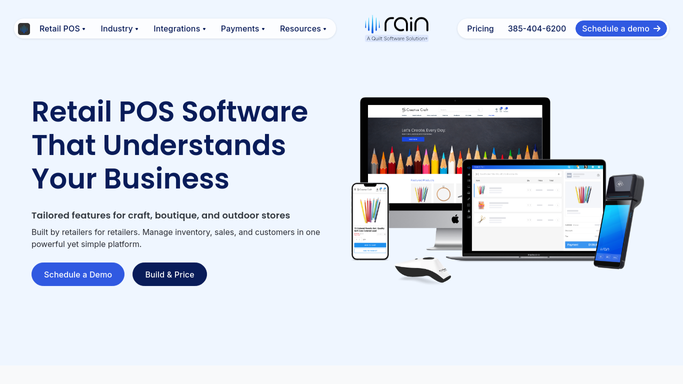
WebRun opens RAIN POS to check new order and current inventory. - Detect a new online order arriving in RAIN POS
- Look up current in-store inventory for the ordered SKU
- Check if the item is serialized and, if so, confirm which unit is available
- Determine the routing: fulfill from stock, place a special order with the vendor, or flag as backordered
- Capture the customer name, order number, SKU, quantity, and fulfillment decision
Done when The order has a routing decision with all relevant details captured.
-
2
Slack - post routing decision to fulfillment team
slack.com How to Automate Slack

WebRun opens Slack to post routing decision to fulfillment team. - Post an order card to the fulfillment Slack channel showing the order number, customer, SKU, quantity, and routing decision
- Tag the action required: pick-and-pack, special order, or backorder notification
- Include the customer's requested delivery date if provided
- Alert if the item is a high-value serialized instrument requiring extra care
Done when The fulfillment team has the routing decision and required action in Slack.
How is each run configured?
Secure by default
Connect once, stays signed in
WebRun signs in once and keeps each session in a persistent environment, so every run picks up right where it left off.
Every action is checked against this policy before it runs.
Questions, answered
Will it automatically confirm the order or charge the customer?
No. WebRun only posts the routing decision to Slack. Order confirmation, charging, and shipping are human actions taken by your fulfillment team after reviewing the card.
Does it work with serialized instruments?
Yes. When an ordered item is serialized in RAIN POS, WebRun identifies the specific available unit and includes that detail in the Slack routing card.
What happens if the item is out of stock?
WebRun flags the order as a backorder or special order in the Slack card, so your team knows to contact the customer or source the item from a vendor before confirming fulfillment.
Related templates
Put this on autopilot.
Turn it on in minutes - or have our team set it up for you.