Fill empty lesson slots from your waitlist before the week starts
Every morning, WebRun checks Fons for newly opened lesson slots, matches each opening to the best-fit waitlisted student by teacher preference and instrument, drafts an offer email for each family in Gmail, and posts the matches to Slack for your review before anything is sent.
- No credit card
- Under $0.01 per run
- Cancel anytime
How do I automatically match open lesson slots to waitlisted music students?
Every morning, WebRun reviews open lesson slots in Fons, matches each opening to the best-fit waitlisted student by teacher preference and instrument, drafts a slot offer email for each family in Gmail, and posts the matches to Slack for admin review. No offer is sent until approved, so every open slot has a chance to fill quickly and fairly.
- Open slots are offered to the right waitlisted family the same morning they appear
- Admins review every match before any family is contacted
- Duplicate offers to the same family are flagged before sending
Built for music studio owners · music school administrators · private music teachers with waitlists
What does WebRun do on every run?
The exact actions WebRun takes, in order - in plain language, so you can adjust anything.
-
WebRun signs in and gets to work
Opens
fons.comin a real browser with your saved login - no setup, no API keys. -
1
Fons - detect open slots and review the waitlist
fons.com
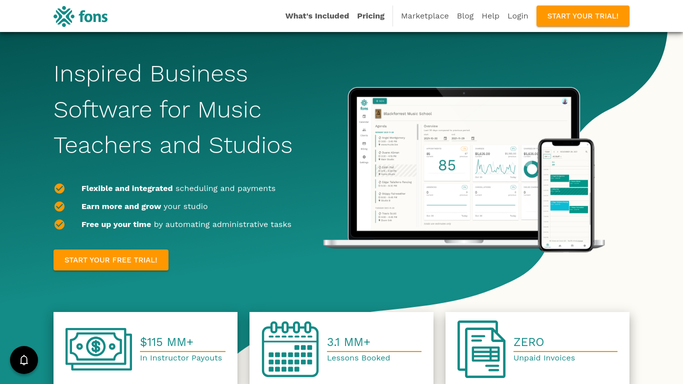
WebRun opens Fons to detect open slots and review the waitlist. - Open Fons and review the booking calendar for newly opened or unbooked lesson slots
- Check the studio waitlist for students whose teacher preference and instrument match the open slot
- Rank waitlisted matches by date added and availability fit
Done when Each open slot is matched to the highest-priority waitlisted student.
-
2
Gmail - draft a slot offer email for each matched family
gmail.com How to Automate Gmail

WebRun opens Gmail to draft a slot offer email for each matched family. - Draft an offer email for each matched family naming the slot time, teacher, and a deadline to respond
- Note that the slot is offered on a first-reply basis
- Save each email as a Gmail draft without sending
Done when A draft offer email exists in Gmail for every open-slot match.
-
3
Slack - post matches for admin review
slack.com How to Automate Slack

WebRun opens Slack to post matches for admin review. - Post a Slack summary listing each open slot, the matched waitlisted student, and the draft status
- Prompt the admin to review the matches and approve the emails from Gmail
Done when Your admin team has the slot-to-waitlist matches in Slack and can send the approved offers.
How is each run configured?
Secure by default
Connect once, stays signed in
WebRun signs in once and keeps each session in a persistent environment, so every run picks up right where it left off.
Every action is checked against this policy before it runs.
Questions, answered
Will it contact waitlisted families without my approval?
No. Every slot offer is saved as a Gmail draft. WebRun posts the matches to Slack so you can check them before deciding to send.
How does it decide which waitlisted student to offer a slot to first?
It prioritises by teacher preference, instrument match, and waitlist date. You can adjust the matching logic in your WebRun settings to reflect your studio policy.
What if two open slots match the same waitlisted student?
WebRun flags the overlap in the Slack summary so you can decide which slot to offer first, rather than sending two competing offers to the same family.
Related templates
Put this on autopilot.
Turn it on in minutes - or have our team set it up for you.