Remind clients to reorder their skincare products
Every Monday, WebRun opens Mangomint, finds clients who purchased retail skincare products 4 to 8 weeks ago and have not reordered, drafts a personalized reorder reminder for each, and posts the queue to Slack for your team to review before sending.
- No credit card
- Under $0.01 per run
- Cancel anytime
How do I automatically remind med spa clients to reorder their skincare products?
WebRun checks Mangomint every Monday for clients who purchased retail skincare products 4 to 8 weeks ago and have not reordered. It drafts a personalized reorder reminder for each client in Gmail and posts the full list to Slack. Your team reviews and approves every draft before it reaches a client.
- Retail clients are reminded at the optimal repurchase window, increasing repeat product sales
- Clients who already reordered are excluded automatically so every message is relevant
- Drafts name the specific product purchased, making each reminder personal rather than generic
Built for med spas with a retail skincare line · aesthetic clinics · dermatology practices selling retail products · beauty clinics with in-house product sales
What does WebRun do on every run?
The exact actions WebRun takes, in order - in plain language, so you can adjust anything.
-
WebRun signs in and gets to work
Opens
app.mangomint.comin a real browser with your saved login - no setup, no API keys. -
1
Mangomint - find clients due for a skincare reorder
mangomint.com How to Automate Mangomint
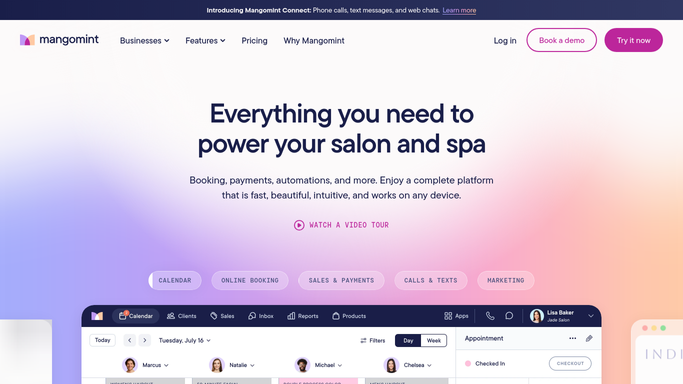
WebRun opens Mangomint to find clients due for a skincare reorder. - Open Mangomint and filter retail sales from 4 to 8 weeks ago for skincare products with a typical monthly usage cycle
- Capture each client's name, products purchased, purchase date, and whether they have reordered since
- Skip clients who have already reordered the same product or who have made a retail purchase more recently
Done when Every client likely running low on their skincare purchase is listed with product details.
-
2
Gmail - draft personalized reorder reminder messages
gmail.com How to Automate Gmail

WebRun opens Gmail to draft personalized reorder reminder messages. - Draft a personalized reorder reminder for each client naming the specific product they purchased and noting typical usage timing
- Include a convenient reorder call-to-action, such as a booking link to pick up in-clinic or a link to your online store
- Save all drafts unsent for team review
Done when Personalized reorder reminder drafts are saved in Gmail, none sent yet.
-
3
Slack - post reorder queue for team review
slack.com How to Automate Slack

WebRun opens Slack to post reorder queue for team review. - Post this week's reorder list to the retail or front desk channel
- Include the total count and a breakdown by product category
- Note the Gmail drafts ready for team approval
Done when Your team has the reorder list in Slack and can approve reminder drafts.
How is each run configured?
Secure by default
Connect once, stays signed in
WebRun signs in once and keeps each session in a persistent environment, so every run picks up right where it left off.
Every action is checked against this policy before it runs.
Questions, answered
Will it send reorder reminders to clients without my team reviewing them first?
No. Every reorder reminder is saved as a Gmail draft for your team to review and approve. Nothing reaches a client until a staff member confirms the message is ready.
How does it know when a client is likely running low on their product?
WebRun uses the typical usage cycle for each product category, usually 4 to 8 weeks for a standard-size skincare product. Your team can adjust the timing during setup to match your specific product lines.
What if a client already reordered or bought something else from the clinic recently?
WebRun checks Mangomint for recent retail purchases each run. Clients who have already reordered or made a recent purchase are excluded automatically from the reminder list.
Related templates
Put this on autopilot.
Turn it on in minutes - or have our team set it up for you.