Give every crew their route and job details each morning
Each morning, WebRun opens LMN, pulls every job scheduled for today, groups them by crew and optimized route order, and posts each crew a Slack message with their full job list including addresses, service scope, and any client notes.
- No credit card
- Under $0.01 per run
- Cancel anytime
How do I automatically send daily route digests to my landscaping crews?
WebRun opens LMN every morning, pulls every job scheduled for the day, groups them by crew in route order, and posts each team a Slack digest with addresses, service details, and client notes. An internal Google Sheets log is also updated automatically so dispatchers have a full daily record.
- Every crew starts the day with their full job list in Slack before leaving the yard
- Dispatchers get an ops summary showing total crews and any flagged jobs at a glance
- An automatic Google Sheets log builds a daily route history without manual entry
Built for landscaping operations managers · lawn-care dispatchers · grounds maintenance supervisors · multi-crew landscape companies
What does WebRun do on every run?
The exact actions WebRun takes, in order - in plain language, so you can adjust anything.
-
WebRun signs in and gets to work
Opens
app.golmn.comin a real browser with your saved login - no setup, no API keys. -
1
LMN - pull today's jobs by crew and route
golmn.com
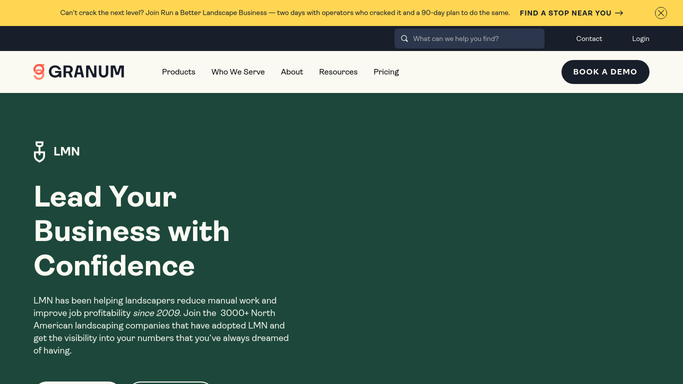
WebRun opens LMN to pull today's jobs by crew and route. - Open LMN and filter jobs to today's date
- Group jobs by assigned crew and sort each group by scheduled start time or route order
- Capture client name, service address, service type, estimated duration, and any special access or client notes for each job
Done when Every today's job is organized by crew with full address and service details captured.
-
2
Google Sheets - log daily route sheet for records
google.com How to Automate Google Sheets

WebRun opens Google Sheets to log daily route sheet for records. - Append today's route data to the daily route log sheet with date, crew name, job count, and total scheduled hours
- This log is internal only and posts automatically
Done when Today's route data is appended to the internal route log in Google Sheets.
-
3
Slack - post each crew their job digest
slack.com How to Automate Slack

WebRun opens Slack to post each crew their job digest. - Post each crew their own Slack message listing all jobs in route order with address, service, and any client notes
- Post a summary to the ops channel showing total crews out, total jobs, and any jobs with special flags
Done when Every crew has received their job list in Slack and the ops summary is posted before 7:00 AM.
How is each run configured?
Secure by default
Connect once, stays signed in
WebRun signs in once and keeps each session in a persistent environment, so every run picks up right where it left off.
Every action is checked against this policy before it runs.
Questions, answered
Does this send anything to clients?
No. The daily route digest is purely internal. It posts to your crew's Slack channels and logs to Google Sheets - no external messages are sent to clients at any point.
What if a job is added or changed after the digest is sent?
WebRun can run a midday refresh at a time you choose, pulling any jobs added or rescheduled since the morning run and posting an update to the ops channel.
Can it handle multiple crews posting to separate Slack channels?
Yes. Each crew is mapped to their own Slack channel or DM, so every team gets only their own route with no cross-crew confusion.
Related templates
Put this on autopilot.
Turn it on in minutes - or have our team set it up for you.