Track K-1 delivery status across all your LPs
Every morning during K-1 season, WebRun opens Juniper Square, checks the delivery and acknowledgement status of every LP's K-1, logs the current state to a Google Sheet, and posts a Slack digest listing any LP who has not yet accessed their document so your team can follow up.
- No credit card
- Under $0.01 per run
- Cancel anytime
How do I track which LPs have received and opened their K-1s?
WebRun checks Juniper Square every morning during K-1 season, reads each LP's delivery and access status, updates a Google Sheet tracker, and posts a Slack digest listing any investor who has not yet opened their document. Your team gets a clear daily chase list without manually auditing the portal.
- Daily visibility into K-1 access status without manually checking the portal
- LPs who have not opened their K-1 flagged automatically for follow-up
- Running Google Sheet log tracks progress through the entire K-1 season
Built for private equity fund administrators · real estate GPs · VC fund operations · tax-season IR teams
What does WebRun do on every run?
The exact actions WebRun takes, in order - in plain language, so you can adjust anything.
-
WebRun signs in and gets to work
Opens
app.junipersquare.comin a real browser with your saved login - no setup, no API keys. -
1
Juniper Square - read K-1 delivery and access status per LP
junipersquare.com How to Automate Juniper Square
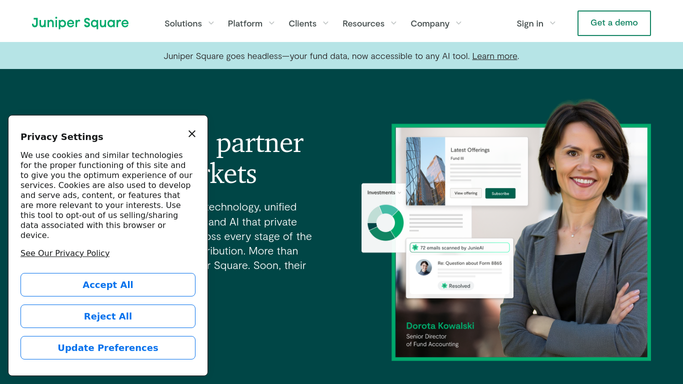
WebRun opens Juniper Square to read K-1 delivery and access status per LP. - Open Juniper Square and navigate to the K-1 reporting section for the current tax year
- Read each LP's delivery status: uploaded, notified, accessed, or not yet accessed
- Capture LP name, entity type, K-1 upload date, notification date, and last access timestamp
Done when Every LP record has a current K-1 delivery status captured.
-
2
Google Sheets - log running delivery status
google.com How to Automate Google Sheets

WebRun opens Google Sheets to log running delivery status. - Open the K-1 delivery tracking Google Sheet
- Update each LP row with today's status: uploaded, notified, accessed, or pending
- Mark any LP who accessed their K-1 today as complete and highlight those still pending
Done when The tracking sheet reflects today's delivery status for every LP.
-
3
Slack - post daily chase digest
slack.com How to Automate Slack

WebRun opens Slack to post daily chase digest. - Post a daily digest to the IR Slack channel with total LP count, number who have accessed, and number still pending
- List the names of LPs who have not yet accessed their K-1, sorted by days since notification
- Include a link to the Google Sheet for the full tracker
Done when The team has today's K-1 chase list in Slack with a link to the full tracker.
How is each run configured?
Secure by default
Connect once, stays signed in
WebRun signs in once and keeps each session in a persistent environment, so every run picks up right where it left off.
Every action is checked against this policy before it runs.
Questions, answered
Will it send reminder emails to LPs who have not accessed their K-1?
No. WebRun only posts an internal Slack digest and updates the tracking sheet. Your team decides when and how to follow up with individual LPs.
How does it know which LPs have accessed their K-1?
It reads the access and acknowledgement timestamps from Juniper Square's K-1 delivery reporting, which tracks when each LP opens their document in the investor portal.
Can it run outside of tax season?
Yes, but it will report no pending items if no K-1s are in flight. You can pause the automation between seasons or leave it running and it will simply post a clean bill of health each morning.
Related templates
Put this on autopilot.
Turn it on in minutes - or have our team set it up for you.