Draft capital call notices for every LP automatically
When you trigger a capital call run, WebRun opens Juniper Square, reads each LP's commitment and pro-rata share, drafts a personalized capital call notice with wire details and the due date, routes it through DocuSign for countersignature, and queues each email in Gmail as a draft for your final review.
- No credit card
- Under $0.01 per run
- Cancel anytime
What does WebRun do on every run?
The exact actions WebRun takes, in order - in plain language, so you can adjust anything.
-
WebRun signs in and gets to work
Opens
app.junipersquare.comin a real browser with your saved login - no setup, no API keys. -
1
Juniper Square - read LP commitments and call amounts
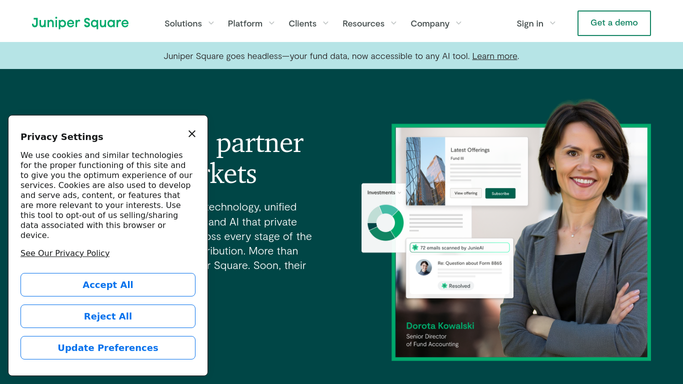
junipersquare.com How to Automate Juniper Square

WebRun opens Juniper Square to read LP commitments and call amounts. - Open Juniper Square and navigate to the active capital call
- Read each LP's commitment amount, funded percentage, and pro-rata share for this call
- Capture the call due date and wire instructions from the fund settings
Done when Every LP record has a confirmed call amount, due date, and wire details.
-
2
DocuSign - prepare countersignature envelope
docusign.com How to Automate DocuSign
WebRun opens DocuSign to prepare countersignature envelope. - Create a capital call notice document for each LP using the confirmed amounts
- Populate the LP name, amount due, wire instructions, and due date fields
- Stage each envelope as a draft, ready for the GP to send after review
Done when All capital call envelopes are staged in DocuSign as drafts awaiting GP action.
-
3
Gmail - queue notice drafts for GP review
gmail.com How to Automate Gmail
WebRun opens Gmail to queue notice drafts for GP review. - Draft a covering email for each LP with the capital call summary and DocuSign link
- Save every email as a draft in Gmail - do not send
- Flag the draft folder with the call name so the GP can review and send in one batch
Done when Every LP has a draft email in Gmail ready for GP review and sending.


How do I automatically draft capital call notices for all my LPs?
WebRun reads each LP's commitment and pro-rata share from Juniper Square, drafts a personalized capital call notice with wire instructions and due dates, stages a DocuSign envelope, and queues a Gmail draft for every investor. Nothing is sent until the GP reviews and approves each notice.
- Capital call notices drafted for all LPs in minutes, not hours
- Zero manual math - amounts pulled directly from Juniper Square records
- GP reviews and approves every notice before it reaches an investor
Built for private equity GPs · real estate fund managers · VC fund administrators · alternative asset managers
How is each run configured?
Secure by default
Connect once, stays signed in
WebRun signs in once and keeps each session in a persistent environment, so every run picks up right where it left off.
Every action is checked against this policy before it runs.
Questions, answered
Will it send the capital call notices without my approval?
No. Every notice is saved as a Gmail draft and every DocuSign envelope is staged but not sent. Nothing goes to an LP until you review and trigger the send yourself.
How does it calculate each LP's call amount?
It reads the LP's commitment and funded percentage directly from Juniper Square, so the math is pulled from your live fund records rather than entered manually.
What if an LP's wire instructions have changed?
WebRun reads wire instructions from the current Juniper Square fund settings each run. Update the record there before triggering the run and the notices will reflect the latest details.
Related templates
Put this on autopilot.
Turn it on in minutes - or have our team set it up for you.