Ask satisfied clients for a review after every inspection
When a job is marked complete in ISN, WebRun reads the client details, drafts a friendly review request email pointing to your Google Business profile or preferred review platform, queues it in Gmail for your approval before sending, and posts a quick Slack note so the team knows a review request is ready.
- No credit card
- Under $0.01 per run
- Cancel anytime
How do I automatically ask clients for a review after every home inspection?
When ISN marks an inspection complete, WebRun reads the client details and drafts a personalised review request email pointing to your Google Business profile or preferred review site. The draft waits in Gmail for your approval before any message reaches the client, helping you collect more reviews with no manual outreach effort.
- Every completed job triggers a personalised review request draft within minutes
- Review links point clients directly to your chosen platform with one click
- No review request goes to a client without your explicit approval
Built for home inspectors · inspection companies · inspection businesses building their online reputation
What does WebRun do on every run?
The exact actions WebRun takes, in order - in plain language, so you can adjust anything.
-
WebRun signs in and gets to work
Opens
app.inspectionsupport.comin a real browser with your saved login - no setup, no API keys. -
1
ISN - read completed job and client details
inspectionsupport.com
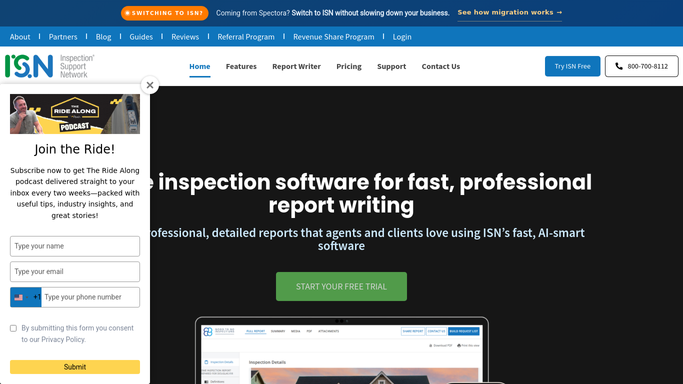
WebRun opens ISN to read completed job and client details. - Open ISN and navigate to the newly completed job
- Read the client name, email address, property address, and inspector name
- Confirm the job is marked as completed and the report has been delivered
Done when The client details and job completion status are confirmed.
-
2
Gmail - draft review request for approval
gmail.com How to Automate Gmail

WebRun opens Gmail to draft review request for approval. - Draft a short, friendly review request email to the client thanking them for their business
- Include a direct link to your Google Business profile or preferred review site
- Keep the tone personal and genuine, referencing the property address
- Leave the email as an unsent draft in Gmail for your approval before sending
Done when A review request draft is waiting in Gmail for your approval.
-
3
Slack - notify team a review request is queued
slack.com How to Automate Slack

WebRun opens Slack to notify team a review request is queued. - Post a brief Slack message confirming that a review request draft has been queued for this client
- Include the client name and property address so the team can track it
Done when The team is notified in Slack that a review request is ready to send.
How is each run configured?
Secure by default
Connect once, stays signed in
WebRun signs in once and keeps each session in a persistent environment, so every run picks up right where it left off.
Every action is checked against this policy before it runs.
Questions, answered
Will it send the review request to clients without my approval?
No. Every review request is left as an unsent Gmail draft. You review it and send it yourself, so no client receives a review request unless you have personally approved the message.
Can it send the review request only to clients who gave positive feedback?
Yes. If ISN captures a post-inspection satisfaction rating, WebRun can be configured to draft the review request only for clients who rated the inspection positively, protecting your reputation.
Which review platforms does it link to?
The review link in the email points wherever you set it: your Google Business profile, Yelp, HomeAdvisor, or any other review page. You supply the URL once during setup.
Related templates
Put this on autopilot.
Turn it on in minutes - or have our team set it up for you.