Flag data anomalies and valuation exceptions in Addepar before they cause reporting errors
Every morning, WebRun scans Addepar for stale security prices, missing alternative asset valuations, and data anomalies such as large unexpected position changes, then posts a prioritized exception list to the operations Slack channel and sends an urgent alert via Telegram for any critical items.
- No credit card
- Under $0.01 per run
- Cancel anytime
How can I automatically flag data anomalies and valuation exceptions in Addepar each morning?
WebRun scans Addepar every morning for stale security prices, missing alternative asset valuations, and unexplained position moves across all accounts, posts a prioritized exception list to Slack, and escalates critical items via Telegram, so your team can fix data quality issues before any client report runs.
- Stale prices and missing valuations caught before client reports run
- Critical data anomalies escalated to operations lead within minutes of detection
- Zero manual daily data quality checks required
Built for family office data teams · portfolio operations staff · single family offices · multi-family office operations
What does WebRun do on every run?
The exact actions WebRun takes, in order - in plain language, so you can adjust anything.
-
WebRun signs in and gets to work
Opens
app.addepar.comin a real browser with your saved login - no setup, no API keys. -
1
Addepar - scan for data anomalies and valuation gaps
addepar.com How to Automate Addepar
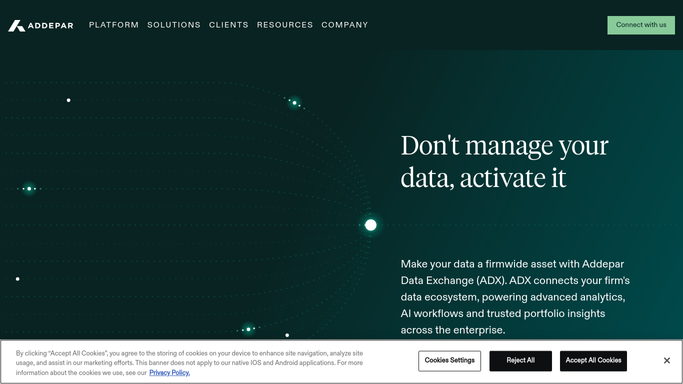
WebRun opens Addepar to scan for data anomalies and valuation gaps. - Open Addepar and run a data quality scan across all accounts and entities
- Identify securities with prices unchanged for more than 2 business days
- Identify private or alternative asset positions with no valuation update in more than 90 days
- Identify positions with a day-over-day value change greater than 20 percent that lacks a matching transaction
- Capture account, security, current value, last update date, and exception type for each item
Done when All data anomalies and valuation gaps are identified and categorized by severity.
-
2
Slack - post prioritized exception list
slack.com How to Automate Slack

WebRun opens Slack to post prioritized exception list. - Post a prioritized exception list to the operations channel, ordered by severity
- Group items by type: stale prices, missing valuations, and large unexplained moves
- Include account name, security, days since last update, and recommended action for each
Done when Operations team has the full exception list in Slack with priority order and action notes.
-
3
Telegram - send urgent alert for critical exceptions
telegram.org How to Automate Telegram

WebRun opens Telegram to send urgent alert for critical exceptions. - For any exception flagged as critical (stale price affecting a report due today, or an unexplained move above 20 percent), send an immediate Telegram alert to the operations lead
- Include the account name, security, and a one-line description of the issue
Done when Critical exceptions have triggered an immediate Telegram alert to the operations lead.
How is each run configured?
Secure by default
Connect once, stays signed in
WebRun signs in once and keeps each session in a persistent environment, so every run picks up right where it left off.
Every action is checked against this policy before it runs.
Questions, answered
Will it change or correct any data in Addepar automatically?
No. WebRun only reads and flags. Every data correction, price override, or valuation update must be made by a human in Addepar. The run never writes to the platform.
How does it define a critical exception?
Critical exceptions are any stale price on a security in a report scheduled to run today, or any position with an unexplained day-over-day move above 20 percent. You can adjust these thresholds in the run configuration.
What about private equity and hedge fund valuations?
It flags alternative asset positions in Addepar with no valuation update in more than 90 days. Because private fund valuations follow a quarterly cycle, this threshold is intentionally longer than the price-staleness check for public securities.
Related templates
Put this on autopilot.
Turn it on in minutes - or have our team set it up for you.