Follow up on open freight quotes before they go cold
Every morning, WebRun opens J. J. Keller Encompass, reviews the open quote log for freight bids sent more than 48 hours ago with no acceptance or rejection, logs each to a Google Sheet follow-up tracker, and drafts a polite follow-up email in Gmail for your sales team to review and send.
- No credit card
- Under $0.01 per run
- Cancel anytime
How do I automatically follow up on open freight quotes before shippers go elsewhere?
WebRun opens J. J. Keller Encompass every morning, finds every freight quote sent more than 48 hours ago with no shipper response, logs each to a Google Sheets follow-up tracker, and drafts a polite follow-up email in Gmail for your sales team to review and send, so no open quote goes cold without a timely nudge.
- No open quote ages past 48 hours without a drafted follow-up ready to send
- Sales team starts each day with a prioritized list of quotes to close
- Follow-up emails only go out after sales team review and personal approval
Built for carrier sales teams · freight brokers · transportation account managers · trucking company owners
What does WebRun do on every run?
The exact actions WebRun takes, in order - in plain language, so you can adjust anything.
-
WebRun signs in and gets to work
Opens
encompass.jjkeller.comin a real browser with your saved login - no setup, no API keys. -
1
J. J. Keller Encompass - find open quotes sent over 48 hours ago with no response
jjkeller.com How to Automate J. J. Keller Encompass
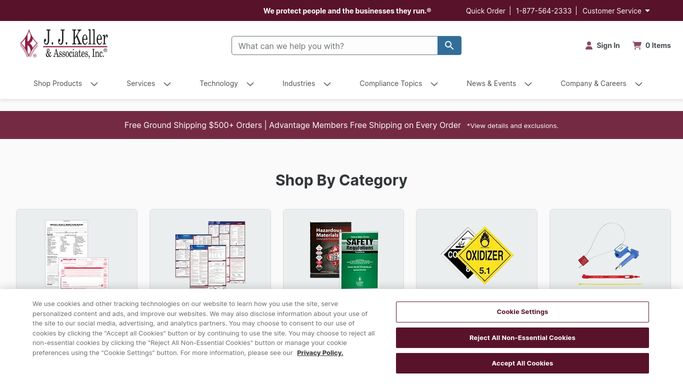
WebRun opens J. J. Keller Encompass to find open quotes sent over 48 hours ago with no response. - Open the load and rate records in Encompass and filter for quotes with an open status
- Identify quotes sent more than 48 hours ago with no shipper acceptance, rejection, or counter
- Capture quote number, shipper name, lane, quoted rate, and the date the quote was sent
- Skip quotes flagged as on hold or awaiting shipper response per a prior conversation
Done when All open quotes older than 48 hours with no response are listed with contact details.
-
2
Google Sheets - log stale quotes to follow-up tracker
google.com How to Automate Google Sheets

WebRun opens Google Sheets to log stale quotes to follow-up tracker. - Open the Quote Follow-Up Tracker sheet and append a row for each stale quote
- Record quote number, shipper, lane, quoted rate, sent date, and days since sent
- Flag quotes older than 4 days as high priority for immediate follow-up
Done when The follow-up tracker is updated with all stale open quotes.
-
3
Gmail - draft follow-up email for sales team review
gmail.com How to Automate Gmail

WebRun opens Gmail to draft follow-up email for sales team review. - Draft a brief, polite follow-up email to the shipper contact for each stale quote
- Reference the quote number, lane, and original rate in the email body
- Leave every draft unsent in Gmail for your sales team to personalize and approve before sending
Done when Follow-up email drafts are ready in Gmail for every stale quote, pending sales team review.
How is each run configured?
Secure by default
Connect once, stays signed in
WebRun signs in once and keeps each session in a persistent environment, so every run picks up right where it left off.
Every action is checked against this policy before it runs.
Questions, answered
Will it send the follow-up emails to shippers automatically?
No. WebRun drafts every follow-up email and leaves it unsent in Gmail. Your sales team reviews each draft, adds any personal context, and decides which ones to send.
What if a quote was rejected verbally but not marked closed in Encompass?
WebRun relies on the status recorded in J. J. Keller Encompass. Your team should close or cancel rejected quotes in the system promptly so they do not appear in the follow-up list.
Can I set a different follow-up window than 48 hours?
Yes. The 48-hour threshold is configurable when you set up the workflow. For shorter sales cycles you can set it to 24 hours; for longer ones you can extend it to 72 hours or more.
Related templates
Put this on autopilot.
Turn it on in minutes - or have our team set it up for you.