Catch unfiled USPS paperwork before a job hits the dock
Every morning, WebRun opens BCC Software, checks every job within 2 days of its mail date, confirms whether its postage statement and mail.dat paperwork have been filed in the USPS Business Customer Gateway, stages the filing details for anything still missing, and posts your mail clerk a Slack reminder naming the jobs that need paperwork filed before they can go out.
- No credit card
- Under $0.01 per run
- Cancel anytime
How do I make sure USPS mail.dat paperwork gets filed before a job's mail date?
Every morning, WebRun opens BCC Software and checks every job within 2 days of its mail date. It confirms whether the postage statement and mail.dat paperwork have been filed in the USPS Business Customer Gateway, stages the filing details for anything still missing, and posts your mail clerk a Slack reminder to review and submit.
- Unfiled paperwork surfaces 2 days before a mail date, not the morning of
- Filing details are staged and ready, so your clerk just reviews and submits
- Already-filed jobs are skipped automatically, so no one wastes time re-checking
Built for lettershops · mailing houses · mail clerks · direct mail production teams
What does WebRun do on every run?
The exact actions WebRun takes, in order - in plain language, so you can adjust anything.
-
WebRun signs in and gets to work
Opens
www.bccsoftware.comin a real browser with your saved login - no setup, no API keys. -
1
BCC Software - find jobs nearing their mail date
bccsoftware.com How to Automate BCC Software

WebRun opens BCC Software to find jobs nearing their mail date. - Open BCC Software and pull every job within 2 days of its scheduled mail date
- Capture the job, client, container counts, and mail.dat paperwork status for each
- Skip any job already confirmed filed
Done when Every job nearing its mail date is listed with its paperwork status.
-
2
USPS Business Customer Gateway - check postage statement filing status
usps.com
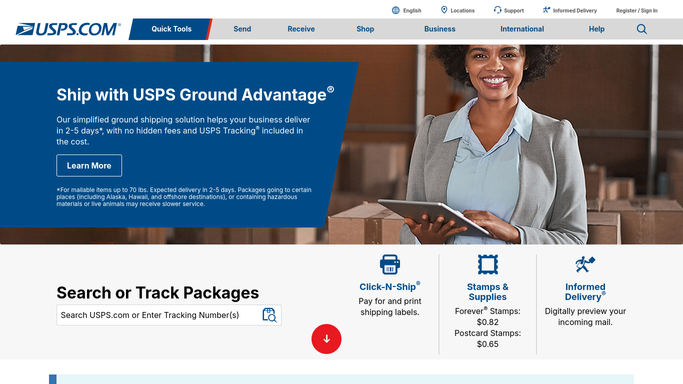
WebRun opens USPS Business Customer Gateway to check postage statement filing status. - Open the USPS Business Customer Gateway and check the postage statement status for each job
- Stage the mail.dat filing details for any job not yet submitted
- Leave the filing unsubmitted. Do not click submit on any postage statement
Done when Every job's filing status is confirmed, with staged details ready for anything still missing.
-
3
Slack - remind the clerk to file
slack.com How to Automate Slack

WebRun opens Slack to remind the clerk to file. - Post your mail clerk a reminder naming every job with paperwork still unfiled
- Sort by how close each is to its mail date
- Note that the filing details are staged and ready for them to review and submit
Done when Your mail clerk has today's unfiled-paperwork reminder in Slack.
How is each run configured?
Secure by default
Connect once, stays signed in
WebRun signs in once and keeps each session in a persistent environment, so every run picks up right where it left off.
Every action is checked against this policy before it runs.
Questions, answered
Will it file the postage statement with USPS on its own?
No. WebRun only stages the filing details in the USPS Business Customer Gateway and leaves them unsubmitted. Your mail clerk reviews and clicks submit, so nothing is filed with USPS without a person checking it first.
How far ahead does it check?
It checks every job within 2 days of its scheduled mail date, so your clerk gets a reminder with enough runway to file before the job needs to go out.
What if the paperwork is already filed?
It reads the live status in the USPS Business Customer Gateway each run and skips any job already confirmed filed, so your clerk only sees what still needs attention.
Related templates
Put this on autopilot.
Turn it on in minutes - or have our team set it up for you.