Draft client proof approvals the moment a job is ready
Every few minutes, WebRun opens BCC Software, finds jobs with a proof newly marked ready for client sign-off, stages a DocuSign approval envelope with the proof and job details attached, drafts the cover email in Gmail explaining what needs signing and by when, and leaves both unsent for your account manager to review and send together.
- No credit card
- Under $0.01 per run
- Cancel anytime
What does WebRun do on every run?
The exact actions WebRun takes, in order - in plain language, so you can adjust anything.
-
WebRun signs in and gets to work
Opens
www.bccsoftware.comin a real browser with your saved login - no setup, no API keys. -
1
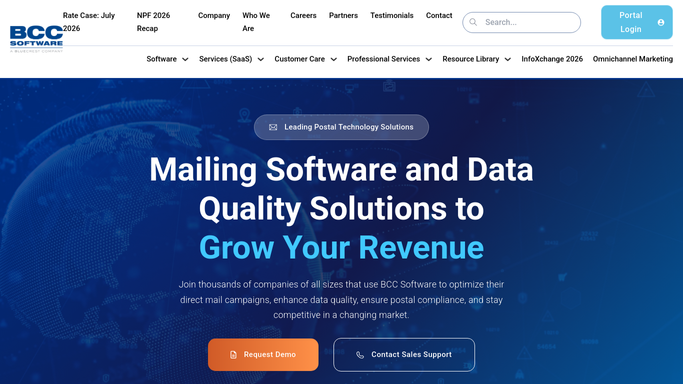
BCC Software - find proofs newly ready for sign-off
bccsoftware.com How to Automate BCC Software

WebRun opens BCC Software to find proofs newly ready for sign-off. - Open BCC Software and filter jobs to proof newly marked ready
- Capture the client, job name, proof file, and the mail date the approval protects
- Skip any job that already has an approval package staged
Done when Every newly ready proof is listed with its job and mail date.
-
2
DocuSign - stage the approval envelope
docusign.com How to Automate DocuSign
WebRun opens DocuSign to stage the approval envelope. - Start a new envelope with the proof attached and the client as the signer
- Add a short approval field confirming the client signs off on this exact proof
- Save it and leave it unsent for the account manager to review
Done when A DocuSign envelope is staged and ready for every newly ready proof.
-
3
Gmail - draft the cover email
gmail.com How to Automate Gmail
WebRun opens Gmail to draft the cover email. - Draft a cover email introducing the proof and explaining the DocuSign approval it will receive
- Name the mail date the approval protects
- Save it as a draft and leave it unsent alongside the DocuSign envelope
Done when A cover email draft sits ready in Gmail for every staged envelope.


How do I get a client proof approval package ready to send as soon as a proof is done?
Every few minutes, WebRun opens BCC Software and finds jobs with a proof newly marked ready for client sign-off. It stages a DocuSign approval envelope with the proof attached, drafts a matching cover email in Gmail explaining what needs signing and by when, and leaves both unsent for your account manager to review and send together.
- Approval packages are staged within minutes of a proof being ready, not hours later
- DocuSign gives you a dated sign-off record for every approved proof
- Duplicate requests are prevented automatically, so clients see one clean ask
Built for lettershops · mailing houses · account managers · direct mail production teams
How is each run configured?
Secure by default
Connect once, stays signed in
WebRun signs in once and keeps each session in a persistent environment, so every run picks up right where it left off.
Every action is checked against this policy before it runs.
Questions, answered
Does it send the DocuSign envelope to the client itself?
No. WebRun only stages the envelope and the cover email as drafts. Your account manager reviews both and sends them, so no client receives an approval request WebRun sent on its own.
Why use DocuSign instead of just an email approval?
A signed DocuSign approval gives you a dated record that the client signed off on that exact proof, which protects you if a dispute comes up after the job has mailed.
Will it create a duplicate package if I already sent one?
No. WebRun checks BCC Software for a job that already has an approval package staged and skips it, so a client never gets two requests for the same proof.
Related templates
Put this on autopilot.
Turn it on in minutes - or have our team set it up for you.