Catch under-enrolled classes before it's too late to save them
Every morning, WebRun opens CourseStorm, finds classes starting within the next two weeks that are still under minimum enrollment, logs each one in a Google Sheet with the enrollment gap and days remaining, and posts a Slack alert so your coordinator can decide whether to promote, combine, or cancel.
- No credit card
- Under $0.01 per run
- Cancel anytime
How do I catch under-enrolled classes before they need to be cancelled?
WebRun checks CourseStorm every morning for classes starting within two weeks that haven't reached minimum enrollment. It logs each one in a Google Sheet with the headcount, the gap, and days remaining, then posts a ranked Slack alert so your coordinator can promote, combine, or cancel the class while there's still time to act.
- Under-enrolled classes get flagged 14 days out, not the day before start
- Coordinators see the enrollment gap and days remaining in one ranked list
- No class gets cancelled at the last minute for lack of a heads-up
Built for community education directors · adult ed program coordinators · continuing education staff · parks and rec program managers
What does WebRun do on every run?
The exact actions WebRun takes, in order - in plain language, so you can adjust anything.
-
WebRun signs in and gets to work
Opens
www.coursestorm.comin a real browser with your saved login - no setup, no API keys. -
1
CourseStorm - find classes below minimum enrollment
coursestorm.com How to Automate CourseStorm
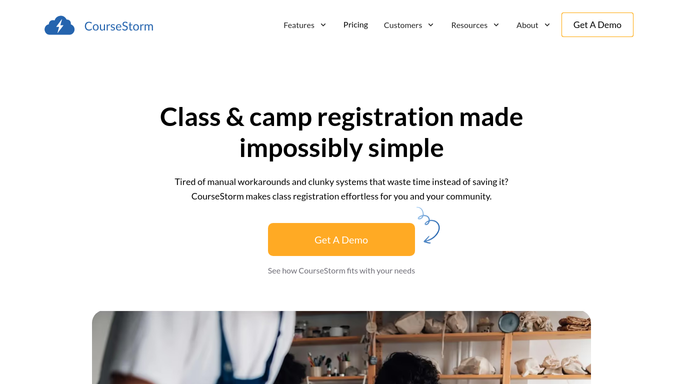
WebRun opens CourseStorm to find classes below minimum enrollment. - Open CourseStorm and pull every upcoming class with its enrollment count and minimum
- Filter to classes starting within 14 days that are still under minimum
- Note the current headcount, the minimum needed, and the start date for each
Done when Every at-risk class has been identified with its enrollment gap.
-
2
Google Sheets - log the enrollment gap
google.com How to Automate Google Sheets

WebRun opens Google Sheets to log the enrollment gap. - Log each at-risk class in a tracking sheet with headcount, minimum, and days to start
- Mark classes that were already flagged in a prior run so the list doesn't repeat
- Sort the sheet with the soonest start dates first
Done when The at-risk list is up to date and ranked by urgency.
-
3
Slack - alert the coordinator to decide
slack.com How to Automate Slack

WebRun opens Slack to alert the coordinator to decide. - Post the at-risk list to your program channel with headcount and days remaining
- Flag any class starting within 3 days at the top of the message
- Leave the cancel, combine, or promote decision to the coordinator
Done when The coordinator has today's at-risk list in Slack.
How is each run configured?
Secure by default
Connect once, stays signed in
WebRun signs in once and keeps each session in a persistent environment, so every run picks up right where it left off.
Every action is checked against this policy before it runs.
Questions, answered
Will it cancel a class automatically?
No. WebRun only flags classes that are under minimum enrollment and close to their start date. The decision to cancel, combine, or run the class anyway always stays with your coordinator.
How far in advance does it warn me?
It checks every morning for classes starting within the next 14 days, so you see the enrollment gap while there's still time to promote the class, not the day before it starts.
Does it flag classes I already reviewed?
No. It marks each class once it's been posted to Slack, so your channel doesn't fill up with repeat alerts for the same under-enrolled class.
Related templates
Put this on autopilot.
Turn it on in minutes - or have our team set it up for you.