How to Automate CourseStorm
CourseStorm automates registration itself: waitlists trigger at capacity, low enrollment alerts go out while a class can still be saved, and abandoned orders get chased. Reconciling that catalogue against room calendars, instructor pay and the inbox is what an agent like WebRun adds.
 Written by
Aiko Tanabe
Product researcher
Written by
Aiko Tanabe
Product researcher
 Reviewed by
Tom Kessler
Field operations analyst
Reviewed by
Tom Kessler
Field operations analyst
A community catalogue is rebuilt every season
CourseStorm is class and camp registration software for the organisations running community programmes: adult education, arts centres, continuing education and workforce training, and the summer camps that fill a town's July.
The shape of that business is a catalogue and a season. Everything is built again every term. A pottery class, a forklift certification, a Tuesday night Spanish course and a two-week camp all go up together, take registrations for a few weeks, then either run or do not. Most instructors are contractors teaching the one thing they are very good at. Most students are adults paying for themselves, deciding in the same week they enrol.
So CourseStorm holds the catalogue, the registrations, the payments, the rosters and the messages that reach everyone in a class. For a programme with one and a half staff and ninety courses, it is the office.
The room calendar lives in another building
The load sits in what the catalogue touches but does not contain.
Rooms, mostly. A term of classes is scheduled into a building the programme usually does not control, so somebody compares the published schedule against a room calendar kept somewhere else and finds the Tuesday double-booking by hand. Instructors are paid per head or per session, so somebody reconciles what each is owed against who actually registered.
Then the money edges: a scholarship request, a fee waiver, a partner organisation asking to co-list a course. Each arrives in an email and ends up in a spreadsheet.
And the season closes with the same three questions every time. Which courses did not make. Which students came once and never came back. Which proposals arrived too late to be in the catalogue at all.
Waitlists and low enrollment alerts fire without anyone asking
CourseStorm already automates the parts that touch a student directly, and it does that well.
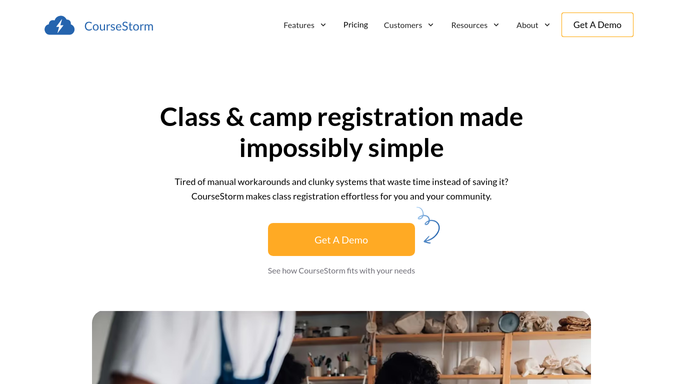
Waitlists trigger on their own when a class reaches its cap, and a seat that opens can be offered with a registration link in one click. Abandoned order notifications reach people who started a registration and stopped, with a link back to where they left it. Low enrollment alerts tell staff, the instructor and the students already signed up that a class needs more people, which is the only moment that message is any use. Personalised recommendations suggest classes from what a student took before. Payment plans, custom registration forms, age restrictions, dynamic rosters and an instructor admin portal come as standard, and the Just Ask reporting assistant answers questions about the data conversationally.
Every one of those works on registrations, classes and students inside CourseStorm.
The building's room calendar is not inside CourseStorm. Neither is the accounting file instructor invoices land in, the bank, the town's own event calendar, or the inbox where course proposals arrive as attachments.
The last week of term stops being an audit
Carry a class list out to those places and the end of a season stops being a reconstruction.
Room conflicts caught the morning after they are created, by holding the published schedule against whatever calendar the building actually uses, rather than in week one when two instructors arrive at the same door. Instructor pay worked out from the roster that genuinely registered and set against what was invoiced, before the payment run rather than after it.
Scholarship and waiver requests collected out of the inbox, checked against each applicant's balance, and put in one list with a status beside each. Courses tracked against the head count they need to be worth running, with a week left to promote them. Students who took one class last spring and nothing since, listed with what they took, so a note can mention the right thing.
Course proposals gathered from wherever they arrive and lined up against the catalogue deadline. Anything addressed to a student or an instructor stays a draft. Community programmes run on goodwill, and one wrong note about a fee spends a season of it.
The eleven o'clock calendar comparison can stop
Holding a class schedule against a room calendar is nobody's idea of a job, and it is exactly the sort of thing that gets done at eleven at night in the week before term.
WebRun is an AI agent that works a real Chrome browser, signed in as you. It opens CourseStorm, the room calendar, the accounting file or the inbox, reads each one, and hands the comparison back with the conflicts named.
It runs on your schedule inside your own private environment, and a run can be watched and stopped. Nothing in the catalogue is changed, and anything going to a student or an instructor is prepared and left for a person to send.
The workflows below are already built, and each one names what it opens.
Questions people ask
Will it cancel or edit a class in CourseStorm?
No. Cancelling a class strands registered students and refunds real money, so that decision stays with a person. It reads the catalogue, flags the class that will not make, and leaves the choice alone.
Our room calendar is a Google Sheet somebody maintains. Does that work?
Yes. It reads whatever the building actually uses, a shared sheet, a booking system or a facilities calendar, in a browser signed in as you. Nothing has to be connected to CourseStorm for the comparison to run.
We already use waitlists and low enrollment alerts. Is this the same?
No, and keep them. Those reach students inside the catalogue. This covers the things the catalogue cannot see: the room, the instructor invoice, the bank, and the proposals still sitting in an inbox.
12 ready-made CourseStorm workflows
Each one names the apps it touches and the exact steps it takes. Open one to read what it will do, then turn it on.



Want one of these running on your own CourseStorm?
Show WebRun the process once and it will run it on schedule, in your own private browser environment.