Remind students before registration closes
Every morning, WebRun opens CourseStorm, finds courses with a registration deadline in the next 3 days, pulls the list of people who started an application but haven't completed it, drafts a reminder campaign in Mailchimp for each course, and pings your team in Telegram once it's ready to review.
- No credit card
- Under $0.01 per run
- Cancel anytime
What does WebRun do on every run?
The exact actions WebRun takes, in order - in plain language, so you can adjust anything.
-
WebRun signs in and gets to work
Opens
www.coursestorm.comin a real browser with your saved login - no setup, no API keys. -
1
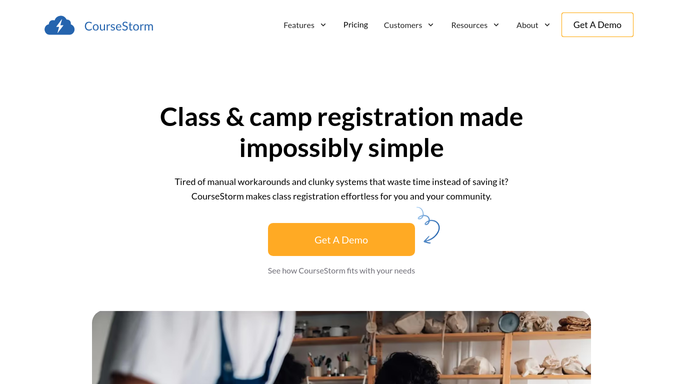
CourseStorm - find approaching registration deadlines
coursestorm.com How to Automate CourseStorm

WebRun opens CourseStorm to find approaching registration deadlines. - Open CourseStorm and list courses with a registration deadline in the next 3 days
- Pull anyone who started an application or added the course to a cart but hasn't paid
- Group the list by course so each gets its own reminder
Done when Every course with a near deadline has its incomplete-registration list.
-
2
Mailchimp - draft the deadline reminder
mailchimp.com How to Automate Mailchimp
WebRun opens Mailchimp to draft the deadline reminder. - Draft a reminder email per course naming the deadline and seats remaining
- Address it to the incomplete-registration segment for that course only
- Save each as a draft campaign. Do not schedule or send it
Done when A draft reminder exists in Mailchimp for every course with an approaching deadline.
-
3
Telegram - notify your team it's ready
telegram.org How to Automate Telegram
WebRun opens Telegram to notify your team it's ready. - Message your team which courses have a draft reminder ready
- Include the deadline date and how many people are on each list
- Leave the send decision and timing to your team
Done when Your team has today's list of ready-to-send deadline reminders in Telegram.


How do I remind students before a course's registration deadline passes?
WebRun scans CourseStorm each morning for courses with a registration deadline in the next 3 days and pulls everyone who started but didn't finish signing up. It drafts a Mailchimp reminder naming the deadline and seats left, then pings your team in Telegram once it's ready, so no near-deadline course goes unmentioned.
- Deadline reminders go out while there's still time to register, not after
- Only incomplete registrations are targeted, not your whole mailing list
- Every reminder is a draft your team reviews before it sends
Built for community education registrars · adult ed program coordinators · continuing education marketing staff · parks and rec program managers
How is each run configured?
Secure by default
Connect once, stays signed in
WebRun signs in once and keeps each session in a persistent environment, so every run picks up right where it left off.
Every action is checked against this policy before it runs.
Questions, answered
Will it email students without anyone checking the message first?
No. WebRun saves every reminder as a Mailchimp draft. Your team reviews and sends it, nothing goes to a student's inbox automatically.
Who gets included in the reminder?
Only people who started an application or added the course to a cart but never completed registration for that specific course. Enrolled students are excluded automatically.
What if a course fills up before the deadline?
It reads live enrollment from CourseStorm each morning, so a course that's already full is left out of that day's reminder run.
Related templates
Put this on autopilot.
Turn it on in minutes - or have our team set it up for you.