Draft payment reminders for overdue accounts ready for your review
Every morning, WebRun opens TrueAccord, identifies accounts with a payment due in the next two days or already past due, drafts a compliant payment reminder for each, logs the drafts in Google Sheets, and creates a Gmail draft batch for your collectors to review and approve before any reminder reaches a debtor.
- No credit card
- Under $0.01 per run
- Cancel anytime
What does WebRun do on every run?
The exact actions WebRun takes, in order - in plain language, so you can adjust anything.
-
WebRun signs in and gets to work
Opens
app.trueaccord.comin a real browser with your saved login - no setup, no API keys. -
1
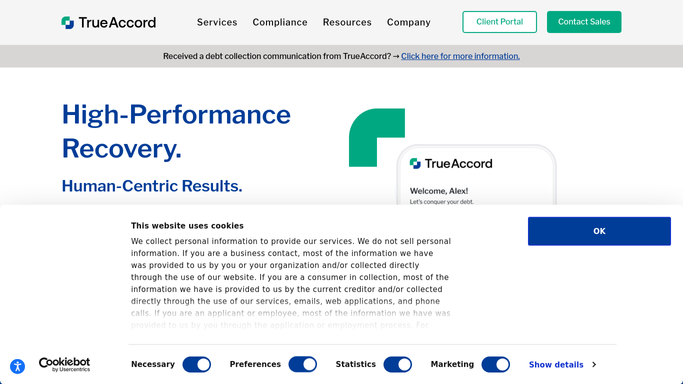
TrueAccord - identify accounts needing a payment reminder
trueaccord.com

WebRun opens TrueAccord to identify accounts needing a payment reminder. - Open TrueAccord and filter accounts with a payment due within 48 hours or already past due
- Capture account ID, debtor name, amount due, due date, and preferred contact channel
- Skip accounts already on cease-contact status or with an active dispute
Done when All accounts needing a payment reminder are listed with amount, due date, and contact eligibility.
-
2
Google Sheets - log draft reminders for team review
google.com How to Automate Google Sheets
WebRun opens Google Sheets to log draft reminders for team review. - Open the payment reminder draft log sheet
- Append a row for each account with the draft reminder text, amount due, and due date
- Mark each row as pending review, ready for a collector to approve or edit
Done when The reminder log sheet lists every draft with account details and an approval status column.
-
3
Gmail - create draft reminder emails for collector approval
gmail.com How to Automate Gmail
WebRun opens Gmail to create draft reminder emails for collector approval. - Create a Gmail draft for each eligible account containing the reminder text, amount due, and a payment link if available
- Leave every draft unsent in the collector's drafts folder for review, editing, and manual send
- Do not send any reminder to a debtor without explicit collector approval
Done when Draft reminder emails are in the Gmail drafts folder, awaiting collector review and approval before sending.


How do I automatically draft payment reminders for overdue debt collection accounts?
WebRun opens TrueAccord every morning, finds accounts with a payment due in 48 hours or already past due, and drafts a compliant reminder for each. Drafts land in Gmail and a Google Sheets log for collector review. No reminder reaches a debtor until a human approves and sends it.
- Every overdue account has a ready-to-send draft reminder by 8 AM
- Cease-contact and dispute accounts automatically excluded from reminder drafts
- Collectors spend minutes approving instead of hours writing reminders
Built for debt collection agencies · collectors and recovery agents · consumer finance teams · accounts receivable managers
How is each run configured?
Secure by default
Connect once, stays signed in
WebRun signs in once and keeps each session in a persistent environment, so every run picks up right where it left off.
Every action is checked against this policy before it runs.
Questions, answered
Will it send payment reminders to debtors without my approval?
No. Every reminder is drafted and placed in Gmail drafts, not sent. A collector must review, edit if needed, and manually send each message. Accounts on cease-contact status or with active disputes are automatically skipped.
How does it know what to write in the reminder?
It uses the account balance, due date, and amount captured from TrueAccord to populate a compliant reminder template. Your team can update the template wording before each run to match your brand voice and any compliance requirements.
What if a debtor has already paid by the time my collector reviews the draft?
The next morning run re-reads TrueAccord status and marks resolved accounts in the Google Sheets log. Collectors can check the log before sending a draft to confirm the payment has not already landed.
Related templates
Put this on autopilot.
Turn it on in minutes - or have our team set it up for you.