Check in with every client after their clean
Every evening, WebRun opens Aspire, finds all jobs completed that day, drafts a brief quality check-in email for each client asking if everything met their expectations, and posts a summary to Slack so your team knows how many follow-ups are queued for approval.
- No credit card
- Under $0.01 per run
- Cancel anytime
How do I automatically follow up with cleaning clients to check quality after each visit?
WebRun checks Aspire every evening for jobs completed that day, drafts a brief quality check-in email for each client, and holds the drafts in Gmail for your approval. Jobs with crew-logged quality flags get a proactive remedy message. A Slack summary highlights concerns so managers can respond before a complaint reaches a public review platform.
- Quality concerns are caught within hours of a clean, before they reach Google or Yelp
- Clients with flagged jobs receive a proactive remedy message, not silence
- Every client touched by a quality check-in feels valued and heard
Built for commercial janitorial companies · residential cleaning services · cleaning franchise quality managers · maid service operators
What does WebRun do on every run?
The exact actions WebRun takes, in order - in plain language, so you can adjust anything.
-
WebRun signs in and gets to work
Opens
app.youraspire.comin a real browser with your saved login - no setup, no API keys. -
1
Aspire - find today's completed jobs
youraspire.com
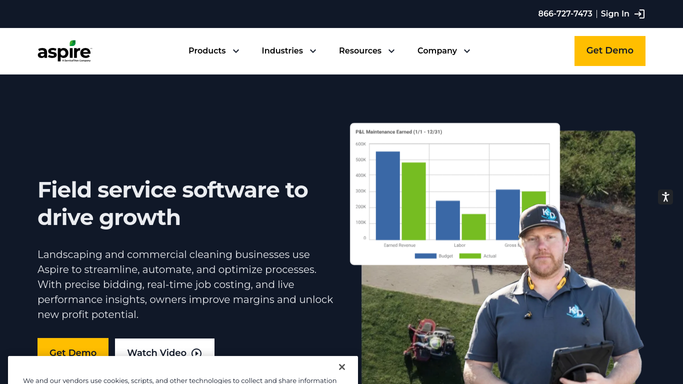
WebRun opens Aspire to find today's completed jobs. - Open Aspire and navigate to the work order or job view
- Filter to jobs with a completed status for today
- Capture the client name, email, site address, service type, and assigned crew for each completed job
- Note any quality flags or inspection comments logged by the crew
Done when Every completed job today is listed with client details and any crew notes.
-
2
Gmail - draft quality check-in emails
gmail.com How to Automate Gmail

WebRun opens Gmail to draft quality check-in emails. - Draft a brief, friendly check-in email for each client asking if the clean met their expectations
- For jobs with crew-logged quality flags, draft a more proactive message acknowledging the issue and offering a remedy
- Leave every email as a draft for your review before sending
Done when One draft quality check-in email is ready per completed-job client in Gmail.
-
3
Slack - report follow-ups queued
slack.com How to Automate Slack

WebRun opens Slack to report follow-ups queued. - Post a nightly summary to the ops channel: jobs completed, check-ins drafted, and any flagged quality issues
- Highlight jobs where a crew note or quality concern was detected so managers can prioritise their review
Done when Ops has tonight's quality follow-up queue with any flagged jobs highlighted in Slack.
How is each run configured?
Secure by default
Connect once, stays signed in
WebRun signs in once and keeps each session in a persistent environment, so every run picks up right where it left off.
Every action is checked against this policy before it runs.
Questions, answered
Will it contact clients automatically after every job without my review?
No. Every check-in email is drafted in Gmail and held for your approval before sending. You review each message and decide when to send it, so the outreach is always deliberate and appropriate.
How does it handle jobs where the crew flagged a quality issue?
For jobs with a crew note or quality flag in Aspire, it drafts a more proactive message acknowledging the concern and offering a remedy, and it highlights those jobs in the Slack summary so managers can prioritise their review.
Is this the same as a review request?
No. The quality check-in is a private satisfaction check sent directly to the client. Review requests are a separate workflow that goes out only after a positive response, so unhappy clients have a private channel to raise concerns before they post publicly.
Related templates
Put this on autopilot.
Turn it on in minutes - or have our team set it up for you.