Give your dispatcher a full fleet status briefing every morning
Every morning, WebRun opens Motive, reviews driver duty status, active trip locations, and any hours-remaining figures, then posts a concise dispatch briefing to your Telegram channel so the team knows who is available, who is on a load, and who is running short on hours before the first call goes out.
- No credit card
- Under $0.01 per run
- Cancel anytime
How do I get an automatic daily fleet status briefing from Motive for my dispatch team?
WebRun opens Motive every morning before the shift starts, reads each driver's duty status and hours remaining in the cycle, checks active trip positions, and posts a concise briefing to your dispatch Telegram channel. Your dispatchers see who is available, who is on a load, and who is short on hours before they make the first call.
- Dispatch starts every morning with a full fleet status briefing before the first call
- Drivers short on hours are flagged proactively so load planning avoids violations
- Zero time spent manually checking Motive before the morning shift begins
Built for trucking carriers · dispatchers · fleet operations managers · owner-operators
What does WebRun do on every run?
The exact actions WebRun takes, in order - in plain language, so you can adjust anything.
-
WebRun signs in and gets to work
Opens
app.gomotive.comin a real browser with your saved login - no setup, no API keys. -
1
Motive - review driver status and hours remaining
gomotive.com How to Automate Motive
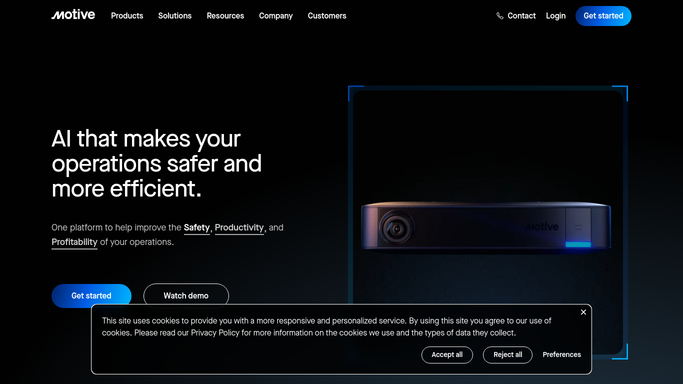
WebRun opens Motive to review driver status and hours remaining. - Open Motive Fleet Dashboard and review current driver duty status for all drivers
- Note hours remaining in the current cycle for each on-duty or sleeper-berth driver
- Capture active trip assignments and last-known vehicle locations
- Identify drivers who are off-duty and available for today's dispatching
Done when Driver availability, hours remaining, and active trip status is captured for the full fleet.
-
2
Telegram - post morning dispatch briefing
telegram.org How to Automate Telegram

WebRun opens Telegram to post morning dispatch briefing. - Format a concise briefing: available drivers, drivers on load with ETA, drivers short on hours
- Post the briefing to the dispatch Telegram channel
- Include a count of available trucks and a list of drivers with fewer than four hours remaining
Done when Dispatch team has the full fleet status briefing in Telegram before the morning shift.
How is each run configured?
Secure by default
Connect once, stays signed in
WebRun signs in once and keeps each session in a persistent environment, so every run picks up right where it left off.
Every action is checked against this policy before it runs.
Questions, answered
Will it assign loads to drivers automatically?
No. WebRun provides the status briefing only. All load assignments and dispatch decisions remain with your dispatchers.
What if a driver's status changes after the briefing posts?
The briefing reflects the status at the time of the morning run. For real-time updates, your team continues to use Motive Fleet Dashboard throughout the day.
Can it alert dispatch when a driver falls below a minimum hours threshold?
Yes. You can configure a threshold such as four hours remaining and WebRun will call out those drivers explicitly in the Telegram briefing each morning.
Related templates
Put this on autopilot.
Turn it on in minutes - or have our team set it up for you.