Reconcile valuation fee payments against BizEquity engagements every week
Every Monday, WebRun opens QuickBooks for recent payments against valuation invoices, cross-references each payment with the matching BizEquity engagement, records the reconciled status in Google Sheets, and posts a tidy reconciliation summary to the billing Slack channel.
- No credit card
- Under $0.01 per run
- Cancel anytime
How do I reconcile business valuation fee payments against client engagements each week?
Every Monday, WebRun pulls recent payments from QuickBooks, matches each to the corresponding BizEquity engagement, updates the Google Sheets reconciliation log, and posts a summary to the billing Slack channel highlighting any engagements where the report has been delivered but the invoice remains open.
- Delivered-but-unpaid engagements are surfaced every Monday before they age
- Billing team sees total collected and outstanding in one Slack message
- Reconciliation log in Google Sheets is always up to date
Built for valuation advisory firms · accounting practices · financial planning offices · exit planning firms
What does WebRun do on every run?
The exact actions WebRun takes, in order - in plain language, so you can adjust anything.
-
WebRun signs in and gets to work
Opens
app.quickbooks.intuit.comin a real browser with your saved login - no setup, no API keys. -
1
QuickBooks - pull recent payments on valuation invoices
- Open QuickBooks and pull all payments received in the past 7 days against valuation service invoices
- For each payment, note the client name, invoice number, amount, and payment date
- Note any invoices that remain partially paid or fully outstanding
Done when All recent valuation payments and outstanding invoices are captured from QuickBooks.
-
2
BizEquity - match payments to engagement records
bizequity.com How to Automate BizEquity
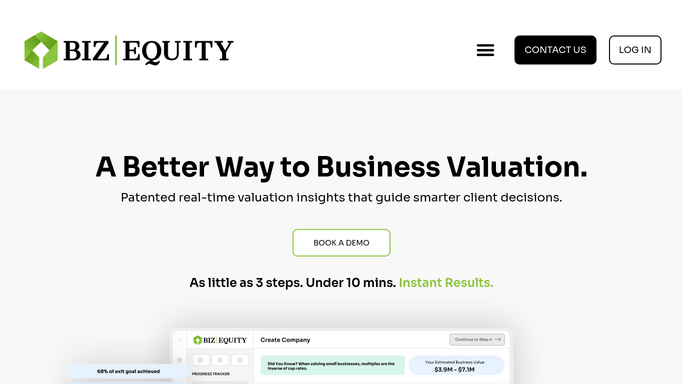
WebRun opens BizEquity to match payments to engagement records. - Open BizEquity and look up each client from the payment list
- Confirm the engagement stage: in progress, report delivered, or closed
- Flag any engagement where the report has been delivered but the invoice is still open in QuickBooks
Done when Every payment is matched to a BizEquity engagement with its delivery status noted.
-
3
Google Sheets - update reconciliation log
google.com How to Automate Google Sheets

WebRun opens Google Sheets to update reconciliation log. - Open the fee reconciliation log sheet
- Update each client row with the payment received date, invoice balance, and engagement delivery status
- Mark fully reconciled engagements as Closed and flag delivered-but-unpaid ones as Action Required
Done when The reconciliation log is current for all engagements touched this week.
-
4
Slack - post weekly reconciliation summary
slack.com How to Automate Slack

WebRun opens Slack to post weekly reconciliation summary. - Post the weekly reconciliation summary to the billing channel
- List payments received this week and total collected
- Highlight any delivered-but-unpaid engagements for billing team follow-up
Done when The billing team has this week's reconciliation summary in Slack.
How is each run configured?
Secure by default
Connect once, stays signed in
WebRun signs in once and keeps each session in a persistent environment, so every run picks up right where it left off.
Every action is checked against this policy before it runs.
Questions, answered
Does it contact clients about unpaid invoices?
No. The reconciliation digest is an internal report for the billing team only. Client payment reminders are a separate workflow handled with advisor approval.
What if a client pays the same week the report is delivered?
It reads the current payment status from QuickBooks on each Monday run, so same-week payments are captured and the engagement is marked reconciled.
Can it handle retainer-based billing as well as per-engagement fees?
Yes. As long as the retainer invoices are recorded in QuickBooks under the valuation service line, WebRun matches them to the corresponding BizEquity client records.
Related templates
Put this on autopilot.
Turn it on in minutes - or have our team set it up for you.