How to Automate Terminal49
Terminal49 automates the tracking itself: it pulls container milestones straight from ocean carriers, terminals and rail, and alerts on holds, delays and last free day changes. The chasing around it, the trucker's portal, the demurrage invoice and the signed delivery receipt, needs a browser agent like WebRun.
 Written by
Yara Haddad
Data operations
Written by
Yara Haddad
Data operations
 Reviewed by
Hannah Vogel
Finance operations
Reviewed by
Hannah Vogel
Finance operations
A container number is the one thing every party recognises
Terminal49 does one job: it tells you where a shipping container is. Give it a container number, a bill of lading or a booking number and it reports what is happening to the box, using direct connections into ocean carriers, marine terminals and the Class 1 railroads.
That sounds narrow until you have tried to answer the question without it. One import passes through a carrier's site, a terminal's site and often a railroad's site, each with its own login and its own idea of what available means. The people who need the answer are a service rep with an angry consignee on the phone, a planner deciding whether to order the truck, and a controller wondering why demurrage went up.
Freight forwarders, drayage carriers and the importers who own the cargo all end up in the same dashboard, because the container number is the one identifier everybody agrees on.
Container status turns into somebody's whole morning
Even with the tracking solved, the work stacked around it is hand work.
Somebody opens the dashboard, reads which boxes moved overnight, and copies the changes into the sheet the operations meeting actually reads. Somebody sees a container three days from its last free day and phones the trucker to find out whether the pickup is genuinely booked, because a flag is not a truck. Somebody else logs into the drayage company's portal to check whether the chassis went back.
Then the invoice lands: a demurrage line, a chassis split, a pre-pull, a congestion fee, and nobody has the hours to prove which are real. The signed delivery receipt is missing too, held by a trucker who does not answer email, and the customer will not pay the freight bill without it.
None of it is complicated, and all of it is unforgiving. The fee starts on the day nobody checked.
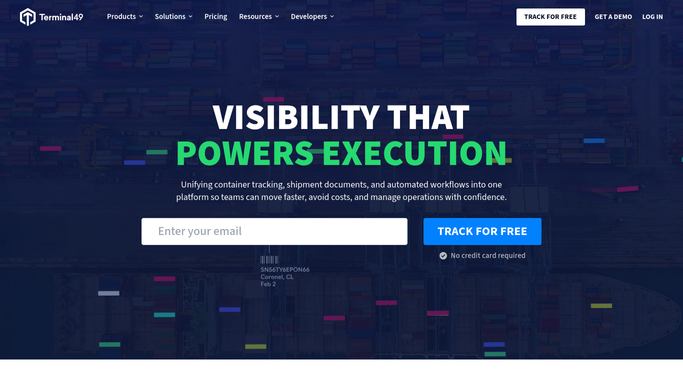
Terminal49 sees the box, not the bill attached to it
Terminal49 does the difficult half properly, and it is worth knowing where its edge sits.
The dashboard sorts shipments by state, so on ship, arrived, recently added and stopped tracking are separate piles rather than one long list. Alerts fire on the things that cost money: delays, holds, last free day changes and terminal charges. US terminal data carries the detail a dispatcher needs, including the FIRMS code, the last free day, holds, fees and the yard location. Reports can be cut to what your operators actually look at, and an API with webhooks pushes a last free day change into your systems the moment it happens.
The ceiling is scope rather than quality. All of that describes the container, not the paperwork, the money or the people around it.
The trucker meant to collect it keeps dispatch status on their own portal. The warehouse confirms receipt in its own system. The demurrage invoice arrives weeks later from the carrier's billing site, and proving a charge wrong means setting its dates beside the milestones. Each is a website with a login and no route back into the platform.
Free time that counts itself down before the fee lands
Screenshots are what a coordinator has time to produce. Decisions are what the same four sites produce when something else does the opening.
Every container inside three days of its last free day matched against the trucker's dispatch portal each morning, so the list is not which boxes are at risk but which are at risk with no pickup booked. The demurrage invoice read line by line against the milestone record, so a charge covering days the box sat under a customs hold is disputed while the carrier still accepts disputes. Delivery receipts collected from whichever portal holds them and filed against the shipment, so billing stops waiting.
The reporting half is the same reach over a longer horizon. Each carrier's promised arrival set against the day the vessel actually berthed, over a quarter, so the lane review rests on your numbers. Cargo claims followed through the carrier's claims portal, where the status changes quietly and nobody is told.
The line worth drawing is between finding out and committing. Reading a portal and building a list can run overnight. Disputing an invoice, or telling a customer their box is late, gets written up and left for a person.
Opening four sites in order is not skilled work
None of that requires knowing anything about freight. It requires opening the same four sites in the same order every morning, on a day when the phone is already ringing.
WebRun is an AI agent that works a real Chrome browser, signed in as you. It opens Terminal49, the trucker's dispatch portal, the carrier's billing site or the warehouse's receiving system, reads what is on the screen, and writes the comparison into the sheet or the channel your team already works from.
It runs on your schedule in your own private environment, and a run can be watched and stopped part way. Anything that disputes a charge or emails a customer is drafted and waits for approval.
The workflows below are already built, and each one names the sites it opens.
Questions people ask
We already get alerts from Terminal49. What is left to automate?
The response, not the signal. Terminal49 tells you a container is near its last free day. This goes and checks whether the trucker has actually booked the pickup, whether the chassis came back, and whether the charge that eventually appears on the invoice matches the milestones.
Do we need the Terminal49 API or a developer to set this up?
No. It signs into the dashboard the way your team does, and into the trucker, terminal and carrier sites the same way. That matters most for the small drayage and warehouse portals that will never appear on anybody's integration list.
Could it dispute a demurrage charge with the carrier by itself?
No. It builds the dispute, with the charged dates set against the milestone record and the difference shown, then stops. Anything that goes to a carrier or a customer is drafted and left for a person to send.
12 ready-made Terminal49 workflows
Each one names the apps it touches and the exact steps it takes. Open one to read what it will do, then turn it on.



Want one of these running on your own Terminal49?
Show WebRun the process once and it will run it on schedule, in your own private browser environment.