Brief your providers before every new patient consult
The moment a new patient submits their intake form, WebRun reads their treatment goals, medical history flags, and requested services in AestheticsPro, logs a clean one page summary to Google Sheets, and pings the assigned provider in Slack so they walk into the consult already knowing who they are meeting and why.
- No credit card
- Under $0.01 per run
- Cancel anytime
How do I brief providers on new patient consults before they walk in?
The moment a new patient submits an intake form, WebRun reads their requested treatments, goals, and any medical history flags in AestheticsPro, logs a short summary to Google Sheets, and pings the assigned provider in Slack. Providers walk into each consult already briefed, without reading a full chart cold.
- Providers see the patient's goals and flags before the consult, not during it
- Every new intake is logged the moment it arrives, none forgotten in a queue
- Consult prep takes seconds instead of a manual chart review beforehand
Built for injectors · aesthetic providers · med spa front desk teams · medical directors
What does WebRun do on every run?
The exact actions WebRun takes, in order - in plain language, so you can adjust anything.
-
WebRun signs in and gets to work
Opens
www.aestheticspro.comin a real browser with your saved login - no setup, no API keys. -
1
AestheticsPro - read the new intake form
aestheticspro.com How to Automate AestheticsPro
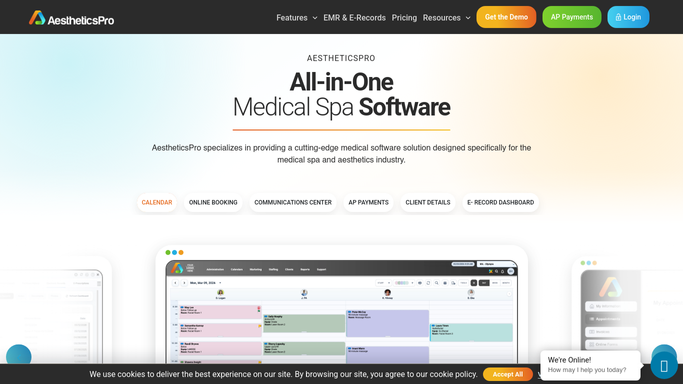
WebRun opens AestheticsPro to read the new intake form. - Open the new patient intake submission in AestheticsPro
- Read the requested treatments, stated goals, and any medical history or medication flags
- Note the scheduled consult time and assigned provider
Done when The intake form's key details are captured for the upcoming consult.
-
2
Google Sheets - log the consult summary
google.com How to Automate Google Sheets

WebRun opens Google Sheets to log the consult summary. - Append the patient name, requested treatments, goals, and any flags to the consult prep sheet
- Keep entries in date order so the day's consults are easy to scan
Done when A one line summary of the new intake is logged on the consult prep sheet.
-
3
Slack - notify the assigned provider
slack.com How to Automate Slack

WebRun opens Slack to notify the assigned provider. - Post the summary to the provider's channel, tagging the assigned provider
- Include the consult time and any medical history flag that needs attention first
Done when The assigned provider has the consult summary in Slack before the appointment.
How is each run configured?
Secure by default
Connect once, stays signed in
WebRun signs in once and keeps each session in a persistent environment, so every run picks up right where it left off.
Every action is checked against this policy before it runs.
Questions, answered
Does this replace the provider reading the full chart?
No. It gives the provider a fast heads up before the consult. The full intake and history stay in AestheticsPro for a complete review during the appointment.
What if the intake form is incomplete?
WebRun summarizes whatever was submitted and notes any required field left blank, so the provider knows to ask about it directly during the consult.
Is any patient information sent outside the practice?
No. The summary only reaches your internal Google Sheet and your team's Slack, both inside your practice's own workspace. Nothing is sent to the patient or anyone outside your team.
Related templates
Put this on autopilot.
Turn it on in minutes - or have our team set it up for you.