See where your hiring slows down
Every Monday, WebRun opens Lever, reads the pipeline analytics, captures time-to-fill per role and average time-in-stage across the funnel, writes the numbers to a Google Sheet, and posts your team a Slack report highlighting the slowest stages and roles.
- No credit card
- Under $0.01 per run
- Cancel anytime
How do I report time-to-fill and pipeline velocity automatically?
Every Monday, WebRun opens Lever, reads the pipeline analytics, and captures time-to-fill per role and how long candidates sit in each stage. It writes the numbers to a Google Sheet and posts your team a Slack report of the slowest stages and roles, so you fix the real bottleneck instead of guessing where weeks are lost.
- Time-to-fill is reported every Monday, not quarter-end
- The slowest stage is named, so you fix the real bottleneck
- Velocity trends stay visible week over week
Built for recruiters · talent acquisition · hiring managers · HR teams
What does WebRun do on every run?
The exact actions WebRun takes, in order - in plain language, so you can adjust anything.
-
WebRun signs in and gets to work
Opens
hire.lever.coin a real browser with your saved login - no setup, no API keys. -
1
Lever - read pipeline analytics
lever.co
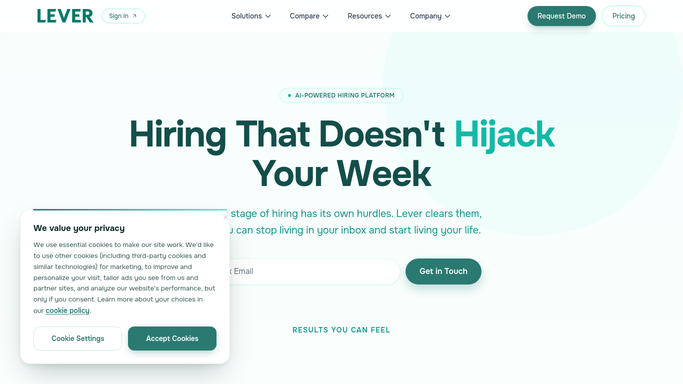
WebRun reads Lever Visual Insights for pipeline velocity. - Open Lever and go to the Visual Insights pipeline analytics
- Capture time-to-fill per open role and the average time candidates spend in each stage
- Note which stages and roles are slowest compared with the previous period
Done when Time-to-fill and time-in-stage are captured for every active role.
-
2
Google Sheets - log velocity metrics
google.com How to Automate Google Sheets

WebRun logs time-to-fill and time-in-stage to a sheet. - Write time-to-fill per role and average time-in-stage into the velocity sheet
- Compare against last week so trends and slowdowns are visible
- Keep a running history of pipeline velocity over time
Done when This week's velocity metrics are recorded and compared in the sheet.
-
3
Slack - report the bottlenecks
slack.com How to Automate Slack

WebRun posts the pipeline velocity report to Slack. - Post a short report with overall time-to-fill and the slowest stages
- Call out the roles where candidates are stuck longest and how that moved versus last week
- Leave decisions to the team. Never move candidates or change stages automatically
Done when Your team has this week's velocity report in Slack.
How is each run configured?
Secure by default
Connect once, stays signed in
WebRun signs in once and keeps each session in a persistent environment, so every run picks up right where it left off.
Every action is checked against this policy before it runs.
Questions, answered
Will it move candidates or change my pipeline?
No. WebRun only reads Lever's pipeline analytics and reports the numbers. Moving candidates, changing stages, or editing the pipeline stays entirely with your team inside Lever.
Where do the time-to-fill numbers come from?
Straight from Lever's Visual Insights pipeline analytics. WebRun reads time-to-fill per role and average time-in-stage as Lever already calculates them, then summarizes the slowest points so you do not export and chart by hand.
Does it message candidates?
No. The report is a single internal Slack post to your own recruiting team and leadership. No candidate is contacted, and nothing in the pipeline changes as a result of the report.
Related templates
Put this on autopilot.
Turn it on in minutes - or have our team set it up for you.