Match receipts to card charges for you
Every morning, WebRun opens Expensify to read newly submitted receipts, matches each receipt to a card charge in Ramp by date and amount, logs any unmatched charges to a missing-receipt sheet, and flags cardholders who still owe documentation.
- No credit card
- Under $0.01 per run
- Cancel anytime
How can I automatically match receipts to card charges and flag missing ones?
Every morning, WebRun opens Expensify to read newly submitted receipts, matches each one to a card charge in Ramp by date and amount, logs any unmatched charges to a Google Sheets missing-receipt sheet, and flags the cardholders who still owe documentation.
- Every receipt matched to a card charge daily - no backlog
- Missing receipts flagged to cardholders automatically
- Audit-ready expense records without manual matching
Built for finance managers · controllers · operations managers · accounting teams
What does WebRun do on every run?
The exact actions WebRun takes, in order - in plain language, so you can adjust anything.
-
WebRun signs in and gets to work
Opens
www.expensify.comin a real browser with your saved login - no setup, no API keys. -
1
Expensify - read submitted receipts
expensify.com
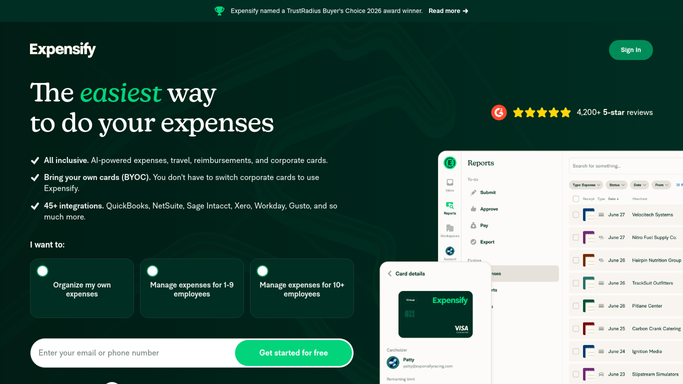
WebRun opens Expensify to read submitted receipts. - Open Expensify and review all receipts submitted in the last 24 hours
- For each receipt, capture the cardholder, merchant, amount, and date
- Note the expense category and any policy violations flagged by Expensify
Done when All newly submitted receipts are captured with their details.
-
2
Ramp - match to card charges
ramp.com How to Automate Ramp
WebRun opens Ramp to match to card charges. - Open Ramp and pull transactions from the same date range
- Match each Ramp charge to a submitted Expensify receipt by amount, date, and merchant
- Identify Ramp charges with no matching receipt
Done when All Ramp charges are either matched to a receipt or flagged as unmatched.
-
3
Google Sheets - log matched and missing items
google.com How to Automate Google Sheets

WebRun opens Google Sheets to log matched and missing items. - Open the Receipt Matching sheet
- Log matched pairs as confirmed and log unmatched charges with the cardholder's name
- Sort unmatched charges by age so the oldest missing receipts are at the top
Done when The sheet shows every charge as matched or flagged, with cardholder accountability.
How is each run configured?
Secure by default
Connect once, stays signed in
WebRun signs in once and keeps each session in a persistent environment, so every run picks up right where it left off.
Every action is checked against this policy before it runs.
Questions, answered
Will it approve or reimburse any expenses automatically?
No. WebRun only matches and reports. Approvals and reimbursements are yours to action in Expensify.
What if a receipt amount is slightly different from the card charge?
WebRun applies a small tolerance (e.g. rounding differences) and still matches them. Larger discrepancies are flagged for your review.
Can it remind employees to submit missing receipts?
Yes - connect the receipt-chase step and WebRun will draft a Slack or email nudge for each cardholder with an outstanding charge. You approve the messages before they go.
Related templates
Put this on autopilot.
Turn it on in minutes - or have our team set it up for you.