How to Automate Slack

Slack automates in two layers. Workflow Builder, reminders and vendor Slack apps cover anything that starts inside Slack or gets pushed to it. Getting an answer out of a tool that never built a Slack app is the layer people still do by hand, one browser tab at a time.

Slack is where the company keeps its attention

Slack is a messaging app that turned into something else along the way: the place a company keeps its attention. Decisions get made in a thread before they are written down anywhere official. The person who needs to know something asks in a channel rather than opening the system that holds the answer. New staff learn how the business actually works by scrolling.

Most companies run a few dozen channels and about four that matter. The one where orders come in. The one where things break. The one where the numbers get posted every morning. Those few are checked constantly, by people who are supposed to be doing something else.

That is both the value and the cost. Everything important passes through Slack, which is what makes it worth automating. Everything unimportant passes through too, which is why half the workspace has notifications off.

Someone is quietly paid to watch the dashboards

In most teams one person has become the human integration layer, without anyone deciding they should be.

They open the payment dashboard each morning and post yesterday's total. They check whether the overnight job finished and tell the channel either way. They copy the day's bookings across because the booking system has no Slack app. When somebody asks whether an order shipped, they open another tab and look.

None of that is in their job description. It is what happens when the tool everyone watches knows nothing about the tools that hold the facts. The channel is full of people and short of data.

The slack.com homepage, the app these three jobs run in. Slack
Morning numbers Yesterday's takings, failures and bookings read from the systems that hold them and posted before the team logs on.
The usual questions, answered Whether it shipped, whether it cleared, whether the status changed, checked and posted without anyone opening a tab.
Exceptions only The three lines that fell below reorder, not the two hundred that did not. Quiet channels are the ones people still read.

Workflow Builder only reacts to what happens inside Slack

Slack automates a fair amount on its own, and for what it covers it is good.

Workflow Builder runs a sequence when someone joins a channel, reacts with an emoji, submits a form or clicks a button. Reminders repeat on a schedule. Scheduled send posts a message you already wrote at a time you pick. Hundreds of products publish a Slack app that pushes their own events into a channel.

Every one of those is triggered by something that happened in Slack, or pushed in by a vendor who decided to build the integration. That is the ceiling. A workflow cannot go and look at anything. It posts what it is handed.

So the gap is every tool that never built a Slack app: the supplier portal, the council website, the twenty-year-old booking system, the bank. Those hold the answers people ask for in channels all day, and Slack has no way to reach them.

The channel can report before anyone asks

Change what is able to reach the channel and the whole thing inverts. Instead of people asking the channel questions, the channel starts answering them first.

Yesterday's takings, posted at seven, read from the till system that only ever shows them on a dashboard. The overnight payment failures, listed by customer, out of a portal with no export. The three stock lines that dropped below reorder, checked across every supplier you buy from. The bookings that came in during the night from a system that never built an integration.

The same goes for the questions people ask over and over. Whether a shipment moved. Whether a permit changed status. Whether a listing is still on the first page. Whether a competitor put their price up again. Each of those is somebody opening a tab, looking, and typing what they saw.

One thing worth building in from the start: a channel that posts everything gets muted inside a week, and a muted channel is worse than no channel. The version that survives posts what changed and stays quiet otherwise. Report the exception, not the heartbeat.

Nobody has to be watching at six in the morning

The till system will not post its own number into a channel, and the number is wanted before the doors open. Reading it off a screen at that hour is work, but it is not the kind that justifies a phone by the bed.

WebRun is an AI agent that works a real Chrome browser, signed in as you. It opens the portal or the dashboard, reads what is on the screen, and posts the result into the channel you choose. Because it works the browser rather than an API, it reaches the tools that never built a Slack app, which is most of them.

It runs on your schedule in your own private environment, and you can watch a run and stop it. Anything that would reach a customer drafts and waits for you.

The workflows below are already built, and each one names the apps it touches.

Questions people ask

Will it post to a channel without me approving it?

Posting to your own internal channel runs on its own, because a message you did not want is a message you delete. Anything customer-facing, like an email or a public reply, is drafted and waits for a person.

Do we need a paid Slack plan or admin rights?

No. It posts through the browser using the access you already have, so there is no app to get approved into the workspace and no admin ticket to wait on.

How do we stop it turning into noise?

Post exceptions rather than everything. Each workflow decides what is worth saying: the lines below reorder, the payments that failed, the job that did not finish. A channel that only speaks when something changed keeps getting read.

5,789 ready-made Slack workflows

Each one names the apps it touches and the exact steps it takes. Open one to read what it will do, then turn it on.
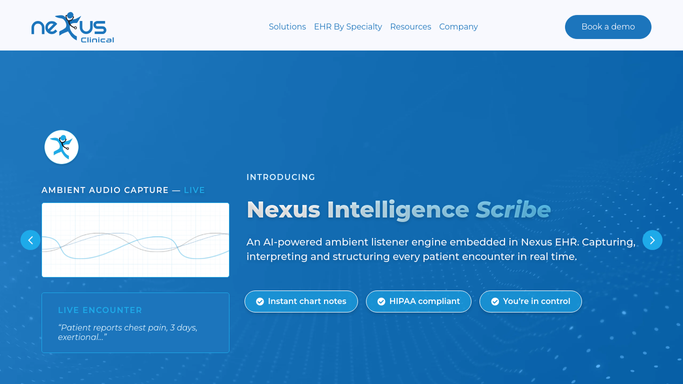

Automated EEG and MRI Result Follow-Up
WebRun checks Nexus Clinical every hour for new EEG, MRI, and CT results, drafts a plain-language follow-up message for the ordering clinician to review, and posts the care team a Slack alert so no result sits unread.
Nexus ClinicalGmailSlack
Automated Biologic Infusion Scheduling
Every Monday, WebRun checks ModuleMD for patients due for their next biologic infusion, holds a matching chair slot on Google Calendar, and posts the week's infusion schedule to Slack so nursing can prep premedication ahead of time.
ModuleMDGoogle CalendarSlack
Automatic Abnormal LFT Alert Routing
WebRun watches gGastro (ModMed) throughout the day for liver function tests outside normal range, posts an urgent Slack alert to the right hepatologist or on call provider, and holds an urgent follow up slot on Google Calendar.
gGastro (ModMed)SlackGoogle Calendar
Automated Antibiotic Prior Auth Tracking
Every Monday, WebRun checks CureMD for antibiotic orders needing prior authorization, updates a Google Sheets tracker with each payer and status, and alerts billing in Slack when one stalls or nears expiration.
CureMDGoogle SheetsSlack
Nextech Automated Prior Authorization Status Checks
Every morning, WebRun checks Nextech and Availity for the status of every pending Mohs preauthorization, flags any request stalled or at risk of expiring before the scheduled surgery date, and posts your billing team a prioritized Slack list.
NextechAvailitySlack
Automated Alegra Receivables Aging Report
Every Monday, WebRun opens Alegra, pulls every open invoice, ranks them by balance and aging bucket into a Google Sheet, and pings your finance team in Slack the moment it's ready.
AlegraGoogle SheetsSlack
Automated Qoyod Branch Performance Comparison
Every Monday, WebRun opens Qoyod, pulls last week's sales and margin for each branch, builds a ranked comparison in Google Sheets, and posts your management team a Slack summary of which branch is leading and which needs attention.
QoyodGoogle SheetsSlack
Automated Deskera Bank Reconciliation Summary
Every morning, WebRun compares Deskera's bank feed to your ledger, saves a reconciliation summary to Google Drive, and posts a Slack digest of anything that still needs matching.
DeskeraGoogle DriveSlack
Automated iKhokha Capital Repayment Alerts
Every night, WebRun checks how much your iK Capital advance took from today's card sales, logs the running balance, and posts a Slack alert so you always know what you owe and what you kept.
iKhokhaGoogle SheetsSlack
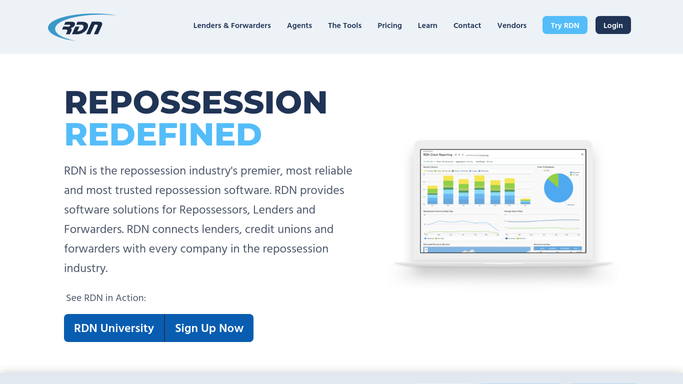
Automated RDN Agent Productivity Report
Every Monday, WebRun tallies each agent's assignments, recoveries, and close rate from RDN into one weekly productivity report.
RDN (Recovery Database Network)Google SheetsSlack
Automated PermitFlow Submittal Pipeline Digest
Every morning, WebRun opens PermitFlow, counts every active permit by stage, submitted, in review, corrections needed, resubmitted, and issued, and posts a Slack digest so your team starts the day knowing where every project stands.
PermitFlowSlack
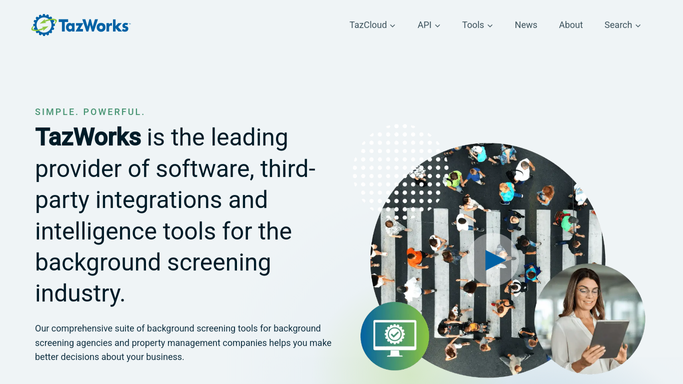
Automated TazWorks Adverse Action Notice Drafts
Every morning, WebRun checks TazWorks for newly completed reports with disqualifying findings, drafts the pre-adverse or final adverse action notice with the required FCRA disclosures, and leaves it in Gmail for your compliance team to review and send.
TazWorksGmailSlack
Automated Armored Carrier Order Confirmations
Every morning, WebRun checks Switch Commerce for cash orders requested this week, matches them against confirmed pickups in the Brinks portal, and posts your team a Slack list of what's confirmed, what's pending, and any amount that doesn't match.
Switch CommerceBrinksSlack
Automated accesso Park Capacity Alerts
WebRun tracks live attendance in accesso against your posted capacity limit, and the moment the park crosses a warning threshold, it texts your gate and ops managers through Twilio and posts a running count to Slack.
accessoTwilioSlack
Automated O-Valet Daily Cars Parked Report
Every night, WebRun totals how many vehicles were parked in O-Valet that day, breaks the count down by hour and by level, logs it to a running sheet, and posts your manager a Slack digest.
O-ValetGoogle SheetsSlack
Automated Pruvan Allowable Overage Flags
WebRun compares each Pruvan work order estimate against the client's allowable limit and posts Slack a flag for anything over, before it gets submitted without an approved bid.
PruvanSlack
Automated ManageAmerica Violation Notice Drafts
WebRun logs rule violations found during inspections in ManageAmerica, drafts a notice letter for each resident in Gmail, and posts your property manager a summary of this week's violations for review.
ManageAmericaGmailSlack
Automated Yeti Driver Clock-In Alerts
Every morning as routes start, WebRun checks each driver's clock-in status in Yeti Software, texts the supervisor if anyone hasn't clocked in by their route start time, and posts the day's attendance to Slack.
Yeti SoftwareTwilioSlack
Automated StarRez Conduct Case Follow-Ups
Every morning, WebRun checks StarRez for conduct incidents awaiting a next step, drafts the follow-up notice in Outlook for the conduct officer to review, and alerts the case owner in Slack so nothing sits unaddressed.
StarRezOutlookSlack
UpKeep Automated Asset Warranty Expiry Alerts
Every Monday, WebRun checks asset warranty end dates in UpKeep, logs anything expiring in the next 60 days to a register, and posts Slack so someone can decide on a service contract before coverage lapses.
UpKeepGoogle SheetsSlack
Automated Flash Parking Revenue Digest
Every morning, WebRun opens Flash Parking, pulls yesterday's revenue by garage and rate type, logs it to a sheet, and posts your team a clear digest in Slack.
Flash ParkingGoogle SheetsSlack
Point of Rental Automated Contract Renewals
Every morning, WebRun finds long-term rental contracts ending within 5 days in Point of Rental, drafts an extension offer in DocuSign for each renter, and posts your rental coordinator a Slack list to review and send.
Point of RentalDocuSignSlack
Automated Aged Cart Inventory Alerts
Every morning, WebRun checks BiT DMS for carts that have sat unsold past your aging threshold, builds a report in Google Sheets, and posts your sales manager a Slack alert with the oldest units first.
BiT DMSGoogle SheetsSlack
Automated EverLogic Aged Trailer Alerts
WebRun scans EverLogic each Monday for trailers aged past your threshold, posts the aging list to Slack, and drafts a price drop recommendation email for your GM to review before it goes out.
EverLogicSlackGmail

Want one of these running on your own Slack?

Show WebRun the process once and it will run it on schedule, in your own private browser environment.