Confirm every armored carrier cash pickup
Every morning, WebRun opens Switch Commerce to see which routes have a cash order requested this week, checks the Brinks portal for the matching pickup or delivery confirmation, and posts your team a Slack list of what's confirmed, what's still pending, and any amount that doesn't match.
- No credit card
- Under $0.01 per run
- Cancel anytime
What does WebRun do on every run?
The exact actions WebRun takes, in order - in plain language, so you can adjust anything.
-
WebRun signs in and gets to work
Opens
switchcommerce.comin a real browser with your saved login - no setup, no API keys. -
1
Switch Commerce - find cash orders requested this week
switchcommerce.com How to Automate Switch Commerce

WebRun opens Switch Commerce to find cash orders requested this week. - Open the Cash Management view in Switch Commerce and list every cash order requested for this week
- Capture the route, requested amount, and requested delivery date for each order
- Skip any order already marked confirmed from a prior run
Done when Every cash order requested this week is listed with its route, amount, and requested date.
-
2
Brinks - check the confirmation for each order
brinks.com
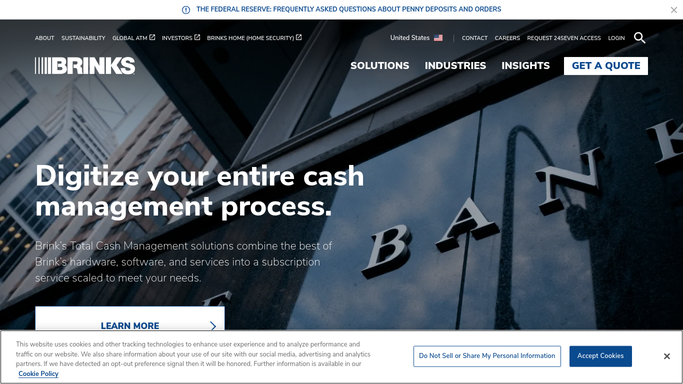
WebRun opens Brinks to check the confirmation for each order. - Open the Brinks portal and search for the pickup or delivery confirmation matching each requested order
- Capture the confirmed amount, confirmed date, and confirmation number where one exists
- Note any requested order with no matching confirmation yet
Done when Every requested order has been checked against the Brinks portal for a matching confirmation.
-
3
Slack - report confirmed, pending, and mismatched orders
slack.com How to Automate Slack
WebRun opens Slack to report confirmed, pending, and mismatched orders. - Post a list of confirmed orders with their confirmation number and delivery date
- Separate out any order still pending confirmation and flag orders open more than 2 days
- Call out any order where the confirmed amount does not match what was requested
Done when The team has this week's confirmed, pending, and mismatched cash orders in Slack.

How do I confirm armored carrier cash orders automatically?
Every morning, WebRun checks Switch Commerce for cash orders requested this week and looks up the matching pickup or delivery confirmation in the Brinks portal. It posts your team a Slack list sorted into confirmed, pending, and mismatched orders, with confirmation numbers and dates, so a missing or wrong delivery gets caught before the vault runs short.
- Every requested cash order gets checked against a real confirmation every morning
- A mismatched amount is caught before the delivery date, not after a short vault
- An order still unconfirmed after 2 days gets flagged instead of assumed fine
Built for independent ATM operators · cash logistics coordinators · ISO ATM deployers · vault cash managers
How is each run configured?
Secure by default
Connect once, stays signed in
WebRun signs in once and keeps each session in a persistent environment, so every run picks up right where it left off.
Every action is checked against this policy before it runs.
Questions, answered
Does it place or change a cash order with Brinks?
No. WebRun only reads confirmations for orders that have already been requested. It never places, cancels, or modifies an order with your armored carrier.
What happens if a confirmed amount doesn't match what I requested?
It calls the mismatch out by name in the Slack post with both numbers side by side, so your team can call Brinks and get it corrected before the delivery date, not after.
How long before a pending order gets flagged as overdue?
Any order still unconfirmed after 2 days gets flagged separately in the Slack list, so a delivery that's genuinely running late stands out from one still working through Brinks' normal confirmation time.
Related templates
Put this on autopilot.
Turn it on in minutes - or have our team set it up for you.