How to Automate Slack

Slack automates in two layers. Workflow Builder, reminders and vendor Slack apps cover anything that starts inside Slack or gets pushed to it. Getting an answer out of a tool that never built a Slack app is the layer people still do by hand, one browser tab at a time.

Slack is where the company keeps its attention

Slack is a messaging app that turned into something else along the way: the place a company keeps its attention. Decisions get made in a thread before they are written down anywhere official. The person who needs to know something asks in a channel rather than opening the system that holds the answer. New staff learn how the business actually works by scrolling.

Most companies run a few dozen channels and about four that matter. The one where orders come in. The one where things break. The one where the numbers get posted every morning. Those few are checked constantly, by people who are supposed to be doing something else.

That is both the value and the cost. Everything important passes through Slack, which is what makes it worth automating. Everything unimportant passes through too, which is why half the workspace has notifications off.

Someone is quietly paid to watch the dashboards

In most teams one person has become the human integration layer, without anyone deciding they should be.

They open the payment dashboard each morning and post yesterday's total. They check whether the overnight job finished and tell the channel either way. They copy the day's bookings across because the booking system has no Slack app. When somebody asks whether an order shipped, they open another tab and look.

None of that is in their job description. It is what happens when the tool everyone watches knows nothing about the tools that hold the facts. The channel is full of people and short of data.

The slack.com homepage, the app these three jobs run in. Slack
Morning numbers Yesterday's takings, failures and bookings read from the systems that hold them and posted before the team logs on.
The usual questions, answered Whether it shipped, whether it cleared, whether the status changed, checked and posted without anyone opening a tab.
Exceptions only The three lines that fell below reorder, not the two hundred that did not. Quiet channels are the ones people still read.

Workflow Builder only reacts to what happens inside Slack

Slack automates a fair amount on its own, and for what it covers it is good.

Workflow Builder runs a sequence when someone joins a channel, reacts with an emoji, submits a form or clicks a button. Reminders repeat on a schedule. Scheduled send posts a message you already wrote at a time you pick. Hundreds of products publish a Slack app that pushes their own events into a channel.

Every one of those is triggered by something that happened in Slack, or pushed in by a vendor who decided to build the integration. That is the ceiling. A workflow cannot go and look at anything. It posts what it is handed.

So the gap is every tool that never built a Slack app: the supplier portal, the council website, the twenty-year-old booking system, the bank. Those hold the answers people ask for in channels all day, and Slack has no way to reach them.

The channel can report before anyone asks

Change what is able to reach the channel and the whole thing inverts. Instead of people asking the channel questions, the channel starts answering them first.

Yesterday's takings, posted at seven, read from the till system that only ever shows them on a dashboard. The overnight payment failures, listed by customer, out of a portal with no export. The three stock lines that dropped below reorder, checked across every supplier you buy from. The bookings that came in during the night from a system that never built an integration.

The same goes for the questions people ask over and over. Whether a shipment moved. Whether a permit changed status. Whether a listing is still on the first page. Whether a competitor put their price up again. Each of those is somebody opening a tab, looking, and typing what they saw.

One thing worth building in from the start: a channel that posts everything gets muted inside a week, and a muted channel is worse than no channel. The version that survives posts what changed and stays quiet otherwise. Report the exception, not the heartbeat.

Nobody has to be watching at six in the morning

The till system will not post its own number into a channel, and the number is wanted before the doors open. Reading it off a screen at that hour is work, but it is not the kind that justifies a phone by the bed.

WebRun is an AI agent that works a real Chrome browser, signed in as you. It opens the portal or the dashboard, reads what is on the screen, and posts the result into the channel you choose. Because it works the browser rather than an API, it reaches the tools that never built a Slack app, which is most of them.

It runs on your schedule in your own private environment, and you can watch a run and stop it. Anything that would reach a customer drafts and waits for you.

The workflows below are already built, and each one names the apps it touches.

Questions people ask

Will it post to a channel without me approving it?

Posting to your own internal channel runs on its own, because a message you did not want is a message you delete. Anything customer-facing, like an email or a public reply, is drafted and waits for a person.

Do we need a paid Slack plan or admin rights?

No. It posts through the browser using the access you already have, so there is no app to get approved into the workspace and no admin ticket to wait on.

How do we stop it turning into noise?

Post exceptions rather than everything. Each workflow decides what is worth saying: the lines below reorder, the payments that failed, the job that did not finish. A channel that only speaks when something changed keeps getting read.

5,789 ready-made Slack workflows

Each one names the apps it touches and the exact steps it takes. Open one to read what it will do, then turn it on.
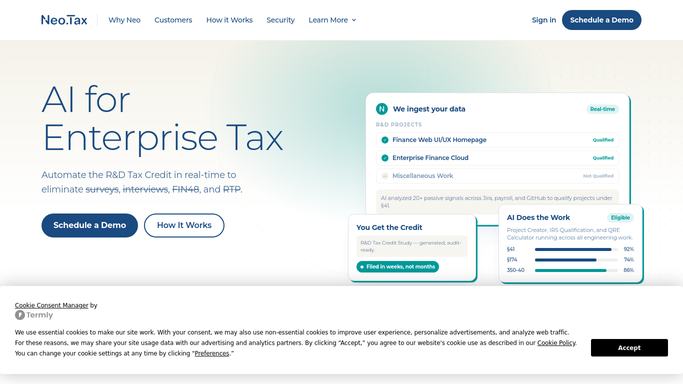

Neo.Tax Automated R&D Engagement Risk Worklist
WebRun scans Neo.Tax for engagements showing stall signals such as missing data, overdue document submissions, or long gaps since last activity, and builds a weekly risk worklist in Google Sheets for your team to action.
Neo.TaxGoogle SheetsSlack
Automated LTC Pharmacy Cycle Fill Prep
Every cycle, WebRun opens FrameworkLTC, pulls the active resident medication list for each facility, flags missing refill authorizations and short-supply items, and posts your pharmacy team a ready-to-work prep checklist before the dispensing window opens.
FrameworkLTCGoogle SheetsSlack
Automated Anesthesia Facility Coverage Confirmation
Every morning, WebRun checks the next day's anesthesia coverage schedule in Graphium Health, confirms each OR location has a provider assigned, flags any unassigned rooms or gaps, and posts a coverage confirmation to your scheduling director.
Graphium HealthGoogle CalendarSlack
Automated RamSoft Patient Eligibility Verification
Every evening, WebRun opens RamSoft's eligibility and pre-authorization module, runs verification checks on the next day's scheduled patients, and posts a results worklist to your front-desk team so coverage issues are resolved before the patient arrives.
RamSoftSlackGoogle Sheets
Automated Birth Center New Client Intake Chaser
When a new client record is created in Maternity Neighborhood without a complete intake form, WebRun flags the gap, drafts a follow-up prompt for staff review, and logs the open item until the form is received.
Maternity NeighborhoodSlackGmail
Healthy Roster No-Show Recovery Automation
When an athlete misses an appointment in Healthy Roster, WebRun flags the gap, drafts a follow-up message for the athletic trainer to review, and logs the outreach attempt so nothing falls through the cracks.
Healthy RosterGoogle CalendarSlack
Automated Occupational Health Intake Questionnaire Chaser
Every morning, WebRun checks Enterprise Health for employees who have an upcoming surveillance exam but have not yet completed their pre-exam intake questionnaire, then posts a follow-up list to the clinic coordinator.
Enterprise HealthSlackGoogle Sheets
Automated FQHC No-Show Recovery Digest
Every afternoon, WebRun checks Azara DRVS for today's no-shows, identifies open appointment slots, and posts a recovery digest to your front-desk Slack channel so staff can quickly reschedule the right patients.
Azara HealthcareSlackGoogle Calendar
TDO Software Automated No-Show Recovery
Each afternoon, WebRun checks TDO Software for no-shows and same-day cancellations, drafts reactivation messages for each patient, and alerts your coordinator to fill the gap.
TDO SoftwareSlackTwilio
MAM Autopart Automated Low-Stock Reorder Alerts
Every morning, WebRun checks MAM Software Autopart for SKUs at or below their reorder point and posts a prioritised reorder list to Slack so your purchasing team acts before a stockout hits the trade counter.
MAM Software AutopartSlackGoogle Sheets
DMSi Agility Automatic Low-Stock Reorder Alerts
Every morning, WebRun checks DMSi Agility for building-materials SKUs below their reorder point and posts a prioritized replenishment list to Slack so your buyers can act before a stockout.
DMSi AgilitySlackGoogle Sheets
Automated Driver Detention and Demurrage Tracking
Every morning, WebRun reviews driver logs in J. J. Keller Encompass for on-site dwell times exceeding your free-time threshold, flags detention events, and posts your billing team a daily log of unbilled detention charges to invoice before the window closes.
J. J. Keller EncompassGoogle SheetsSlack
Automated Freight Factoring Delinquency Risk Worklist
WebRun pulls your OTR Solutions aging report each week, scores each broker by payment history and days outstanding, and builds a risk worklist your team can act on before delinquent invoices eat into your reserve account.
OTR SolutionsGoogle SheetsSlack
Labelmaster Automated Detention Demurrage Tracking
WebRun monitors your dangerous goods shipments in Labelmaster DGIS for detention and demurrage risk, logs charges to Google Sheets, and alerts your team before fees escalate.
LabelmasterGoogle SheetsSlack
Automated Container Customs Hold Digest
WebRun checks Terminal49 each morning for containers with an active CBP, USDA, FDA, or port hold, logs them to a Google Sheet, and posts a customs hold digest to your Slack ops channel so your broker can act immediately.
Terminal49Google SheetsSlack
Automated Vanta Evidence Collection Chaser
Every week, WebRun checks Vanta for controls still waiting on client-supplied evidence, identifies the missing documents, and sends your team a worklist with a draft chase email for each outstanding item.
VantaSlackGmail
Automated Avionte Onboarding Document Chaser
Every morning, WebRun checks Avionte for candidates with incomplete onboarding tasks, and drafts reminder texts in Twilio for your onboarding team to review and send so no placement is delayed by missing paperwork.
AvionteTwilioSlack
SwiftComply Automated Daily Dispatch Digest
Every morning, WebRun compiles the day's backflow test schedule from SwiftComply into a dispatch digest sorted by tester and route, and posts it to your operations Slack channel so dispatchers have a full picture before any tester leaves the yard.
SwiftComplySlackTwilio
Automated O'Neil Stratus Client Onboarding
When a new client account is created in O'Neil Stratus, WebRun drafts the welcome email, sets up the client record with default retention codes, and posts the kickoff task list to your operations team in Slack.
O'Neil StratusGmailSlack
Buildout Automated New CRE Listing Onboarding
When a new exclusive listing is won, WebRun creates the full Buildout listing record, populates the marketing fields, and drafts the onboarding checklist so nothing is missed on day one.
BuildoutGoogle SheetsSlack
Oracle MICROS Simphony Low-Stock Reorder Alerts
Every morning, WebRun checks Oracle MICROS Simphony inventory levels across your properties, flags items below their reorder threshold, and sends your purchasing team a Slack alert with a ready-to-act reorder list.
Oracle MICROS SimphonySlackGoogle Sheets
Automated talech Low-Stock Reorder Alerts
Every morning, WebRun scans your talech inventory, finds items at or below your reorder threshold, and sends a reorder alert to Slack and a draft purchase request to Gmail.
talechSlackGmail
Automated Lavu POS Low-Stock Reorder Alerts
Every morning, WebRun checks your Lavu inventory counts, finds any ingredient or item below its reorder threshold, and sends a low-stock alert to Slack so orders go out before you run short during service.
LavuSlackGmail
Heartland POS Automated Low-Stock Reorder Alerts
Every morning, WebRun scans Heartland inventory for items at or below your reorder point and sends a prioritized reorder list to Slack so your team can act before shelves go empty.
HeartlandSlackGoogle Sheets

Want one of these running on your own Slack?

Show WebRun the process once and it will run it on schedule, in your own private browser environment.