How to Automate Slack

Slack automates in two layers. Workflow Builder, reminders and vendor Slack apps cover anything that starts inside Slack or gets pushed to it. Getting an answer out of a tool that never built a Slack app is the layer people still do by hand, one browser tab at a time.

Slack is where the company keeps its attention

Slack is a messaging app that turned into something else along the way: the place a company keeps its attention. Decisions get made in a thread before they are written down anywhere official. The person who needs to know something asks in a channel rather than opening the system that holds the answer. New staff learn how the business actually works by scrolling.

Most companies run a few dozen channels and about four that matter. The one where orders come in. The one where things break. The one where the numbers get posted every morning. Those few are checked constantly, by people who are supposed to be doing something else.

That is both the value and the cost. Everything important passes through Slack, which is what makes it worth automating. Everything unimportant passes through too, which is why half the workspace has notifications off.

Someone is quietly paid to watch the dashboards

In most teams one person has become the human integration layer, without anyone deciding they should be.

They open the payment dashboard each morning and post yesterday's total. They check whether the overnight job finished and tell the channel either way. They copy the day's bookings across because the booking system has no Slack app. When somebody asks whether an order shipped, they open another tab and look.

None of that is in their job description. It is what happens when the tool everyone watches knows nothing about the tools that hold the facts. The channel is full of people and short of data.

The slack.com homepage, the app these three jobs run in. Slack
Morning numbers Yesterday's takings, failures and bookings read from the systems that hold them and posted before the team logs on.
The usual questions, answered Whether it shipped, whether it cleared, whether the status changed, checked and posted without anyone opening a tab.
Exceptions only The three lines that fell below reorder, not the two hundred that did not. Quiet channels are the ones people still read.

Workflow Builder only reacts to what happens inside Slack

Slack automates a fair amount on its own, and for what it covers it is good.

Workflow Builder runs a sequence when someone joins a channel, reacts with an emoji, submits a form or clicks a button. Reminders repeat on a schedule. Scheduled send posts a message you already wrote at a time you pick. Hundreds of products publish a Slack app that pushes their own events into a channel.

Every one of those is triggered by something that happened in Slack, or pushed in by a vendor who decided to build the integration. That is the ceiling. A workflow cannot go and look at anything. It posts what it is handed.

So the gap is every tool that never built a Slack app: the supplier portal, the council website, the twenty-year-old booking system, the bank. Those hold the answers people ask for in channels all day, and Slack has no way to reach them.

The channel can report before anyone asks

Change what is able to reach the channel and the whole thing inverts. Instead of people asking the channel questions, the channel starts answering them first.

Yesterday's takings, posted at seven, read from the till system that only ever shows them on a dashboard. The overnight payment failures, listed by customer, out of a portal with no export. The three stock lines that dropped below reorder, checked across every supplier you buy from. The bookings that came in during the night from a system that never built an integration.

The same goes for the questions people ask over and over. Whether a shipment moved. Whether a permit changed status. Whether a listing is still on the first page. Whether a competitor put their price up again. Each of those is somebody opening a tab, looking, and typing what they saw.

One thing worth building in from the start: a channel that posts everything gets muted inside a week, and a muted channel is worse than no channel. The version that survives posts what changed and stays quiet otherwise. Report the exception, not the heartbeat.

Nobody has to be watching at six in the morning

The till system will not post its own number into a channel, and the number is wanted before the doors open. Reading it off a screen at that hour is work, but it is not the kind that justifies a phone by the bed.

WebRun is an AI agent that works a real Chrome browser, signed in as you. It opens the portal or the dashboard, reads what is on the screen, and posts the result into the channel you choose. Because it works the browser rather than an API, it reaches the tools that never built a Slack app, which is most of them.

It runs on your schedule in your own private environment, and you can watch a run and stop it. Anything that would reach a customer drafts and waits for you.

The workflows below are already built, and each one names the apps it touches.

Questions people ask

Will it post to a channel without me approving it?

Posting to your own internal channel runs on its own, because a message you did not want is a message you delete. Anything customer-facing, like an email or a public reply, is drafted and waits for a person.

Do we need a paid Slack plan or admin rights?

No. It posts through the browser using the access you already have, so there is no app to get approved into the workspace and no admin ticket to wait on.

How do we stop it turning into noise?

Post exceptions rather than everything. Each workflow decides what is worth saying: the lines below reorder, the payments that failed, the job that did not finish. A channel that only speaks when something changed keeps getting read.

5,789 ready-made Slack workflows

Each one names the apps it touches and the exact steps it takes. Open one to read what it will do, then turn it on.
NCR Aloha Automated Low-Stock Reorder Alerts
Every morning, WebRun checks NCR Aloha inventory levels against your reorder thresholds, identifies items running low, and posts a reorder alert to Slack so your purchasing team can act before the lunch rush.
NCR AlohaSlackGmail
SpotOn Automatic Low-Stock Reorder Alerts
Every morning, WebRun checks SpotOn inventory counts, finds items at or below your reorder threshold, and posts a low-stock alert to Slack so your team can place orders before you run out.
SpotOnSlackGmail
Aplos Automated Grant Covenant Compliance Tracker
Every week, WebRun opens Aplos, checks actual spending against each grant's allowable-use conditions, flags any potential covenant breach, and delivers a compliance status report to your finance team.
AplosGoogle SheetsSlack
Addepar IPS Covenant Compliance Monitoring
Every Monday, WebRun reads portfolio data from Addepar, checks each family entity's allocation against its investment policy statement covenants, and posts a breach or at-risk list to Slack for your investment team.
AddeparGoogle SheetsSlack
Automated Revenue Covenant Compliance Tracker
Every Monday, WebRun reads recognized revenue totals from Leapfin, checks them against your active financial covenant thresholds, and alerts your finance team in Slack if any condition is at risk.
LeapfinGoogle SheetsSlack
Unit21 Automated EDD Monitoring Condition Tracker
WebRun checks Unit21 each week for customers under enhanced due diligence or ongoing monitoring conditions, verifies that required review actions have been completed, and posts a condition tracker digest to your compliance team in Slack.
Unit21Google SheetsSlack
Automated Submittable Grant Deadline Tracking
WebRun monitors your Submittable program deadlines, flags closing windows, and posts a daily digest so your team never misses a submission cutoff.
SubmittableGoogle SheetsSlack
Automated CFO Loan Covenant Monitoring with Fathom
WebRun checks each client's current financial ratios in Fathom against their loan covenant thresholds, flags any breach or near-breach, and posts a weekly covenant health digest to Slack so you can address issues before the lender does.
FathomGoogle SheetsSlack
BizEquity Automated Loan Covenant Valuation Tracker
WebRun monitors clients whose loan covenants require a current business valuation and alerts advisors when a client is approaching the covenant deadline so a fresh BizEquity report can be prepared in time.
BizEquityGoogle SheetsSlack
Avalara Tax Notice Logging From Email
WebRun reads incoming tax authority emails and nexus threshold notices, extracts the key details, and logs each as a new record in Avalara and a Google Sheet so nothing is lost in an inbox.
AvalaraGmailGoogle Sheets
Neo.Tax Automated R&D Expense Data Entry From Email
When a client emails payroll breakdowns or expense summaries, WebRun extracts the figures, matches them to the open engagement in Neo.Tax, and logs them to Google Sheets for your team to verify before entry.
Neo.TaxGmailGoogle Sheets
Automated LTC Pharmacy Controlled Substance Audit
Every day, WebRun reviews FrameworkLTC controlled-substance dispensing records against expected on-hand counts for each facility, flags any count discrepancies, and posts a resolution worklist to your pharmacist-in-charge so every variance is documented and investigated.
FrameworkLTCGoogle SheetsSlack
Automated Anesthesia Eligibility Verification Worklist
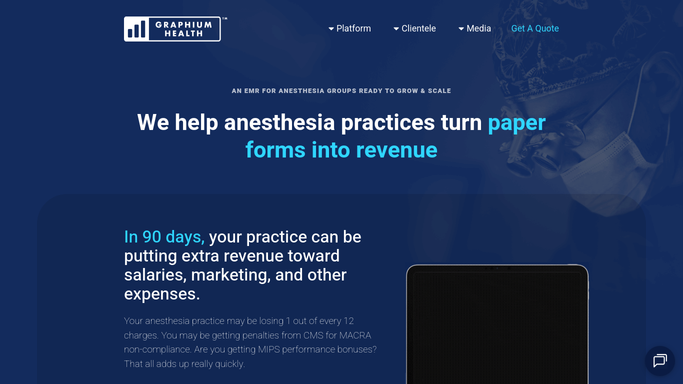
Every morning, WebRun reviews the next two days of scheduled anesthesia cases in Graphium Health, flags any patient whose insurance eligibility has not been verified or whose coverage looks inactive, and posts a verification worklist to your billing coordinator.
Graphium HealthGoogle SheetsSlack
Automated Birth Center Eligibility Verification Worklist
Every week, WebRun checks Maternity Neighborhood for clients with prenatal or birth visits in the next 7 days whose insurance eligibility has not been verified, and posts a verification worklist to Slack for your billing team to action.
Maternity NeighborhoodSlackGoogle Sheets
Automated Workers Comp Eligibility Verification Worklist
Every morning, WebRun finds appointments in Enterprise Health where workers compensation eligibility has not yet been verified and builds a prioritized worklist for the billing team.
Enterprise HealthGoogle SheetsSlack
TDO Software Automated New Patient Intake Chaser
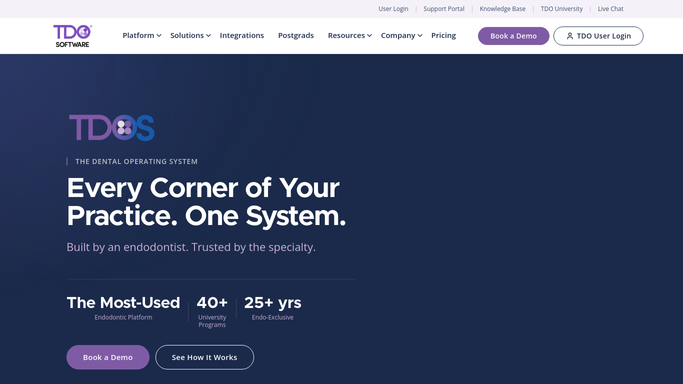
Every morning, WebRun checks TDO Software for new patients scheduled in the next 48 hours who have not yet completed their intake forms and prepares a gentle chase draft for your coordinator.
TDO SoftwareTwilioSlack
MAM Autopart Automated Delivery Route Confirmation
Every morning, WebRun pulls the day's delivery orders from MAM Software Autopart, groups them into route sequences, and posts each driver's run sheet to Slack so the team dispatches on time without last-minute scrambles.
MAM Software AutopartGoogle SheetsSlack
DMSi Agility Automated Expiring Lot FEFO Alerts
Every morning, WebRun scans DMSi Agility for inventory lots with approaching expiry or maximum shelf-life dates, ranks them by urgency, and posts an alert to Slack so your warehouse team can prioritize those items for first-out fulfillment or return.
DMSi AgilitySlackGoogle Sheets
Automated HOS Violation and ELD Exception Alerts
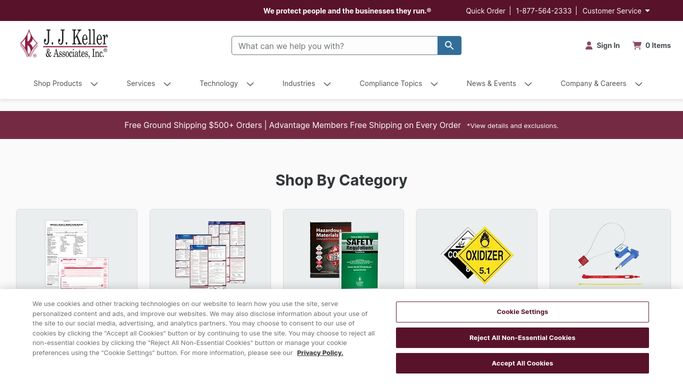
Every morning, WebRun opens J. J. Keller Encompass, finds every hours-of-service exception or unresolved ELD violation from the prior day, and posts your safety team a prioritized worklist so issues are addressed before they reach an audit.
J. J. Keller EncompassSlackGoogle Sheets
Automated Ocean Freight Customer Onboarding Kickoff
When a new ocean freight customer signs on, WebRun creates their shipment tracking workspace in Terminal49, sets up their Slack channel, and drafts a welcome email with onboarding instructions for your team to send.
Terminal49SlackGmail
Automated vCISO Contract Renewal Reminders
Every week, WebRun checks your active vCISO contracts against Vanta program status and posts renewal reminders to Slack for any engagement expiring within 60 days.
VantaGoogle SheetsSlack
Automated FranConnect Franchise Compliance Deadline Tracker
WebRun scans FranConnect for approaching compliance deadlines across your network, logs them to a shared tracker, and alerts your compliance team in Slack before anything is missed.
FranConnectGoogle SheetsSlack
Automated Avionte Client Contract Renewal Tracker
Every Monday, WebRun opens Avionte, finds client contracts and master service agreements expiring in the next 60 days, drafts a renewal outreach email for your account manager to review, and posts the renewal pipeline to Slack.
AvionteGmailSlack
iClassPro Automated New Student Onboarding Kickoff
When a new student is enrolled in iClassPro, WebRun drafts a welcome email with class details and what to bring, logs the student in a new-enrollee tracking sheet, and notifies the assigned coach in Slack so every new family feels prepared before day one.
iClassProGmailSlack

Want one of these running on your own Slack?

Show WebRun the process once and it will run it on schedule, in your own private browser environment.