Run a daily controlled-substance count audit and flag every discrepancy
Every morning, WebRun opens FrameworkLTC and reviews controlled-substance dispensing and returns records for each nursing facility, compares dispensed quantities against expected on-hand balances, flags every count discrepancy, logs the findings to a Google Sheet audit trail, and posts a Slack alert to your pharmacist-in-charge for immediate investigation.
- No credit card
- Under $0.01 per run
- Cancel anytime
What does WebRun do on every run?
The exact actions WebRun takes, in order - in plain language, so you can adjust anything.
-
WebRun signs in and gets to work
Opens
www.frameworkltc.comin a real browser with your saved login - no setup, no API keys. -
1
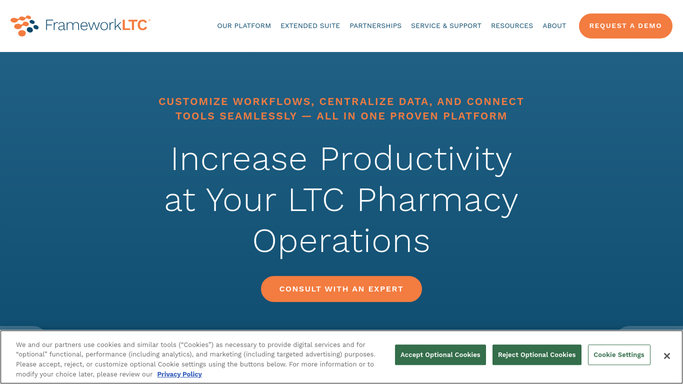
FrameworkLTC - review CS dispensing and return records
frameworkltc.com How to Automate FrameworkLTC

WebRun opens FrameworkLTC to review CS dispensing and return records. - Open FrameworkLTC and navigate to the controlled-substance dispensing records
- Pull all CS dispenses, returns, and waste entries recorded since the last audit run
- Compare the dispensed-minus-returned count against the expected on-hand balance for each drug and facility
- Flag any quantity where the actual count deviates from the expected count
Done when Every controlled-substance line has been compared and discrepancies are identified.
-
2
Google Sheets - log discrepancies to audit trail
google.com How to Automate Google Sheets
WebRun opens Google Sheets to log discrepancies to audit trail. - Open the controlled-substance audit log Google Sheet
- Append today's discrepancy entries with the drug name, facility, expected count, actual count, and variance
- Mark items from previous days resolved when the pharmacist-in-charge clears them
Done when The audit log in Google Sheets contains today's discrepancy entries with full detail.
-
3
Slack - alert pharmacist-in-charge to variances
slack.com How to Automate Slack
WebRun opens Slack to alert pharmacist-in-charge to variances. - Post a Slack alert to the pharmacist-in-charge with the total number of discrepancies found
- List each variance by drug, facility, and quantity gap
- Include the link to the Google Sheet audit log for documentation and sign-off
Done when The pharmacist-in-charge has the discrepancy list and audit log link in Slack.


How do I automatically audit controlled-substance counts across my LTC pharmacy facilities?
WebRun reviews FrameworkLTC controlled-substance dispensing and return records every morning, compares each drug's actual count against the expected on-hand balance for every nursing facility, logs every discrepancy to a Google Sheet audit trail, and alerts the pharmacist-in-charge in Slack so every variance is investigated and documented before the next dispensing cycle.
- Every controlled-substance count discrepancy is caught and documented the same day
- The pharmacist-in-charge has a Slack alert and audit log link every morning
- Clean counts are confirmed daily so the all-clear is part of the documented record
Built for long-term care pharmacies · pharmacists-in-charge · LTC pharmacy compliance officers · nursing facility pharmacy directors
How is each run configured?
Secure by default
Connect once, stays signed in
WebRun signs in once and keeps each session in a persistent environment, so every run picks up right where it left off.
Every action is checked against this policy before it runs.
Questions, answered
Does it file any regulatory reports automatically?
No. WebRun surfaces the discrepancies and logs them to your internal audit trail. Any required DEA or state board reporting is prepared as a draft for your pharmacist-in-charge to review, complete, and submit. No regulatory filing is made automatically.
How does it handle waste and partial returns?
It reads all waste entries and return records in FrameworkLTC and includes them in the dispensed-minus-returned calculation, so partial returns and witnessed waste are accounted for before the variance is flagged.
What if there are no discrepancies?
The Slack alert sends a clean confirmation that all controlled-substance counts reconcile for the day, so the pharmacist-in-charge knows the audit ran and the all-clear is documented in the Google Sheet.
Related templates
Put this on autopilot.
Turn it on in minutes - or have our team set it up for you.