Monitor investment policy statement covenants and flag breaches before reporting
Every Monday, WebRun reads the current allocation and exposure data from Addepar for each family entity, compares it against the investment policy statement covenant thresholds stored in Google Sheets, and posts a breach and at-risk list to the investment team Slack channel.
- No credit card
- Under $0.01 per run
- Cancel anytime
What does WebRun do on every run?
The exact actions WebRun takes, in order - in plain language, so you can adjust anything.
-
WebRun signs in and gets to work
Opens
app.addepar.comin a real browser with your saved login - no setup, no API keys. -
1
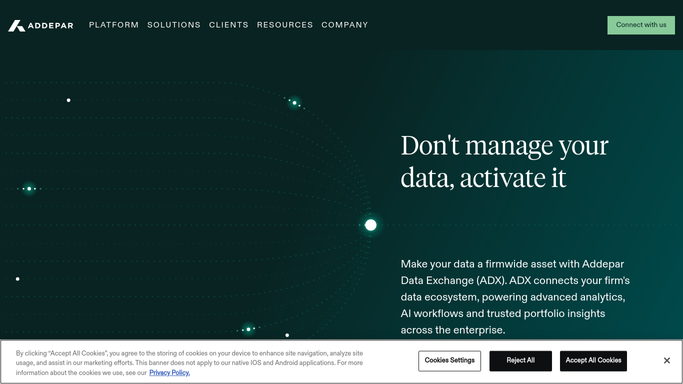
Addepar - read current allocation and exposure data
addepar.com How to Automate Addepar

WebRun opens Addepar to read current allocation and exposure data. - Open Addepar and pull the current asset allocation by entity, including asset class weights and concentration positions
- Read illiquidity ratios and alternative asset exposure percentages for each entity
- Capture any single-name equity positions above 5 percent of the entity portfolio
Done when Current allocation, concentration, and illiquidity data captured for all entities.
-
2
Google Sheets - compare against IPS covenant thresholds
google.com How to Automate Google Sheets
WebRun opens Google Sheets to compare against IPS covenant thresholds. - Open the IPS covenant threshold sheet listing each entity, covenant type, maximum or minimum permitted level, and a warning buffer
- Compare each entity's current data against its covenant limits
- Flag any entity where a covenant is breached or within 5 percentage points of its limit
- Update the breach status and log the comparison date for audit purposes
Done when All entities compared against their IPS covenants with breaches and near-breaches flagged.
-
3
Slack - post breach and at-risk list to investment team
slack.com How to Automate Slack
WebRun opens Slack to post breach and at-risk list to investment team. - Post a structured list to the investment team channel organized as: confirmed breaches, near-breach warnings, and entities in compliance
- For each breach or warning include entity name, covenant type, current level, and the permitted limit
- Include a link to the full covenant comparison in Google Sheets
Done when Investment team has the weekly IPS covenant status in Slack with breaches and warnings clearly marked.


How can I automatically monitor IPS covenant compliance for each family entity in Addepar?
WebRun reads current allocation and exposure data from Addepar every Monday, compares each entity against its investment policy statement covenant thresholds stored in Google Sheets, and posts a structured breach and at-risk list to Slack, so your investment team can address any covenant issue before client reports are generated.
- Covenant breaches and near-breaches surfaced every Monday before client reports run
- Investment team alerted to near-breaches while there is still time to rebalance
- Full covenant comparison log maintained automatically in Google Sheets for audit trail
Built for family office CIOs · investment committee members · single family offices · multi-family office investment teams
How is each run configured?
Secure by default
Connect once, stays signed in
WebRun signs in once and keeps each session in a persistent environment, so every run picks up right where it left off.
Every action is checked against this policy before it runs.
Questions, answered
Where do I store the IPS covenant thresholds?
You maintain them in a Google Sheets table with columns for entity, covenant type, minimum permitted level, maximum permitted level, and warning buffer. WebRun reads this table each Monday.
Will it automatically rebalance a portfolio that is in breach?
No. WebRun only flags breaches for your investment team. All rebalancing decisions and trades must be initiated by a portfolio manager.
Can it check covenants for multiple entities with different IPS documents?
Yes. Each entity has its own row or set of rows in the Google Sheets covenant table, so different entities can have different limits. WebRun compares each entity against its own thresholds.
Related templates
Put this on autopilot.
Turn it on in minutes - or have our team set it up for you.