Verify patient eligibility for tomorrow's radiology appointments in RamSoft
Every evening, WebRun opens RamSoft PowerServer's eligibility and pre-authorization module, checks insurance coverage for every patient scheduled for the next business day, logs the results in a Google Sheet, and posts a flagged worklist to the front-desk Slack channel so the team resolves any coverage issues before the patient arrives for their scan.
- No credit card
- Under $0.01 per run
- Cancel anytime
What does WebRun do on every run?
The exact actions WebRun takes, in order - in plain language, so you can adjust anything.
-
WebRun signs in and gets to work
Opens
www.ramsoft.comin a real browser with your saved login - no setup, no API keys. -
1
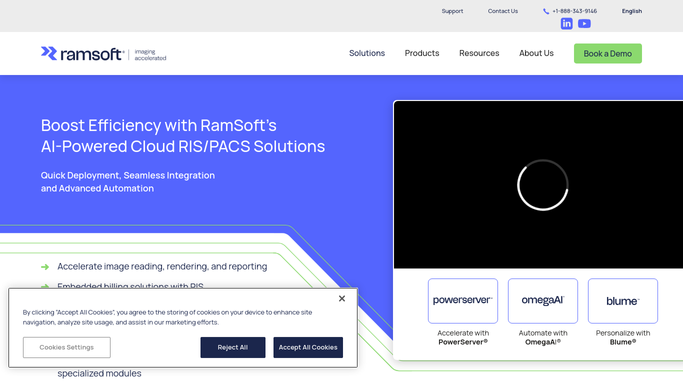
RamSoft - run eligibility checks on next-day appointments
ramsoft.com How to Automate RamSoft

WebRun opens RamSoft to run eligibility checks on next-day appointments. - Open RamSoft PowerServer and navigate to tomorrow's appointment schedule
- Use the eligibility and pre-authorization module to run a coverage check for each scheduled patient
- Flag patients with inactive coverage, coverage that does not include the ordered modality, or missing insurance information
Done when Every next-day patient has an eligibility status from RamSoft, with issues flagged for follow-up.
-
2
Google Sheets - log eligibility results and flag issues
google.com How to Automate Google Sheets
WebRun opens Google Sheets to log eligibility results and flag issues. - Append each patient's eligibility result to the verification tracking sheet, using only the patient identifier and not full name or diagnosis
- Mark ineligible or partial-coverage results in red and eligible results in green
- Note the coverage type, copay, and any authorization requirement for each patient
Done when Tomorrow's eligibility results are logged and color-coded in the tracking sheet.
-
3
Slack - post eligibility worklist for front-desk review
slack.com How to Automate Slack
WebRun opens Slack to post eligibility worklist for front-desk review. - Post a summary to the front-desk Slack channel listing patients with eligibility issues
- Lead with patients who have inactive or missing coverage so they can be contacted first thing in the morning
- Include the appointment time and issue type for each flagged patient
Done when The front-desk team has tonight's eligibility issue list in Slack before they leave for the day.


How do I automatically verify patient insurance eligibility for next-day radiology appointments in RamSoft?
WebRun opens RamSoft PowerServer every evening and runs eligibility checks on every patient scheduled for the next business day using the built-in eligibility and pre-authorization module. It logs the results in a Google Sheet and posts a flagged worklist to the front-desk team in Slack so any coverage issue is resolved before the patient arrives for their scan.
- Coverage issues surface the evening before the appointment, not when the patient is in the waiting room
- The front-desk team starts every morning with a clear list of eligibility items to resolve
- Fewer same-day cancellations and uncompensated claims due to unverified coverage
Built for radiology front-desk staff · imaging center eligibility coordinators · teleradiology billing teams · hospital radiology admissions teams
How is each run configured?
Secure by default
Connect once, stays signed in
WebRun signs in once and keeps each session in a persistent environment, so every run picks up right where it left off.
Every action is checked against this policy before it runs.
Questions, answered
Will it contact patients to resolve coverage issues automatically?
No. WebRun posts the flagged list to your front-desk team in Slack so they can contact the patient or insurance company themselves. All patient communication is handled by your staff, not by the automation.
Does it store patient insurance information in Google Sheets?
The Google Sheet uses appointment identifiers and coverage status, not full patient demographics or policy numbers. Detailed insurance information stays within RamSoft. The sheet is a workflow tracker, not a data store for protected health information.
What if a patient's insurance was updated in RamSoft after the eligibility check ran?
Re-running the automation or manually re-checking the patient in RamSoft's eligibility module will pick up the updated insurance. You can also re-run the WebRun automation on demand at any time to refresh the results.
Related templates
Put this on autopilot.
Turn it on in minutes - or have our team set it up for you.