Chase candidates who have not completed their onboarding documents
Every morning, WebRun opens Avionte's onboarding module, finds candidates with incomplete I-9s, tax forms, or required certifications, drafts a reminder text in Twilio for each, and posts a worklist to Slack so your onboarding team knows exactly who to chase and what is missing before starting their day.
- No credit card
- Under $0.01 per run
- Cancel anytime
What does WebRun do on every run?
The exact actions WebRun takes, in order - in plain language, so you can adjust anything.
-
WebRun signs in and gets to work
Opens
app.avionte.comin a real browser with your saved login - no setup, no API keys. -
1
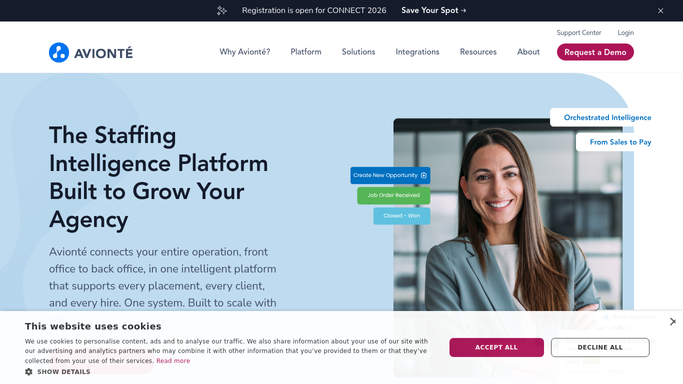
Avionte - find candidates with incomplete onboarding tasks
avionte.com How to Automate Avionte

WebRun opens Avionte to find candidates with incomplete onboarding tasks. - Open Avionte and navigate to the Onboarding module
- Filter candidates to those with status Incomplete or Partially Complete
- For each candidate, list the specific tasks still outstanding: I-9, W-4, direct deposit form, background check consent, required safety certifications
- Flag candidates whose assignment start date is within 48 hours as urgent
Done when Every candidate with an incomplete onboarding checklist is identified with their specific missing tasks.
-
2
Twilio - draft reminder text for onboarding team review
twilio.com How to Automate Twilio
WebRun opens Twilio to draft reminder text for onboarding team review. - Draft a reminder text for each incomplete candidate: address them by first name, list the specific documents still needed, and include the Avionte onboarding portal link
- Queue each text as a draft in Twilio, leaving it unsent for onboarding team review
- Flag messages for candidates starting within 48 hours at the top of the send queue
Done when A drafted reminder text is queued in Twilio for every candidate with incomplete onboarding, pending team approval.
-
3
Slack - post daily incomplete-onboarding worklist
slack.com How to Automate Slack
WebRun opens Slack to post daily incomplete-onboarding worklist. - Post a worklist to the onboarding-ops Slack channel: number of incomplete candidates, a breakdown by missing task type, and which candidates have urgent start dates
- Link to the Avionte onboarding view for quick access
Done when The onboarding team has a Slack worklist with today's incomplete candidates and their missing tasks.


How do I automatically chase candidates with incomplete staffing onboarding documents?
Every morning WebRun opens Avionte's onboarding module, finds candidates with incomplete I-9s, tax forms, or certifications, drafts a reminder text in Twilio for each pending team approval, and posts a prioritized worklist to Slack. Placements scheduled within 48 hours are flagged as urgent so your team works the most time-sensitive cases first.
- Placements are never delayed by missing paperwork caught the morning of the start date
- Onboarding teams start each day with a prioritized list of who to contact
- No candidate is texted without a team member reviewing the message first
Built for staffing agency onboarding teams · temp agency back office · light-industrial staffing firms · workforce solutions coordinators
How is each run configured?
Secure by default
Connect once, stays signed in
WebRun signs in once and keeps each session in a persistent environment, so every run picks up right where it left off.
Every action is checked against this policy before it runs.
Questions, answered
Will it text candidates without my team approving each message first?
No. Every reminder text is queued as a draft in Twilio and stays unsent until an onboarding team member reviews and approves it. Candidates receive nothing without a human check.
Which onboarding documents does it track?
It reads whatever tasks are set as required in Avionte's onboarding checklist for each candidate, including I-9, W-4, direct deposit, background check consent, and any custom safety certifications your agency requires.
What if a candidate completes their forms between reminder runs?
WebRun reads the live onboarding status in Avionte each morning. Candidates who have completed their tasks since the last run are skipped automatically and no draft is created.
Related templates
Put this on autopilot.
Turn it on in minutes - or have our team set it up for you.